


How do you post pictures?

Thread Starter
|
Senior Member
Joined: Oct 2011
Posts: 441
Likes: 28
From: Southern New Jersey
 How do you post pictures?
I have tried to post pictures of my car after all the work I've had done, but I can't figure it out. I am not a computer Geek so I guess I'm doomed.
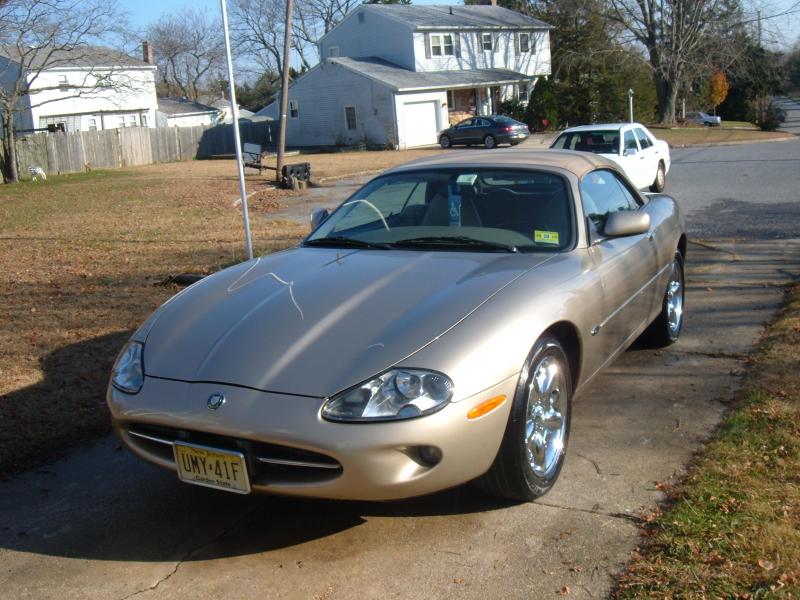
I have installed chrome gauge trim, a new wooden Coventry shifter knob, I had the seats redone, replaced any broken seat trim and anything that was missing etc, I just installed chrome Revolver wheels and I would like to share but don't know how.
Is there a way that doesn't need a PHD to use?
Thanks.
I have installed chrome gauge trim, a new wooden Coventry shifter knob, I had the seats redone, replaced any broken seat trim and anything that was missing etc, I just installed chrome Revolver wheels and I would like to share but don't know how.
Is there a way that doesn't need a PHD to use?
Thanks.




Joined: Dec 2011
Posts: 120,439
Likes: 17,014
From: Durham, UK
There are slicker ways but this sequence is probably the easiest to get you started:
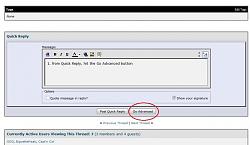
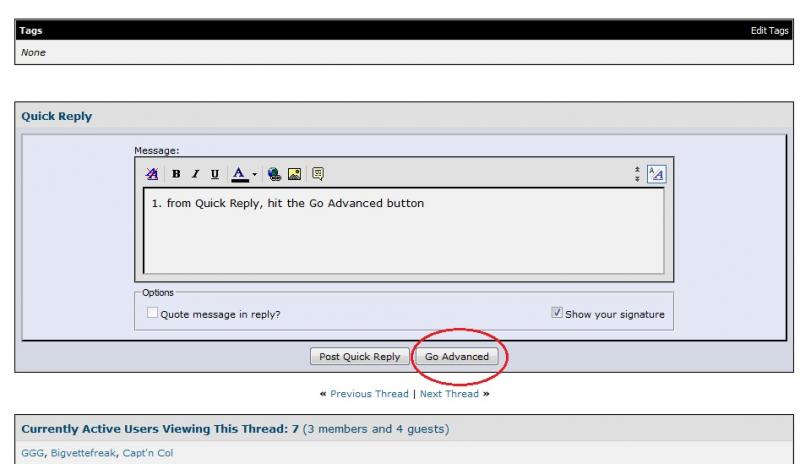
1. from Quick Reply, hit the Go Advanced button
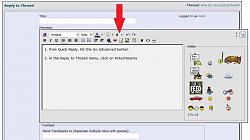
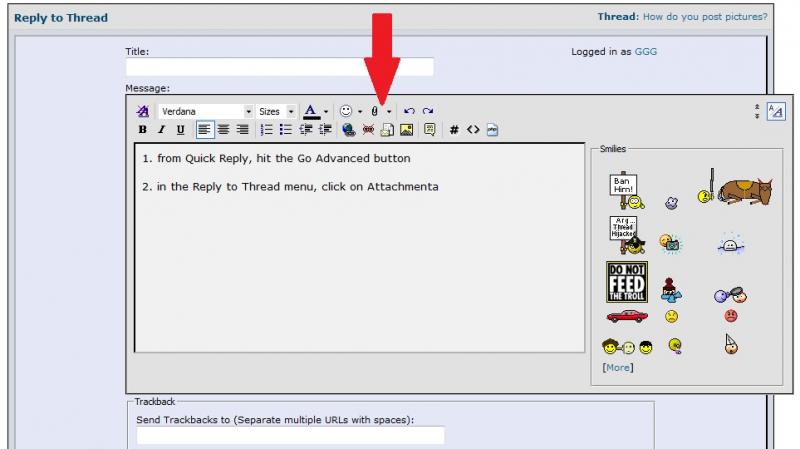
2. in the Reply to Thread menu, click on Attachments (the Paper Clip icon)
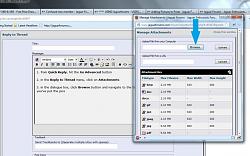
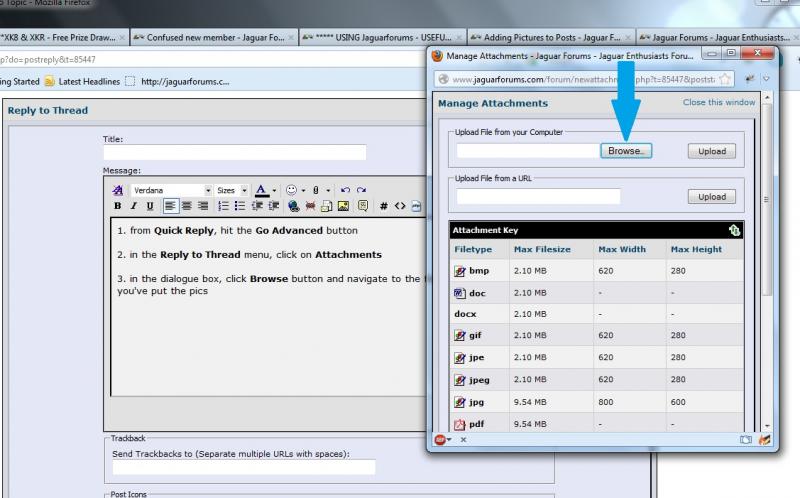
3. in the dialogue box, click Browse button and navigate to the folder where you've put the pics
4. click the Upload button - it may take a while depending on the pic size and your internet connection
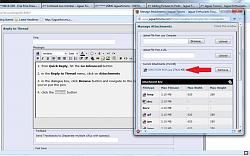
5. click on Attachments button again and the file you've uploaded is there
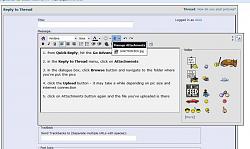
6. click on the file to insert it into your post
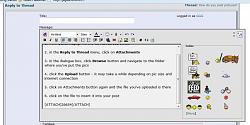
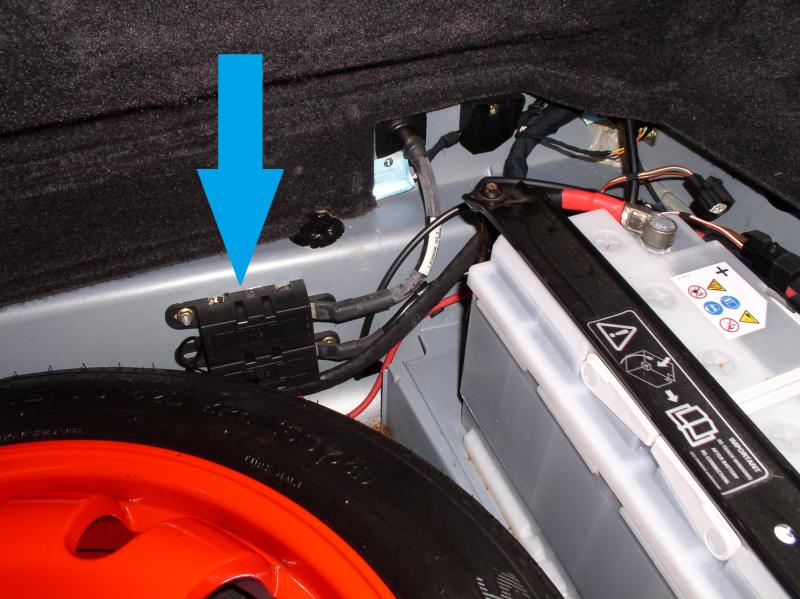
Here's the example I used which is a pic named JUNCTION BOX.JPG:
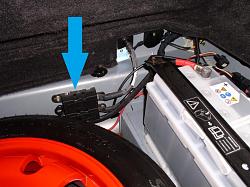
Try it with a single pic to start and then edit the post to add further pics.
Remember the maximum size of a single JPG you can upload is 9.54 mB.
Graham
1. from Quick Reply, hit the Go Advanced button
2. in the Reply to Thread menu, click on Attachments (the Paper Clip icon)
3. in the dialogue box, click Browse button and navigate to the folder where you've put the pics
4. click the Upload button - it may take a while depending on the pic size and your internet connection
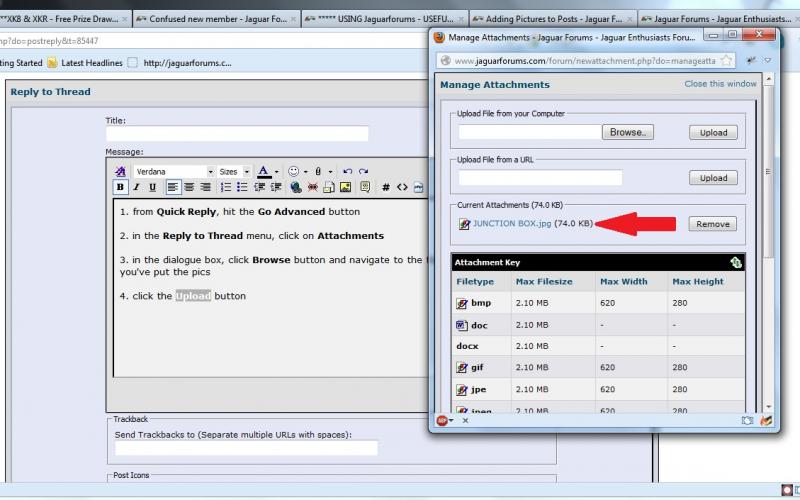
5. click on Attachments button again and the file you've uploaded is there
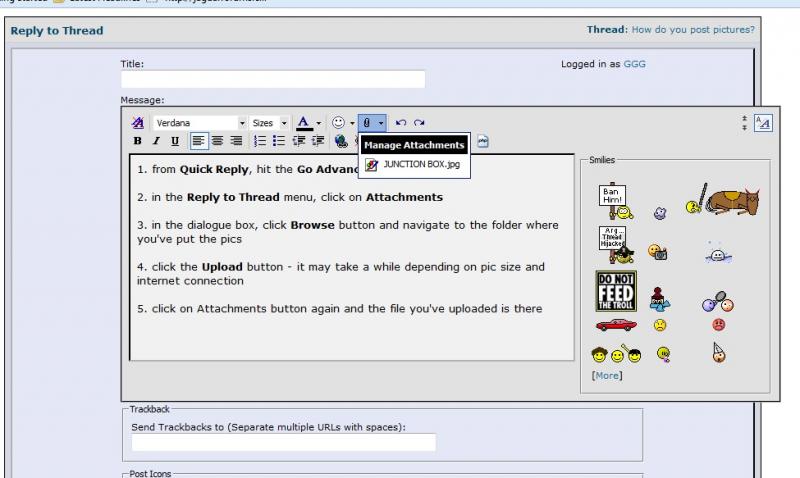
6. click on the file to insert it into your post
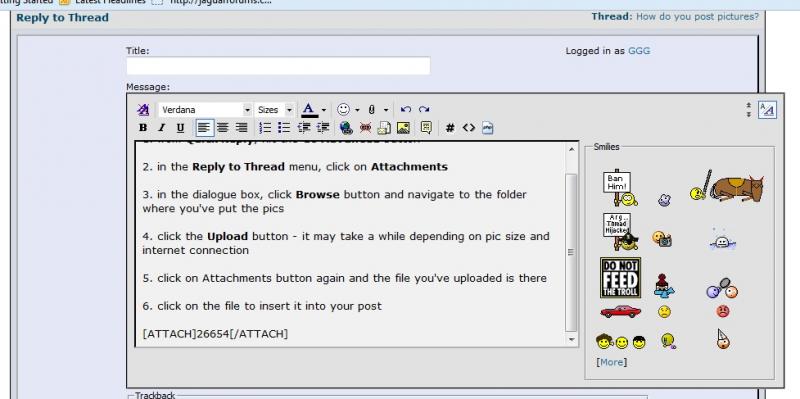
Here's the example I used which is a pic named JUNCTION BOX.JPG:
Try it with a single pic to start and then edit the post to add further pics.
Remember the maximum size of a single JPG you can upload is 9.54 mB.
Graham
Last edited by GGG; Nov 27, 2012 at 02:14 PM.
Thread Starter
|
Senior Member
Joined: Oct 2011
Posts: 441
Likes: 28
From: Southern New Jersey
[attach][attach]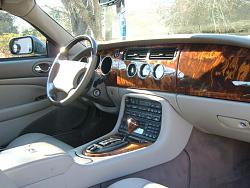
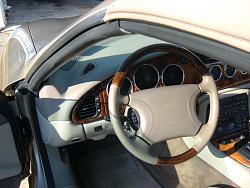
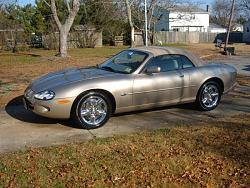 [/attach][/attach]
Well it sorta worked. better than nothing. I'll do some more later ran out of time.
Thanks for the great instructions.
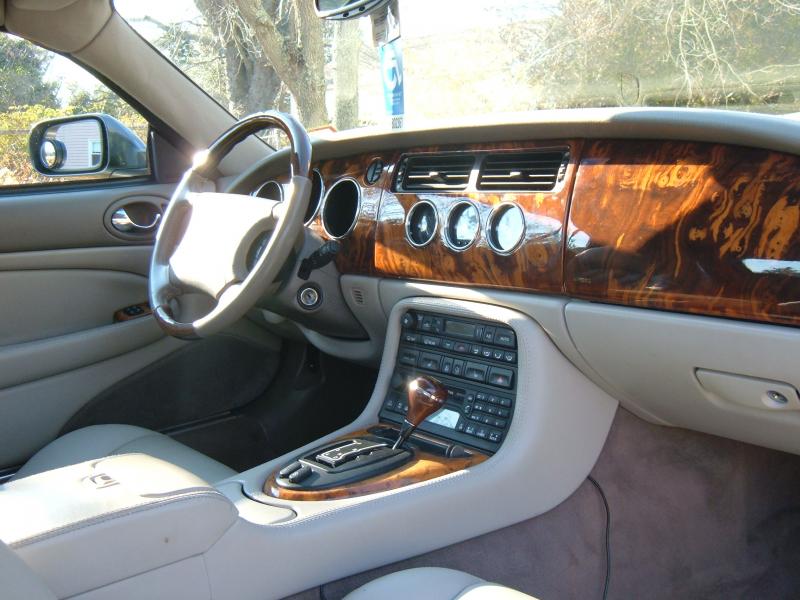
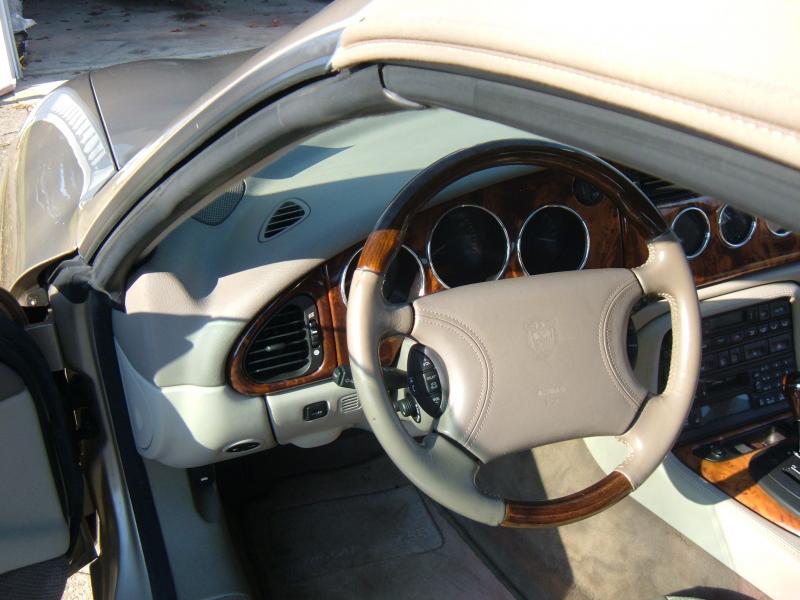
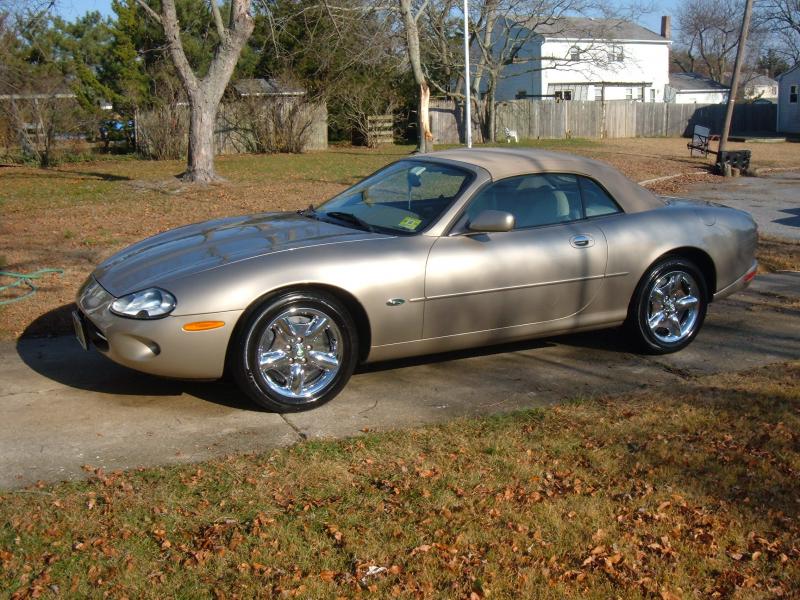 [/attach][/attach]
Well it sorta worked. better than nothing. I'll do some more later ran out of time.
Thanks for the great instructions.
Last edited by Bigvettefreak; Nov 29, 2012 at 01:19 PM.
Trending Topics




Joined: Oct 2007
Posts: 121,135
Likes: 6,653
From: PHX some of the time
If you want them bigger you can right click on the thumbnail and open it in a new tab.
Copy the address from that tab then either in a new post or editing the original click on the little yllow square with the mountains on it
and paste the address in the box that opens click ok and you should be done.
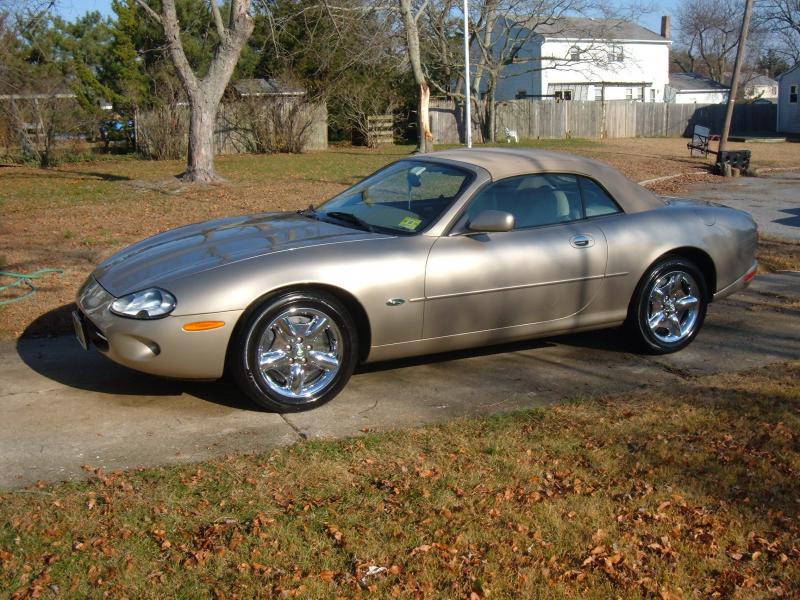
Copy the address from that tab then either in a new post or editing the original click on the little yllow square with the mountains on it
and paste the address in the box that opens click ok and you should be done.


Thread
Thread Starter
Forum
Replies
Last Post
clubairth1
S-Type / S type R Supercharged V8 ( X200 )
30
Sep 3, 2025 04:38 PM
Mbourne
New Member Area - Intro a MUST
9
Sep 14, 2015 09:21 PM
Currently Active Users Viewing This Thread: 1 (0 members and 1 guests)

