


How do you add an avatar?



Did you go to the new member area? https://www.jaguarforums.com/forum/n...-intro-must-5/ I know GGG will be there to assist you.
To add a picture you do not have to be higher than a Junior Member. Go to upload a picture from albums and then select Profile Picture.
To add a picture you do not have to be higher than a Junior Member. Go to upload a picture from albums and then select Profile Picture.



Joined: Dec 2011
Posts: 120,439
Likes: 17,014
From: Durham, UK
Welcome to the forum Macc,
There's no restriction on you adding an avatar.
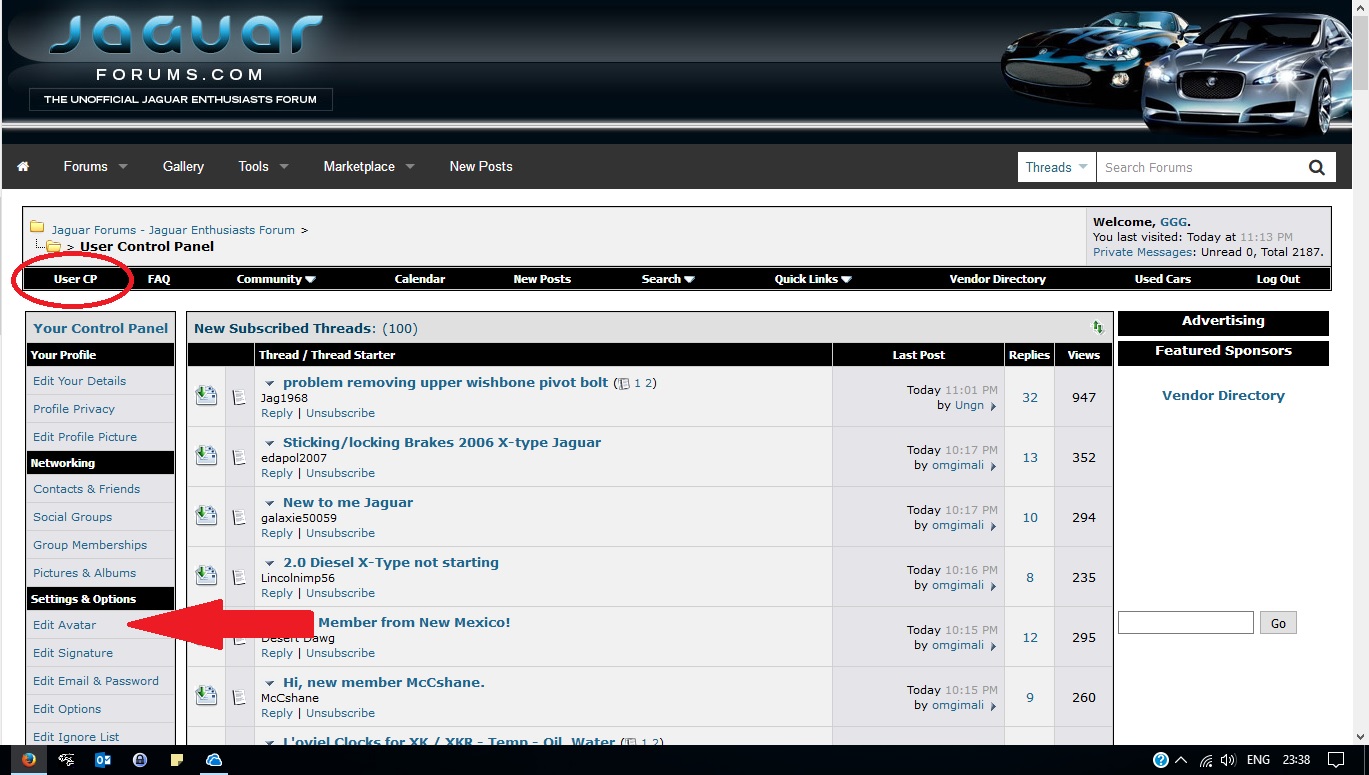
1. go to User CP (circled in red)
2. go to Settings & Options (arrowed in red)
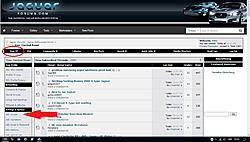
(click on the image to enlarge it)
3. select Edit Avatar
You will then see the dialogue box to enter the path.
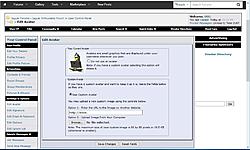
NOTE: the maximum size of your custom image is 80 by 80 pixels or 19.5 KB (whichever is smaller).
Graham
There's no restriction on you adding an avatar.
1. go to User CP (circled in red)
2. go to Settings & Options (arrowed in red)
(click on the image to enlarge it)
3. select Edit Avatar
You will then see the dialogue box to enter the path.
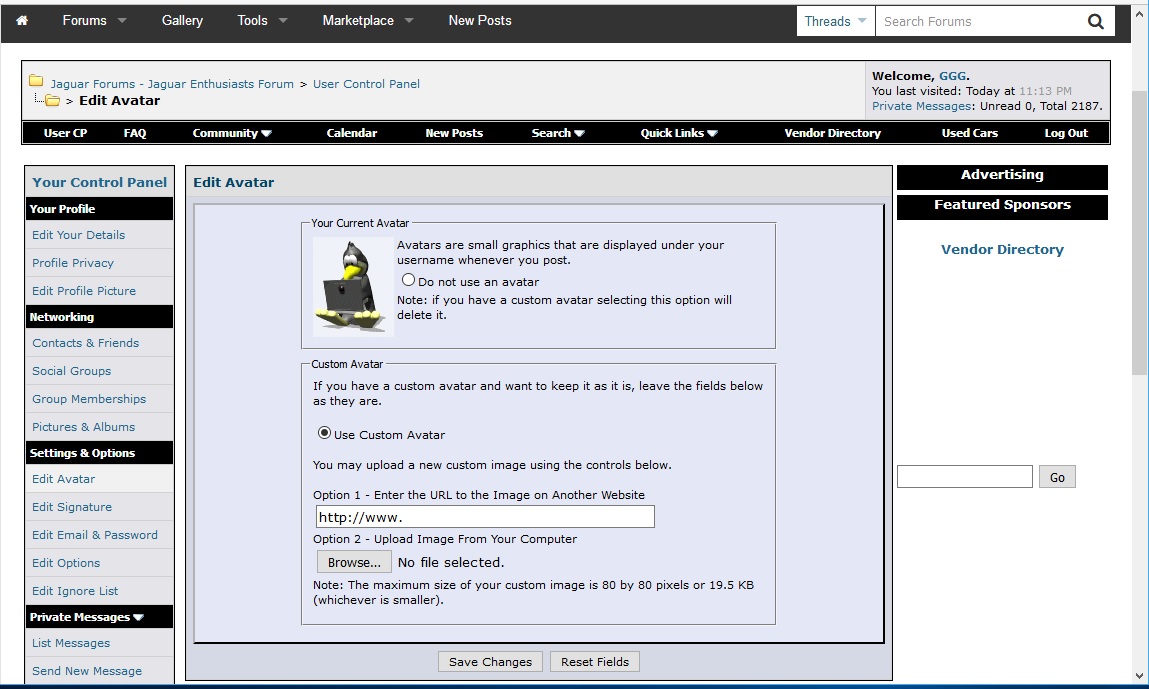
NOTE: the maximum size of your custom image is 80 by 80 pixels or 19.5 KB (whichever is smaller).
Graham

