


Thread subscription emails


Thread Starter
|
Member
Joined: Oct 2017
Posts: 78
Likes: 27
From: Southwest Louisiana
 Thread subscription emails
I set my Default Thread Subscription option to Weekly email notification shortly after setting up this account. It's been a few days, but I'm still getting notifications anytime someone posts a reply in a thread I'm subscribed to, instead of on a weekly basis. I also tried the daily option and the never option, but those didn't seem to change anything. I don't use that email address often, but when I do check it, my inboxes are full of emails about thread replies. I'd like to keep it relatively free of spam email from forums. Am I doing something wrong?




Joined: Dec 2011
Posts: 120,439
Likes: 17,014
From: Durham, UK
I have a separate email account specifically for the forum and my forum profile options set to No email notification:
(click on the image to enlarge it)
This works. I still receive PM (Private Messages) and VM (Visitor messages) but no notifications from any subscribed threads.
Graham
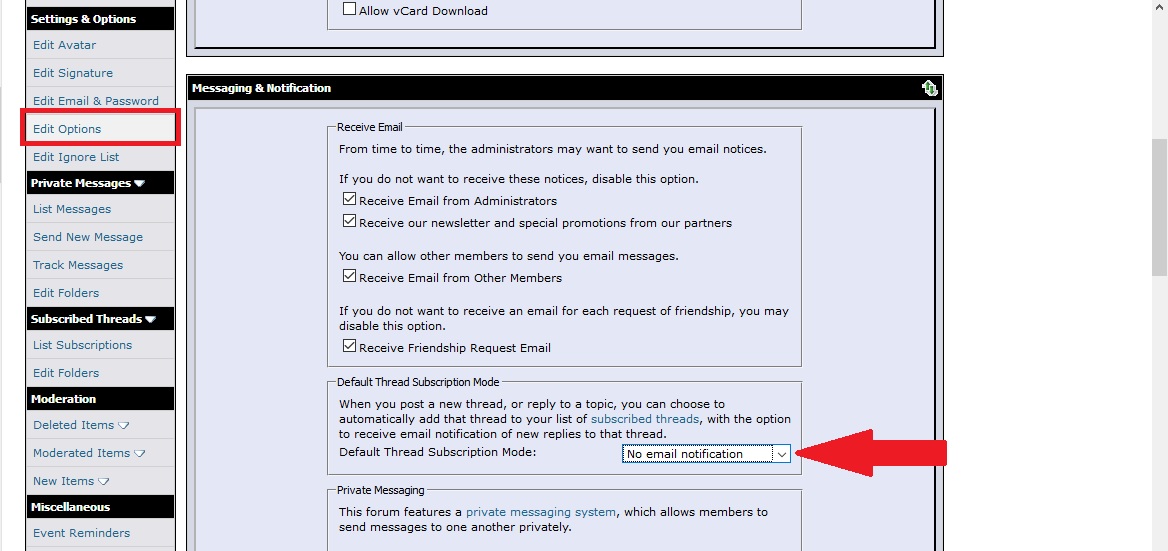
(click on the image to enlarge it)
This works. I still receive PM (Private Messages) and VM (Visitor messages) but no notifications from any subscribed threads.
Graham

 I'll fiddle with it and maybe get it to work. Do you have to log out and back in for that to take effect?
Joined: Dec 2011
Posts: 120,439
Likes: 17,014
From: Durham, UK
Any changes should 'save' immediately but a regular logout and cache clear always helps to clear the accumulated internet junk.
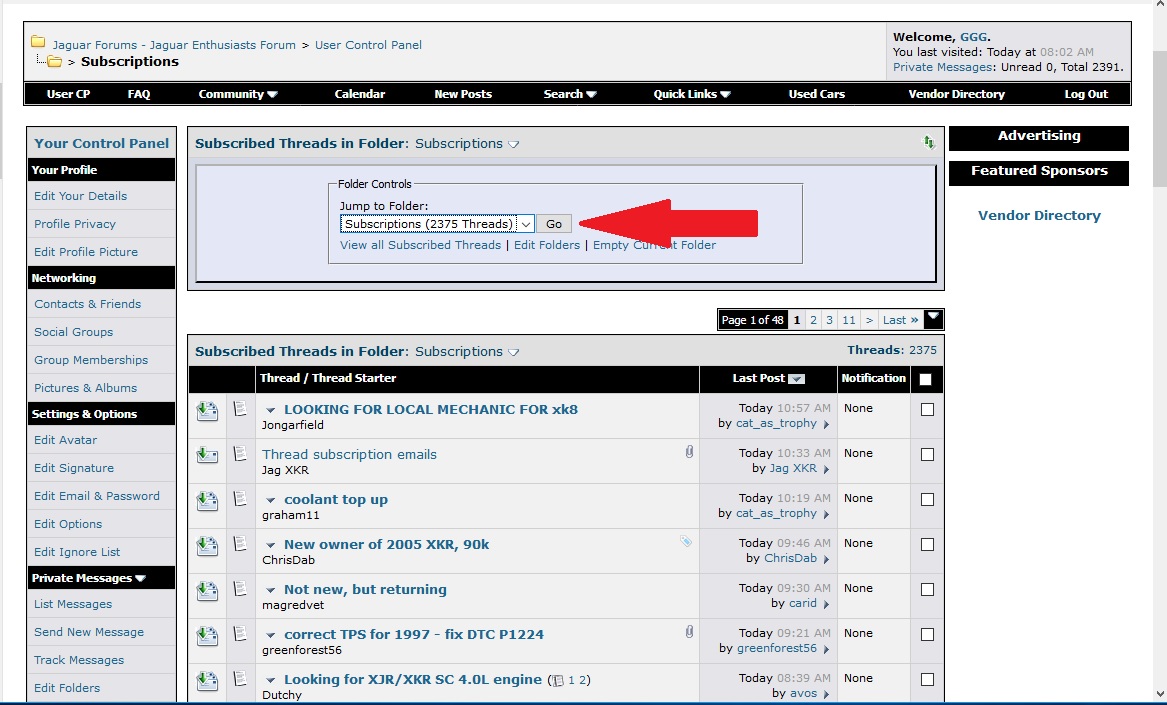
You may want to prune your Subscriptions list too:
I clear mine out when they hit 3000.
Graham
You may want to prune your Subscriptions list too:
I clear mine out when they hit 3000.
Graham
Thread Starter
|
Member
Joined: Oct 2017
Posts: 78
Likes: 27
From: Southwest Louisiana
I have a separate email account specifically for the forum and my forum profile options set to No email notification:
Attachment 204445
(click on the image to enlarge it)
This works. I still receive PM (Private Messages) and VM (Visitor messages) but no notifications from any subscribed threads.
Graham
Attachment 204445
(click on the image to enlarge it)
This works. I still receive PM (Private Messages) and VM (Visitor messages) but no notifications from any subscribed threads.
Graham
Thanks for the help anyway.

Senior Member
Joined: Mar 2010
Posts: 481
Likes: 130
From: VA, USA
Same problem. How do I change the email notification for a thread I've already subscribed to, from "daily" to "never"? Or from "never" to something else. Etc... I know you can set the default option, for new subs, but I don't see how to change the notification preference for an existing sub.
Last edited by 15FTypeR; Dec 7, 2017 at 10:30 PM.
Joined: Dec 2011
Posts: 120,439
Likes: 17,014
From: Durham, UK
Go to User CP - Subscribed Threads - List Subscriptions. This returns a list of all your current thread subscriptions.
Check any you want to amend:
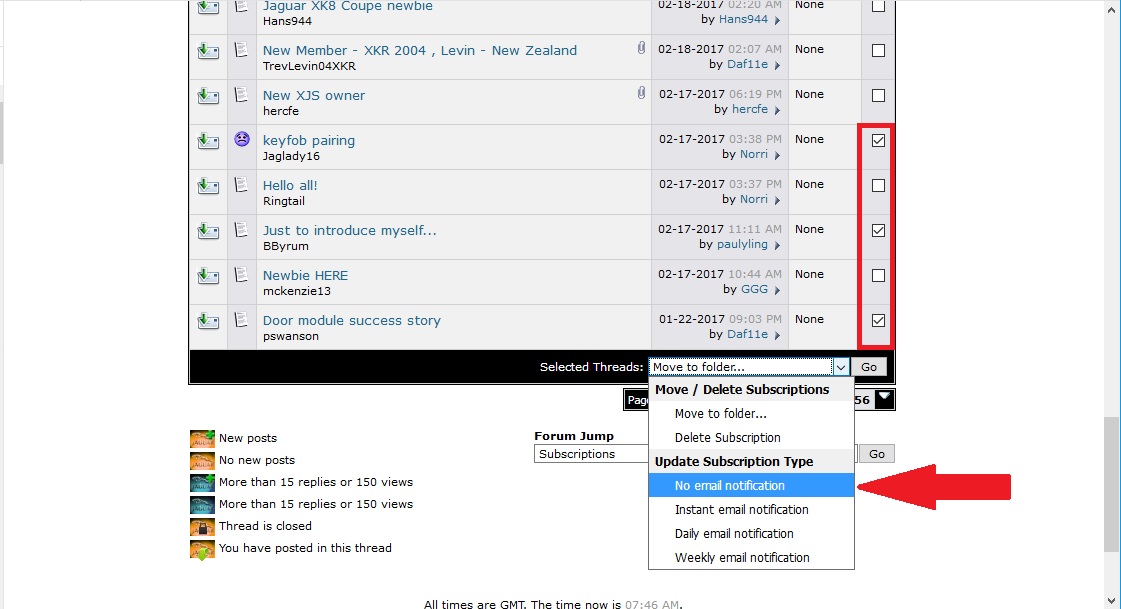
Use the Selected Threads options drop down to choose the new notification setting for the selected group.
Graham
Check any you want to amend:
Use the Selected Threads options drop down to choose the new notification setting for the selected group.
Graham