


Handbook download


 Handbook download
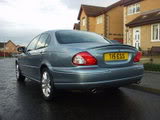

Vehciles covered are -
XJ Range
V8 XJ Series
XF
The New XK
XK Series
S Type
X Type
handbook.download
Jaguar.handbook.downloads
Jim















Guest
Posts: n/a
Unfortunately, I cannot get any of the handbooks to download (specifically, 2002) - am I missing something obvious!
Liam
Liam
Trending Topics

Junior Member
Joined: Apr 2010
Posts: 14
Likes: 3
From: Georgia
Hi Jim,
I think that there has been a change to your link.
Yesterday, it took me to
http://www.jaguartechinfo.com/extfre...prod/index.jsp
which shows, Steps 1, 2 and 3.
Today, it took me to
http://www.ownerinfo.jaguar.com/extf...prod/index.jsp
which only shows Steps 1 and 2, and it doesn't go anywhere after that.
I hope that this is helpful.
Ira
I think that there has been a change to your link.
Yesterday, it took me to
http://www.jaguartechinfo.com/extfre...prod/index.jsp
which shows, Steps 1, 2 and 3.
Today, it took me to
http://www.ownerinfo.jaguar.com/extf...prod/index.jsp
which only shows Steps 1 and 2, and it doesn't go anywhere after that.
I hope that this is helpful.
Ira


Junior Member
Joined: Aug 2010
Posts: 11
Likes: 2
From: England
That site isn't working for me, just asks if I want to download the file "loadasset", and it starts at 2001 rather than 1999?
I have the complete 1999 manual, although the fuse listing are wrong, does anyone have a pic of their passenger fuse board they can post, or at least a listing?
Neil
I have the complete 1999 manual, although the fuse listing are wrong, does anyone have a pic of their passenger fuse board they can post, or at least a listing?
Neil

Senior Member


Joined: Aug 2010
Posts: 772
Likes: 185
From: Monroeville, Ala.
Not working for me, either. I can download the 2003 S-Type manual's first page, which is a screenshot of the index, but if I click on any of the sections (4-1 "On the Road", etc.), it immediately crashes Firefox. IE can't even find it.
Jess
Jess

just checked and worked fine for me....Are you absolutely sure there is no problem with a pop up blocker? Its something I nearly missed and the download was blocked from opening!
Senior Member
Joined: Aug 2010
Posts: 772
Likes: 185
From: Monroeville, Ala.
It's been doing it for about four hours now, for me.
Jess

Ok....I just double checked again and it worked fine for me, no problem.
You have to be aware that pop up blockers will stop this from opening.....watch your screen as you click on it and you may see a prompt....press ctrl whilst clicking to enable pop ups.
I did as follows....
Click on....Handbook download, X type, Owners handbook, Continue
selected X type 2003 from the list and clicked and a pdf file opened up.
I even started to print a page or two but cancelled half way through just to see if they'd print
Everything worked fine for me and I'm no computer specialist.....sorry, I can do no more
Senior Member
Joined: Aug 2010
Posts: 772
Likes: 185
From: Monroeville, Ala.

Ok....I just double checked again and it worked fine for me, no problem.
You have to be aware that pop up blockers will stop this from opening.....watch your screen as you click on it and you may see a prompt....press ctrl whilst clicking to enable pop ups.
I did as follows....
Click on....Handbook download, X type, Owners handbook, Continue
selected X type 2003 from the list and clicked and a pdf file opened up.
I even started to print a page or two but cancelled half way through just to see if they'd print
Everything worked fine for me and I'm no computer specialist.....sorry, I can do no more
I appreciate your efforts. I'm confounded by it, myself. I did turn off pop-up blocker last night very early on in the process but it had no discernible effect. I figured it might be my anti-virus program flagging the page as a threat but that doesn't seem to be the case, either. Best idea I have at the moment is that it's internal in my browser and I need to fully uninstall/reinstall one of the two browsers I'm trying to use. Strange that it would affect both browsers at once! But I've encountered weirder before.
Jess
Senior Member
Joined: Aug 2010
Posts: 772
Likes: 185
From: Monroeville, Ala.
Hey Jim, I think I got it! It appears the problem may be with people's Adobe Acrobat.
Mine was the most recent version, but the sheer size of some of those sections may have been playing havoc with the program. Here's how I fixed it:
1) Open the manuals (on the 2003 S-Type, I got the index page but could go no further). A second browser window (i.e., a pop-up) should open automatically.
2) Open a THIRD browser window. Not a tab, a new window
3) Mouse over one of the links (such as "On the Road, Sec. 4-1"), right-click and select "copy link location."
4) Go to your third browser window, paste the link, and access it from there. Do NOT try to access it through the second window that opened automatically.
Thanks for your patience, Jim!
Jess
Mine was the most recent version, but the sheer size of some of those sections may have been playing havoc with the program. Here's how I fixed it:
1) Open the manuals (on the 2003 S-Type, I got the index page but could go no further). A second browser window (i.e., a pop-up) should open automatically.
2) Open a THIRD browser window. Not a tab, a new window
3) Mouse over one of the links (such as "On the Road, Sec. 4-1"), right-click and select "copy link location."
4) Go to your third browser window, paste the link, and access it from there. Do NOT try to access it through the second window that opened automatically.
Thanks for your patience, Jim!
Jess

No problem Jess, just glad it all worked out for you.

Nice one on posting your procedure as well as it may help other people if they have problems.
All the best


