My first X350!


 My first X350!
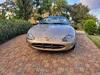
First time here having yesterday bought a 2003 XJ6 and after one long drive, I love it!! Can't stop going outside to look...
So, the drivers door handle is sticking out at a strange angle, from google I have found instructions on replacing the cable and have a cable arriving from ebay so that should sort that problem out.
The question I'm here to ask is about phone Bluetooth. Having gone through many articles on here I can see that my car has all the right buttons but not the right components. I have found on ebay a bluetooth module apparently for this version, but I can't find any instructions about where it goes or how, and the seller just supplies the unit...Jaguar XJ X350 Mobile Phone Bluetooth Module 2W93-19K350-AD | eBay
Any clues or ideas?
also, somewhat strangely it has a minidisc player in the stereo which is of no use to man nor beast. Could I upgrade to another Jaguar system in there or not?
Many thanks for your patience, I hope to be a long time owner!!
So, the drivers door handle is sticking out at a strange angle, from google I have found instructions on replacing the cable and have a cable arriving from ebay so that should sort that problem out.
The question I'm here to ask is about phone Bluetooth. Having gone through many articles on here I can see that my car has all the right buttons but not the right components. I have found on ebay a bluetooth module apparently for this version, but I can't find any instructions about where it goes or how, and the seller just supplies the unit...Jaguar XJ X350 Mobile Phone Bluetooth Module 2W93-19K350-AD | eBay
Any clues or ideas?
also, somewhat strangely it has a minidisc player in the stereo which is of no use to man nor beast. Could I upgrade to another Jaguar system in there or not?
Many thanks for your patience, I hope to be a long time owner!!

Hi, Welcome to the forums :-)
That's actually my module for sale on ebay! There are a few articles floating around about the bluetooth upgrade. Do you have the motorola car-phone under the centre armrest?
If you have the existing car-phone then the module in the boot stack needs to be replaced with the bluetooth version, then a BTUM (Bluetooth Upgrade Module) also needs to be acquired which then plugs in under the armrest where the handset normally goes. However there is a bit of re-wiring required to make sure the correct wires connect the two modules.
There's also another way to do it which is to use the bluetooth module from a later model X-type which has all the functionality built into one module so it's easier. I posted a howto on the UK Jaguarforum but it seems to be down at the moment. I'll post a link when its working again.
Ben
That's actually my module for sale on ebay! There are a few articles floating around about the bluetooth upgrade. Do you have the motorola car-phone under the centre armrest?
If you have the existing car-phone then the module in the boot stack needs to be replaced with the bluetooth version, then a BTUM (Bluetooth Upgrade Module) also needs to be acquired which then plugs in under the armrest where the handset normally goes. However there is a bit of re-wiring required to make sure the correct wires connect the two modules.
There's also another way to do it which is to use the bluetooth module from a later model X-type which has all the functionality built into one module so it's easier. I posted a howto on the UK Jaguarforum but it seems to be down at the moment. I'll post a link when its working again.
Ben
Oh yes I forgot to say, I was aware there was a Minidisc option but never seen one, can you take a pic?
The lower part of the head unit can be replaced with either the cassette player or single slot CD player, then there's a configuration option in the head unit service menu to tell it what type of unit you have.
Ben
The lower part of the head unit can be replaced with either the cassette player or single slot CD player, then there's a configuration option in the head unit service menu to tell it what type of unit you have.
Ben
Oh yes I forgot to say, I was aware there was a Minidisc option but never seen one, can you take a pic?
The lower part of the head unit can be replaced with either the cassette player or single slot CD player, then there's a configuration option in the head unit service menu to tell it what type of unit you have.
Ben
The lower part of the head unit can be replaced with either the cassette player or single slot CD player, then there's a configuration option in the head unit service menu to tell it what type of unit you have.
Ben
I don't have the phone fixture in the arm rest. I have an Android phone at the moment, unlikely to go back to iPhone to be honest.
If I can use this to get bluetooth working for music and calls (need to get a mic I guess) then I shall buy that from you


Joined: Apr 2010
Posts: 822
Likes: 95
From: Austin, TX USA
Is the Minidisc setup with the Nav unit or the standard radio unit (climate controls are separate)? If the latter, I'd swap the whole thing out for a modern system. If it's got Nav, then it gets trickier. Maybe get a VenBox and futz with trying to swap out the units - you'd get streaming BT with the VenBox.
Is the Minidisc setup with the Nav unit or the standard radio unit (climate controls are separate)? If the latter, I'd swap the whole thing out for a modern system. If it's got Nav, then it gets trickier. Maybe get a VenBox and futz with trying to swap out the units - you'd get streaming BT with the VenBox.
Ben
Trending Topics
Hi, Welcome to the forums :-)
That's actually my module for sale on ebay! There are a few articles floating around about the bluetooth upgrade. Do you have the motorola car-phone under the centre armrest?
If you have the existing car-phone then the module in the boot stack needs to be replaced with the bluetooth version, then a BTUM (Bluetooth Upgrade Module) also needs to be acquired which then plugs in under the armrest where the handset normally goes. However there is a bit of re-wiring required to make sure the correct wires connect the two modules.
There's also another way to do it which is to use the bluetooth module from a later model X-type which has all the functionality built into one module so it's easier. I posted a howto on the UK Jaguarforum but it seems to be down at the moment. I'll post a link when its working again.
Ben
That's actually my module for sale on ebay! There are a few articles floating around about the bluetooth upgrade. Do you have the motorola car-phone under the centre armrest?
If you have the existing car-phone then the module in the boot stack needs to be replaced with the bluetooth version, then a BTUM (Bluetooth Upgrade Module) also needs to be acquired which then plugs in under the armrest where the handset normally goes. However there is a bit of re-wiring required to make sure the correct wires connect the two modules.
There's also another way to do it which is to use the bluetooth module from a later model X-type which has all the functionality built into one module so it's easier. I posted a howto on the UK Jaguarforum but it seems to be down at the moment. I'll post a link when its working again.
Ben
I'll take a picture of the minidisc bit for you, I did have one for years myself and loved the technology but binned it a few years ago
I have a double din touchscreen Bluetooth car stereo but I really don't want to go down that multi-coloured flashing bling road...

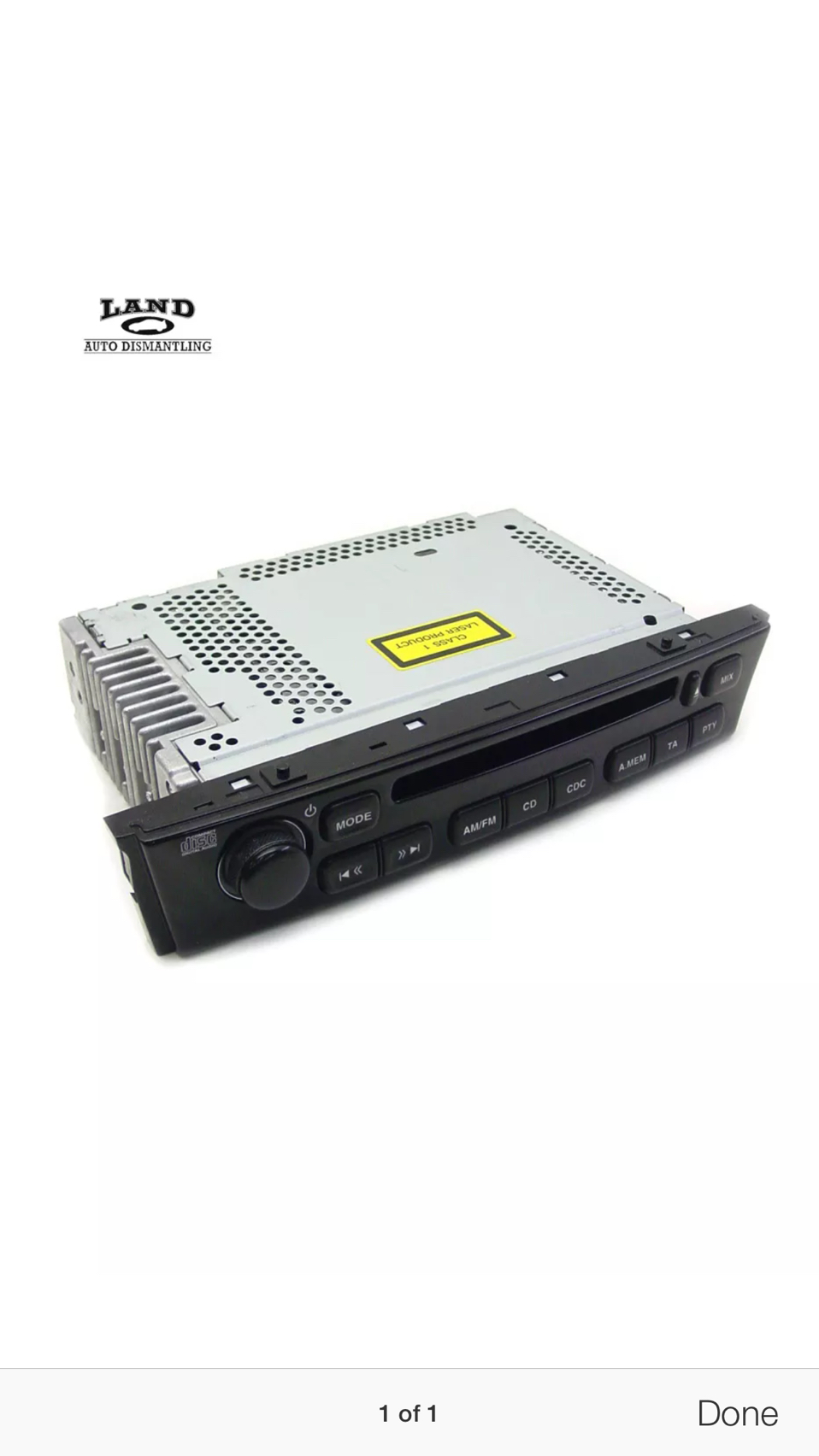
Thanks alecescolme, that's really cool. I'm intrigued by the comment anindyam made:
If the latter, I'd swap the whole thing out for a modern system.
Which modern system will fit? is it any single DIN device? Do people still make non bling ones?!
If the latter, I'd swap the whole thing out for a modern system.
Which modern system will fit? is it any single DIN device? Do people still make non bling ones?!
Joined: Apr 2010
Posts: 822
Likes: 95
From: Austin, TX USA
I didn't look into it very much since I'm hampered by my Nav/touchscreen setup, which also handles other, non-AV stuff like climate control. Since your non-AV controls are seperated, I'd go to a stereo shop and see what your options would be. The touchscreen setup in our Jags really limits you, IMHO.
Once I pluck up the courage to remove the stereo (it looks like quite a fiddle) or just take it to a stereo expert then your friend is welcome to the minidisc player if s/he gets in touch with me.
Senior Member
Joined: Mar 2009
Posts: 901
Likes: 258
From: Eastern, MD
Originally Posted by ukdeluded
Once I pluck up the courage to remove the stereo (it looks like quite a fiddle) or just take it to a stereo expert then your friend is welcome to the minidisc player if s/he gets in touch with me.
Pulling the radio is not too bad if you like to try your self...
Unscrew shift knob
Pop wood trim from shifter area
2 torx at rear of center console
2 torx at shifter area
Slide center console/armrest to rear and lift up and away
Couple of torx bits around radio and slide forward
Lots of great documentation on the site for performing this; I have a couple of albums on ACM install if you'd like to take a look.
Enjoy-
Mag