


Instant Photo Shoot Thread for X300's: Post a Pic As It Sits


Thread Starter
|
Member
Joined: Jun 2008
Posts: 59
Likes: 8
From: St. Augustine
 Instant Photo Shoot Thread for X300's: Post a Pic As It Sits
I have been on other forums that have this thread and it is a way to have a centralized fun picture thread. The X308 guys/gals have one, so we should have one too.
It's really simple: take a picture of your car and post it. It doesn't have to be all polished up or anything fancy. If you are at a location that makes you car look good, just snap a pic (cell phone pics are just fine). If you do a proper photo shoot, even better! We could even make a game of who has the best background or something out of it.
I will start.
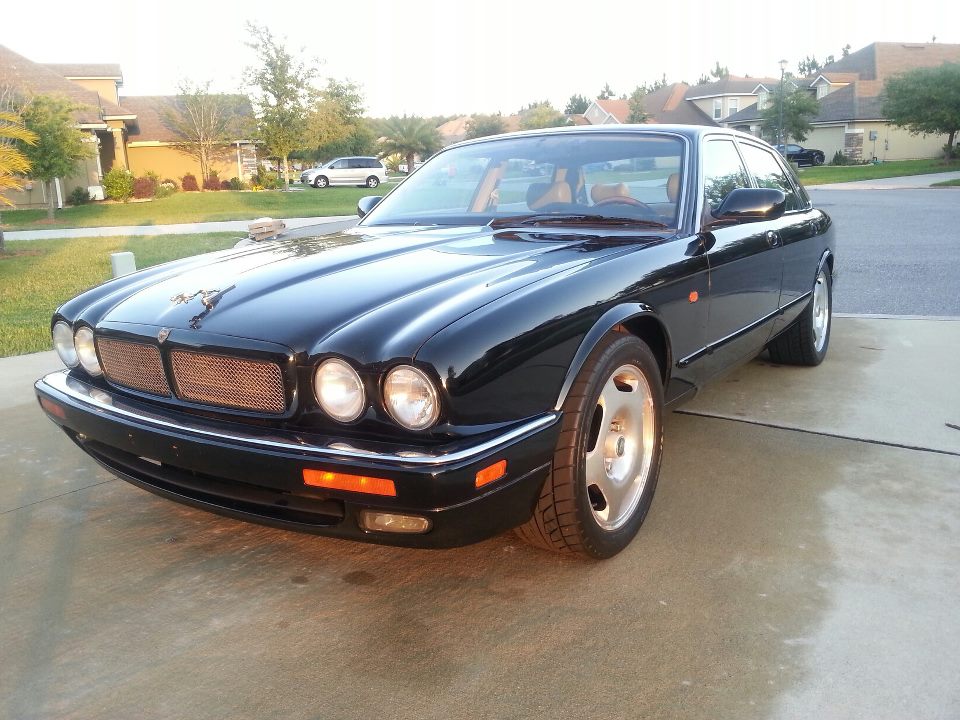
It's really simple: take a picture of your car and post it. It doesn't have to be all polished up or anything fancy. If you are at a location that makes you car look good, just snap a pic (cell phone pics are just fine). If you do a proper photo shoot, even better! We could even make a game of who has the best background or something out of it.
I will start.







Senior Member


Joined: Jan 2009
Posts: 379
Likes: 217
From: The Netherlands
Trending Topics







Senior Member

Joined: Nov 2012
Posts: 286
Likes: 60
From: The Netherlands
Be sure to edit your picture first.
Open it in Windows Explorer using Windows Picture Viewer
Now rotate it with the arrows to the point where it is okay for you ;-)
Close the Picture Viewer, now upload it
Note* Use the paperclip to add files.
- Cheers
Open it in Windows Explorer using Windows Picture Viewer
Now rotate it with the arrows to the point where it is okay for you ;-)
Close the Picture Viewer, now upload it
Note* Use the paperclip to add files.
- Cheers

Senior Member
Joined: Sep 2012
Posts: 326
Likes: 63
From: Reading UK
Hi Maraud
I use a Mac instead of a PC.
However the pic is fine on the computer and within the size limits, but as soon as I upload it to the site it comes out upside down.
I tried rotating it to the upside down point then uploading and it still shows upside down.
Now confused.
I use a Mac instead of a PC.
However the pic is fine on the computer and within the size limits, but as soon as I upload it to the site it comes out upside down.
I tried rotating it to the upside down point then uploading and it still shows upside down.
Now confused.