


Radio with Steering Wheel Controls


Thread Starter
|
Member

Joined: Oct 2023
Posts: 67
Likes: 30
 Radio with Steering Wheel Controls
Hey everyone,
I've been working on replacing my factory 2002 XJR Alpine setup with a new Android head unit the last few days, and was noticing a lot of scattered information on how to use our Steering wheel controls (SWC) for other head units. As my goal was not to cut into any of the existing factor harness at all, I've added the part lists I've used as well as links and required connections. Overall it's pretty simple, but I figured to have it centralized would help someone in the future.
Parts Needed:
Pin #2 Wire for Steering Wheel Controls (SWC) from the Yellow connector behind the radio:


ASWC-1 Connector:


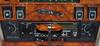
Finished Radio:

Other Radio Parts to help along the head-unit install process if needed:
I've been working on replacing my factory 2002 XJR Alpine setup with a new Android head unit the last few days, and was noticing a lot of scattered information on how to use our Steering wheel controls (SWC) for other head units. As my goal was not to cut into any of the existing factor harness at all, I've added the part lists I've used as well as links and required connections. Overall it's pretty simple, but I figured to have it centralized would help someone in the future.
Parts Needed:
- Axxess Metra ASWC-1
- Used to convert our steering wheel controls to 3.5mm SWC connector that most aftermarket Head Units use now
- Controls can be custom programmed if desired
- You can disregard vast majority of its included harness except the following:
- Aux Power (Pin 12, Red)
- Ground (Pin 6, Black)
- Negative SWC (Pin 4, Green / Orange Stripe)
- When initially training, you MUST hold the "Volume Up" button during the complete initial configuration of the device

- Red Aux Power wire, will require a switched 12 Volt connection (I used the Metra WH-0064 female harness to pull it)
- For the Black Ground connection wire, I was having a few issues until I moved the ground to it's own dedication point in the screenshot below, so I'd recommend doing the same.
- For the actual Steering Wheel control, you'll need to splice into "Pin #2" on the Yellow connector behind the radio. For me on my 2002 XJR with the Premium Audio Alpine setup, this connector was "Brown with a Green Stripe" and pictured below
- You should be able to probe this pin (Pin #2 on the yellow connector behind the radio!) and check it's resistance with a Multimeter.
- The resistance should change on the Multimeter as you press the volume adjustment buttons on the steering wheel
- Critical: When the ASWC-1 device first boots, it does not like to pull the configuration, you MUST hold the "Volume Up" button!
- If this step is missed, press the reset button on the ASWC-1 and hold the "Volume Up" button during its training process.
- The Head Unit I was using (Power Acoustik CP-71WA) immediately recognized the steering wheel buttons with no other actions required on the unit itself.
Pin #2 Wire for Steering Wheel Controls (SWC) from the Yellow connector behind the radio:
ASWC-1 Connector:
Finished Radio:
Other Radio Parts to help along the head-unit install process if needed:
- Spiral Audio KT-JG002B
- Link!
- Single Din receiver replacement
- Spiral Audio WH-0064
- Link!
- Female harness to get Power, Ground, Acc from white connector behind the radio so you don't need to splice into any other connections
- 2x Metra 72-9000
- Link!
- Used to retain factory radio speaker wires for front and rear door speakers
- Head Unit
- For my case I used the Power Acoustic CP-71WA
- Didn't have to modify the dash in any way, and used it's RCA outputs to my new Replacement Alpine Amplifier that I've installed
- Has wired and wireless Apple Carplay / Android Auto
- No 3.5MM connection, can read from a FAT32 hard drive
Last edited by ChristmasGT; Dec 31, 2025 at 07:34 AM.



Thread
Thread Starter
Forum
Replies
Last Post
fabfingers
XJ XJ8 / XJR ( X308 )
13
Feb 1, 2018 03:13 PM

Currently Active Users Viewing This Thread: 1 (0 members and 1 guests)