


‘94 AJ6 Factory Alarm - Remote Synching Frustrations

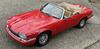
 ‘94 AJ6 Factory Alarm - Remote Synching Frustrations
I wonder if someone can help me. I’ve been having quite the challenge trying to synch my remote to the alarm system.
When I bought my car earlier this year, it didn’t come with any remotes. I bought a generic remote on eBay. I was able to successfully synch it to my alarm last week using the valet switch under the center console. Using two paperclips, I connected the two wires together, turned on the ignition, turned it off, touched the paperclips five times and the alarm chirped. Then I pressed the remote five times and it connected! The remote set and unset the alarm as it should for a few days. Then it suddenly stopped working.
Now when I repeat those same steps to resynch the remote, something different happens. After connecting the paperclips with the ignition on,
turning off the ignition, and then when I start touching the paperclips together again, after about the third touch, the alarm starts chirping repeatedly, about once every second. It doesn’t stop chirping. Pressing the remote button while this is going on, doesn’t do anything. The car is not recognizing the remote. So the alarm must not be in synch mode. It’s in some other mode. The only way the chirping will stop is if I turn the ignition on. The remote will not synch.
What is the alarm doing? Why won’t it enter synch mode?
A friend suggested disconnecting the battery and reconnecting it. That didn’t help.
Thank you in advance for any help!
When I bought my car earlier this year, it didn’t come with any remotes. I bought a generic remote on eBay. I was able to successfully synch it to my alarm last week using the valet switch under the center console. Using two paperclips, I connected the two wires together, turned on the ignition, turned it off, touched the paperclips five times and the alarm chirped. Then I pressed the remote five times and it connected! The remote set and unset the alarm as it should for a few days. Then it suddenly stopped working.
Now when I repeat those same steps to resynch the remote, something different happens. After connecting the paperclips with the ignition on,
turning off the ignition, and then when I start touching the paperclips together again, after about the third touch, the alarm starts chirping repeatedly, about once every second. It doesn’t stop chirping. Pressing the remote button while this is going on, doesn’t do anything. The car is not recognizing the remote. So the alarm must not be in synch mode. It’s in some other mode. The only way the chirping will stop is if I turn the ignition on. The remote will not synch.
What is the alarm doing? Why won’t it enter synch mode?
A friend suggested disconnecting the battery and reconnecting it. That didn’t help.
Thank you in advance for any help!
Update - problem solved!
I used the key to lock and unlock the trunk and then went through the normal synch procedures. My car went into synch mode and synched both remotes! I don’t know why locking and unlocking the trunk did the trick, but it did. Very happy!
I used the key to lock and unlock the trunk and then went through the normal synch procedures. My car went into synch mode and synched both remotes! I don’t know why locking and unlocking the trunk did the trick, but it did. Very happy!

Veteran Member


Joined: Apr 2014
Posts: 4,580
Likes: 3,528
From: Kent, UK
Danny,
Glad you got it sorted. I wonder if somehow the car was, or thought it was, still in locked / alarmed mode and therefore wouldn't go into sync mode. Perhaps by locking then unlocking the boot, it was then in a state where it could go into sync mode?
Anyway, it's useful to know how you got around the problem.
Cheers
Paul
Glad you got it sorted. I wonder if somehow the car was, or thought it was, still in locked / alarmed mode and therefore wouldn't go into sync mode. Perhaps by locking then unlocking the boot, it was then in a state where it could go into sync mode?
Anyway, it's useful to know how you got around the problem.
Cheers
Paul



This is what I bought. I got two of them. The factory remotes are so expensive, so I tried these. Im very happy with them.
https://www.ebay.com/itm/145112971469
https://www.ebay.com/itm/145112971469

Thread
Thread Starter
Forum
Replies
Last Post
Currently Active Users Viewing This Thread: 1 (0 members and 1 guests)