


Aerial wont retract 1998 XKR


Thread Starter
|
Junior Member
Joined: Dec 2024
Posts: 12
Likes: 1
From: Rotherham
 Aerial wont retract 1998 XKR
I went to my boot and pressed the boot open button on the key remote. As this happened the aerial spontaneously extended. Went to press the radio button but it is dead.
Swapped out all the radio telephone fuses in the passesnger side fuse box hoping that would do it. Radio still dead, no way to retract the aerial.
Any ideas other than taking it to an automotive electrician?
Swapped out all the radio telephone fuses in the passesnger side fuse box hoping that would do it. Radio still dead, no way to retract the aerial.
Any ideas other than taking it to an automotive electrician?

Veteran Member


Joined: Oct 2010
Posts: 2,086
Likes: 1,039
From: Spain
Find the fuse for the power aerial in the fuse box in the boot - make sure the aerial has power. If the radio is off, the aerial should retract. The fuses for the radio and the aerial are separate.
Thread Starter
|
Junior Member
Joined: Dec 2024
Posts: 12
Likes: 1
From: Rotherham
OK thank you. When I looked on the fuse list in the boot I couldnt see anything related to the aerial, but maybe Im blind. Thanks
Thread Starter
|
Junior Member
Joined: Dec 2024
Posts: 12
Likes: 1
From: Rotherham
Damn. I found it and swapped them out but it still didnt work
Veteran Member
Joined: Oct 2010
Posts: 2,086
Likes: 1,039
From: Spain
Was the old fuse blown? You need to check the relays in the fuse box also - one of them supplies the aerial power. If you don't have a test light or multimeter it's worth buying one, without it you are blind really.

Member
Joined: Jun 2022
Posts: 67
Likes: 45
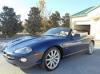
The antenna assembly is pretty easy to change out, first thing I did on my 2000. eBay usually has several listings for new and used ones. There ar a lot that claim to be universal fit but I went with an original Jag part.
Veteran Member
Joined: Oct 2008
Posts: 1,838
Likes: 459
From: Virginia Beach, VA
If you're very careful and keep it lubed, you might get ten years out of your aerial / antenna. I still like the goofy retracting one though for originality.
Trending Topics
Thread Starter
|
Junior Member
Joined: Dec 2024
Posts: 12
Likes: 1
From: Rotherham
Hi, thanks for all advice. Tried it all, nothing worked sadly. Took it to an auto-electrician today. Aerial mechanism was knackered but there were some dodgy fuses as well. Still couldnt get the radio working but not bothered about that - just happy to have the antenna retracted

Thread
Thread Starter
Forum
Replies
Last Post
Canadian_XJ6
XJ XJ6 / XJR6 ( X300 )
9
Jun 23, 2010 04:08 AM
Currently Active Users Viewing This Thread: 1 (0 members and 1 guests)