


Can I add stock backup camera to Mine??


Thread Starter
|
Member
Joined: Nov 2016
Posts: 54
Likes: 6
From: canada
 Can I add stock backup camera to Mine??
Purchased a 2017 and love it. Fricken love it.
https://www.jaguarforums.com/forum/f...do-lol-171923/
But this vehicle did not come with the vision package (Still can't believe this car over 100k doesn't have backup camera! lol)
Can I add a stock camera? I don't want an aftermarket system. STock or nothing. Don't care about parking sensors but definitely need the backup camera especially for wifey...
Any way to add only a backup camera to a car without the vision package??
https://www.jaguarforums.com/forum/f...do-lol-171923/
But this vehicle did not come with the vision package (Still can't believe this car over 100k doesn't have backup camera! lol)
Can I add a stock camera? I don't want an aftermarket system. STock or nothing. Don't care about parking sensors but definitely need the backup camera especially for wifey...
Any way to add only a backup camera to a car without the vision package??



Adding a factory camera will not be cheap or particularly easy. The factory system is tied into the CAN network, but you can add an aftermarket camera quite easily, the only thing is you won't get the dynamic lines showing your path (the bendy lines that move with the steering wheel position).
It's just a Fakra connector on the back of the screen where you can feed the video signal in from the camera.
However, you will need to edit the CCF to enable the reverse camera function in the screen. And a dealer will most likely refuse to do this for you.
It's just a Fakra connector on the back of the screen where you can feed the video signal in from the camera.
However, you will need to edit the CCF to enable the reverse camera function in the screen. And a dealer will most likely refuse to do this for you.
Veteran Member


Joined: Jan 2015
Posts: 1,600
Likes: 727
From: Chapel Hill, NC
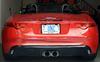
I added the NAV-TV camera and it works well enough. As mentioned above, there are no grid lines, but it comes up quickly and integrates nicely with the NAV system. There is also the option of adding a front camera, but I just went with the rear. Installation of the control box and camera aren't overly hard, if you're comfortable using pry tools (see video's on YouTube), although running the wiring between them is a bit of a pain. You can/should give them a call to make sure the unit works on a MY17. They can also point to you a local installer if you prefer not to get into it.
https://navtv.com/products/make/19/m...ar_f-type.html
https://navtv.com/products/make/19/m...ar_f-type.html
Last edited by uncheel; Nov 12, 2016 at 11:23 AM.