


How to use the search facility?


 How to use the search facility?

How to use the search facility?
There are various methods, but, below I have offered a few options that may help anyone having difficulty with this feature.
In the upper middle of your screen you will see a black banner which includes your User CP, Photo gallery etc. In the centre you should see "search"
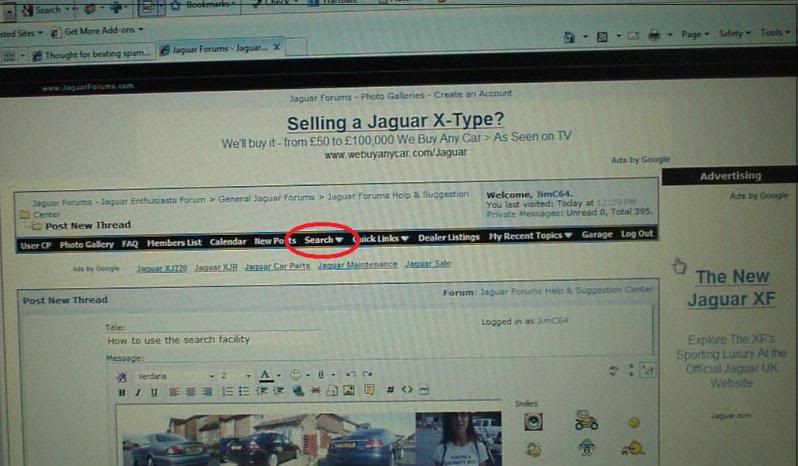
Click on search and the drop box will open as below -
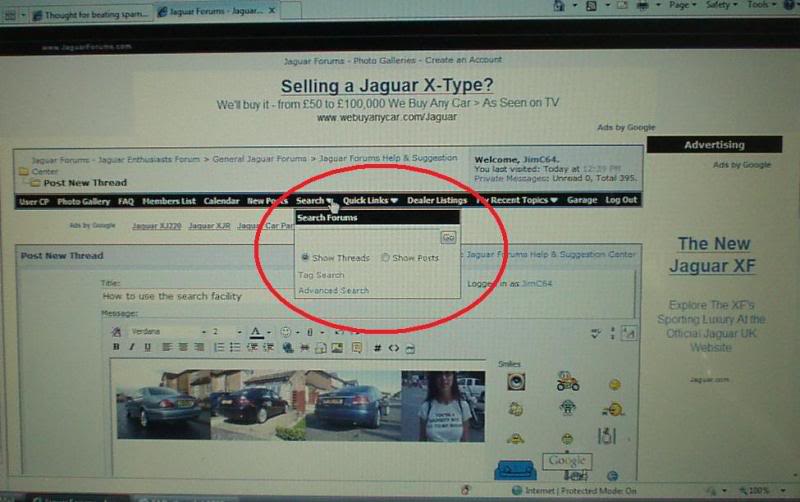
Once the drop box opens you have a few options to consider.
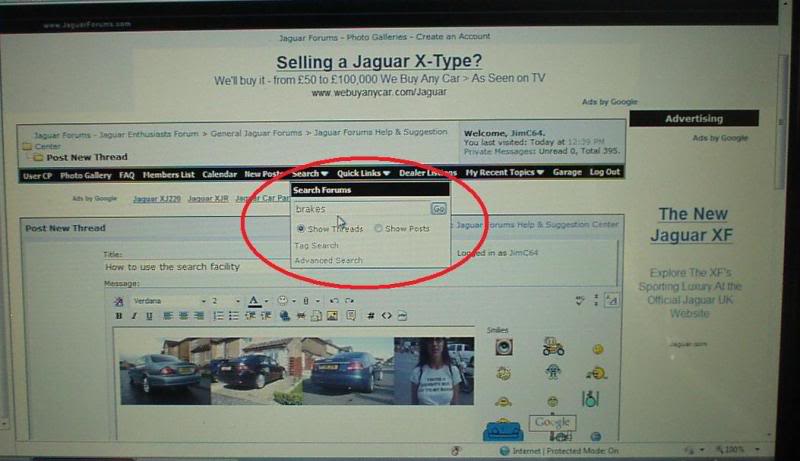
You can elect to type in a keyword such as " brakes " for example -
Once you've chosen your keyword hit the Go button and literally everything in all sections that relates to brakes will be listed for you
In the drop box there is also a "tag search" option as pic below. You can click on this. You can opt to click on this and ALL posts that have been tagged by various members in the past relating to your subject will appear.
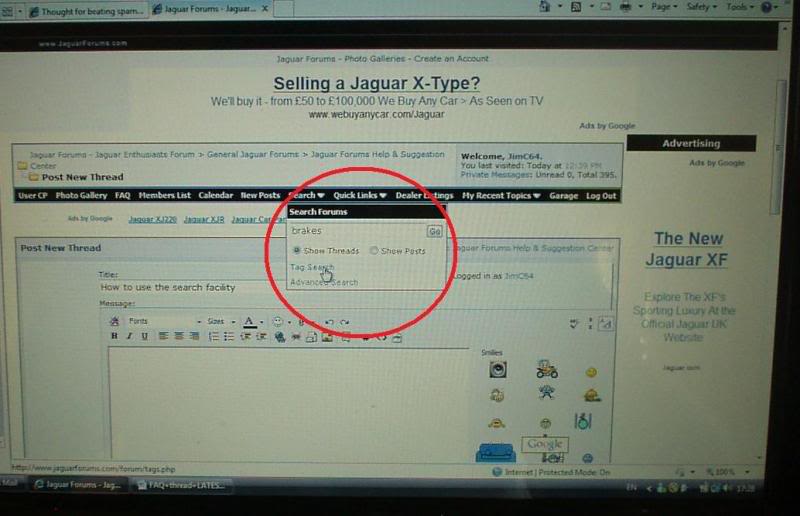
An example of Tags can be found in the pic below for reference
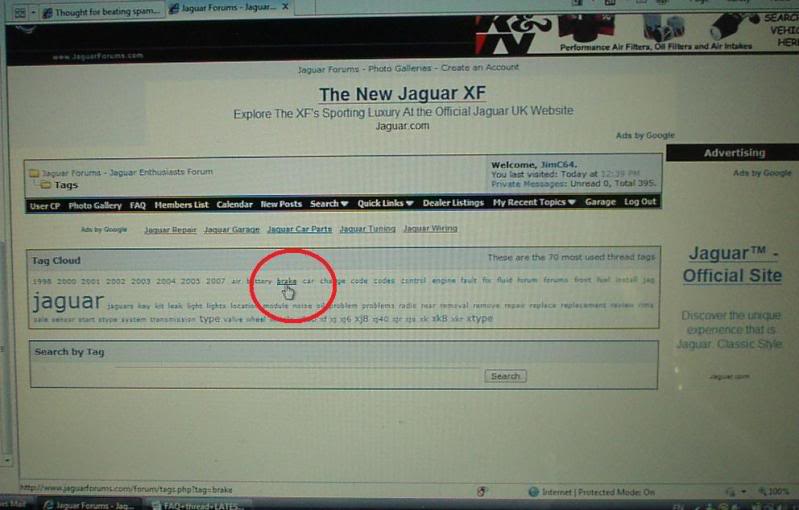
For a more thorough and specific search you can use the " advanced search " feature, see below -
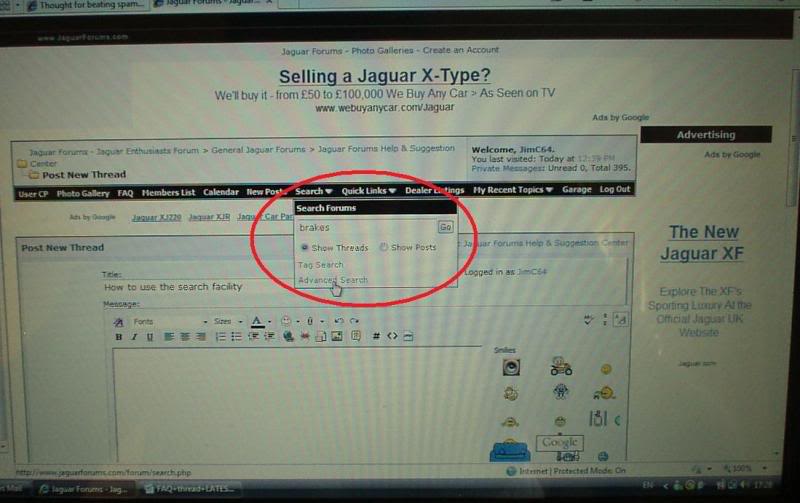
Clicking on this feature will open the advanced search drop box for you, as in the pic below
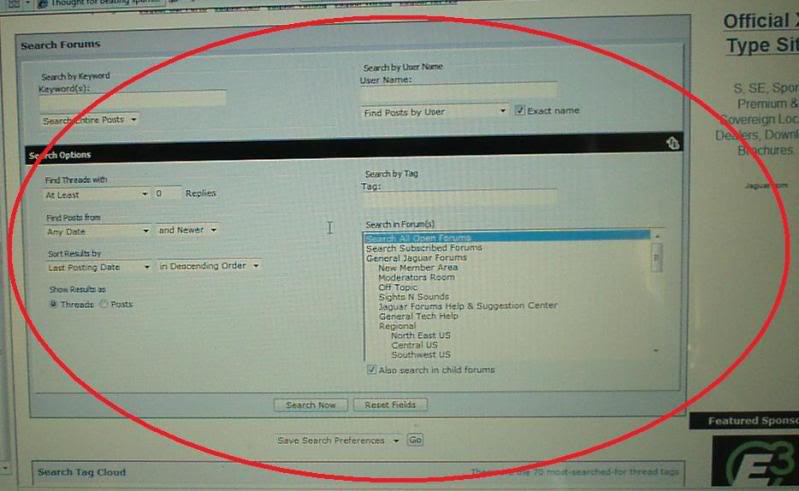
Once this opens you have many varied options to chose from to make your search much more detailed. Options include keyword, user name, posts with certain amounts of replies, date. tags and also forum section specific too. This should really narrow your search and make it quicker and more fruitful.
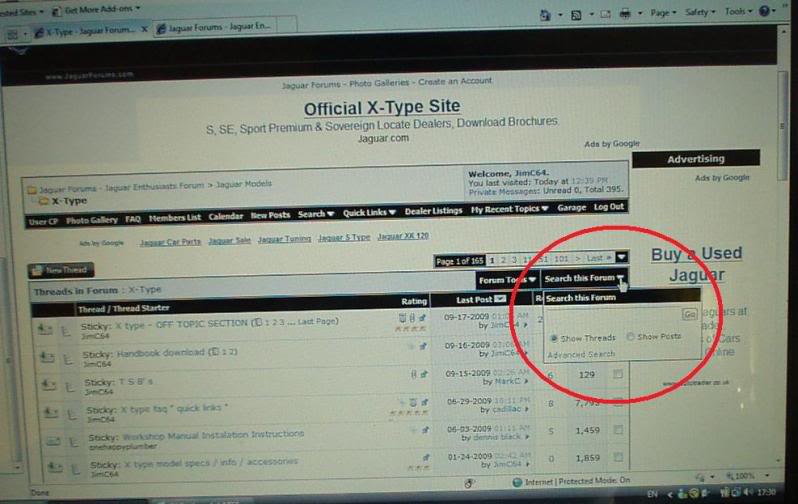
There is also the "search this forum" button available in every section which offers all the same facilities , see below -
Hopefully, this helps to make the search function much easier for new members to access.
Last edited by JimC64; Dec 23, 2009 at 08:39 PM. Reason: Updated 23/12/09


Veteran Member
Joined: Jul 2009
Posts: 12,704
Likes: 1,236
From: Brittany France

New Search Box update.
A new search box is now available just under the top tool bar, seems to show results both on and off the forum and has an image search feature.
Why not give it a go.

A new search box is now available just under the top tool bar, seems to show results both on and off the forum and has an image search feature.
Why not give it a go.



Thread
Thread Starter
Forum
Replies
Last Post

Currently Active Users Viewing This Thread: 1 (0 members and 1 guests)