


Re-Sizing Pics


Thread Starter
|
Senior Member
Joined: Nov 2015
Posts: 111
Likes: 31
From: Quakertown, Pennsylvania
 Re-Sizing Pics
I don't know how to resize pics for this forum. It sees no matter what i post the pictures transferred are huge and that isn't my intent. I've read through the threads on this topic and quite frankly I'm confused. Can I get some direction? My pics are sent from an Apple MacBook Air and sometimes an iPhone 6 plus. Thanks.




Joined: Dec 2011
Posts: 120,439
Likes: 17,014
From: Durham, UK
I've taken one of your recent photos ( img_0260_35404b7921cd287f4930bf886363b182e547156a. jpg ) and attached it here:
Click on it to open full size. Is this the way you want it displayed in your posts?
Graham
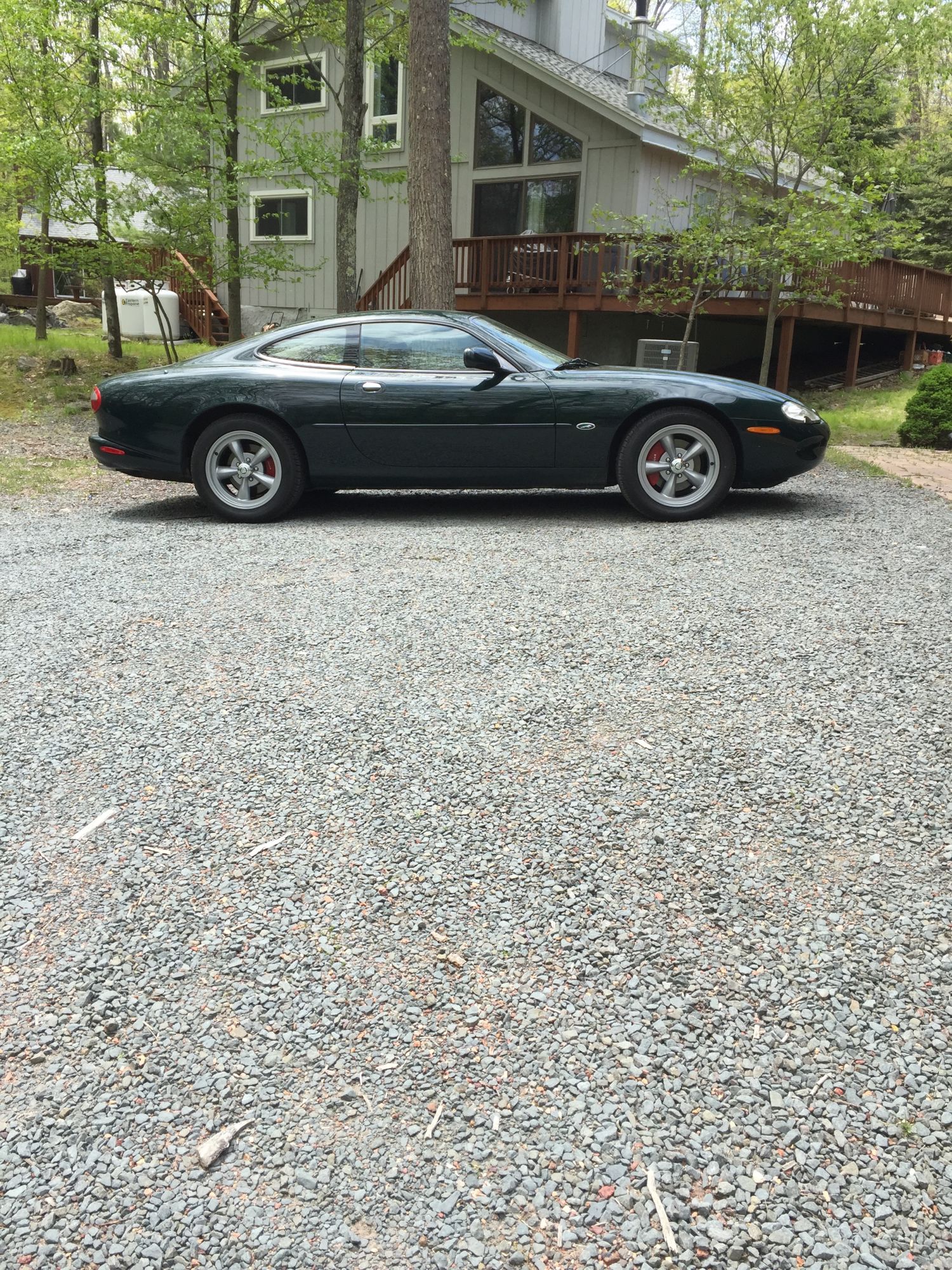
Click on it to open full size. Is this the way you want it displayed in your posts?
Graham
Joined: Dec 2011
Posts: 120,439
Likes: 17,014
From: Durham, UK
1. go to Advanced mode
2. click on the paper clip icon (arrowed in red)
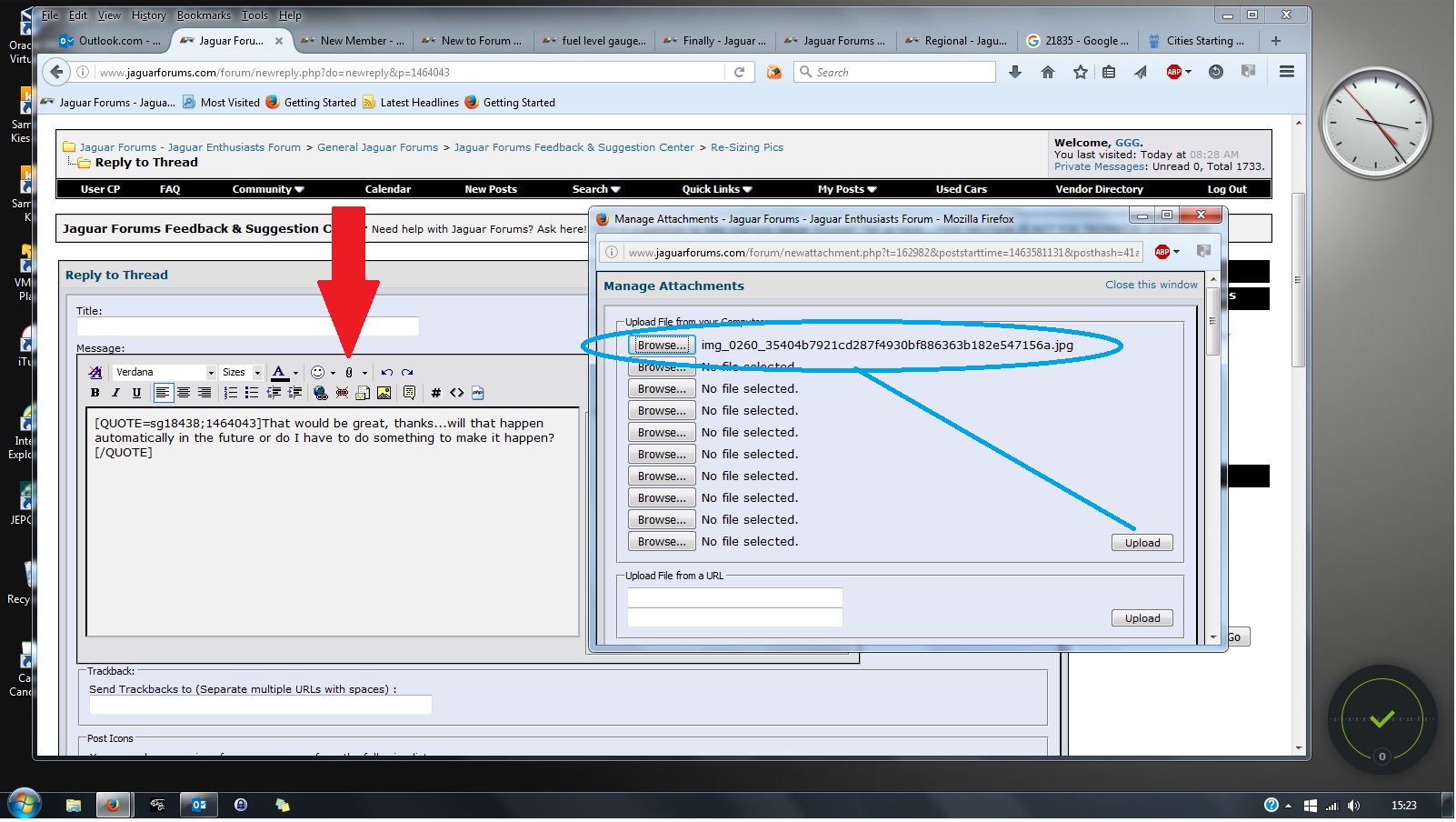
3. browse to where the image is stored on your device
4. click on the Upload button (this uploads to the forum servers)
5. click on the down arrow next to the paper clip icon
6. with your cursor at the point in the text you want to upload the photo, click on the file name in the drop down box
7. finish the post in the normal way
Graham

Veteran Member
Joined: Mar 2016
Posts: 2,238
Likes: 385
From: England / midlands
Or,
Open the photograph on your Windows PC using Microsoft "Paint".
In the paint menu select "resize" and it opens a new window which says what format to resize and how much by.
Select the pixels option and it shows the photo size in pixels.
Reduce the largest of either the hieght or width and reduce that to 1000, the other size will automatically adjust. Then save and quit out of paint.
This will enable you to show the full size photo in your post.
Resizing also reduces the file size to a managable size.
Open the photograph on your Windows PC using Microsoft "Paint".
In the paint menu select "resize" and it opens a new window which says what format to resize and how much by.
Select the pixels option and it shows the photo size in pixels.
Reduce the largest of either the hieght or width and reduce that to 1000, the other size will automatically adjust. Then save and quit out of paint.
This will enable you to show the full size photo in your post.
Resizing also reduces the file size to a managable size.
Last edited by Busa; May 22, 2016 at 02:46 PM.



Thread
Thread Starter
Forum
Replies
Last Post
maniqz
XJ XJ8 / XJR ( X308 )
20
May 20, 2016 05:12 AM
Gerard Radimaker
S-Type / S type R Supercharged V8 ( X200 )
0
May 15, 2016 01:41 PM
Currently Active Users Viewing This Thread: 1 (0 members and 1 guests)