S-Type / S type R Supercharged V8 ( X200 ) 1999 - 2008 2001 - 2009
Sponsored by:
Sponsored by:

Posting pics

Thread Tools
 
Search this Thread
 
Old Dec 10, 2015 | 05:44 AM
  #1  
ZenFly's Avatar
Thread Starter
|
Senior Member
10 Year Member
Liked
Loved
Community Favorite
Joined: Jun 2015
Posts: 465
Likes: 57
From: Cape Canaveral USA
Default Posting pics

I have used Photo Bucket in the past to put pics on forums but when I try all 4 link choices on their site I get "Invalid File" or the file is too big from the Jag forum..
 
Reply
Old Dec 10, 2015 | 06:01 AM
  #2  
JagV8's Avatar
Veteran Member
15 Year Member
Liked
Loved
Community Favorite
Joined: May 2009
Posts: 27,519
Likes: 4,910
From: Yorkshire, England
Default

They will vanish in due course if on PB so make them a bit smaller and attach to the post. Er... what is the file size?
 
Reply
Old Dec 10, 2015 | 06:45 AM
  #3  
Norri's Avatar
Joined: Oct 2007
Posts: 121,056
Likes: 6,652
From: PHX some of the time
Default

What procedure are you using to attach them? If you are using the PB direct link it should be good.
Are you using the image function or trying to make them attachments?
 

Last edited by Norri; Dec 10, 2015 at 06:47 AM.
Reply
Old Dec 10, 2015 | 07:51 AM
  #4  
ZenFly's Avatar
Thread Starter
|
Senior Member
10 Year Member
Liked
Loved
Community Favorite
Joined: Jun 2015
Posts: 465
Likes: 57
From: Cape Canaveral USA
Default

Originally Posted by Norri
What procedure are you using to attach them? If you are using the PB direct link it should be good.
Are you using the image function or trying to make them attachments?
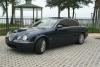
I finally took a pic of my car and was trying to put in my profile pic.. Photobucket has 4 different links to choose. I tried copy paste on all 4.
 
Reply
Old Dec 10, 2015 | 07:53 AM
  #5  
ZenFly's Avatar
Thread Starter
|
Senior Member
10 Year Member
Liked
Loved
Community Favorite
Joined: Jun 2015
Posts: 465
Likes: 57
From: Cape Canaveral USA
Default

 
Reply
Old Dec 10, 2015 | 07:55 AM
  #6  
ZenFly's Avatar
Thread Starter
|
Senior Member
10 Year Member
Liked
Loved
Community Favorite
Joined: Jun 2015
Posts: 465
Likes: 57
From: Cape Canaveral USA
Default

I just found the drag and drop option and it worked from pics on my PC and not the host..

EDIT: I just got it in my Avatar but it seems too big for the signature where I wanted it..
 

Last edited by ZenFly; Dec 10, 2015 at 08:06 AM.
Reply
Old Dec 10, 2015 | 08:34 AM
  #7  
Norri's Avatar
Joined: Oct 2007
Posts: 121,056
Likes: 6,652
From: PHX some of the time
Default

Note: The maximum size of your custom image is 500 by 100 pixels or 9.8 KB (whichever is smaller).

What size is your pic?
 
Reply
Old Dec 10, 2015 | 08:44 AM
  #8  
ZenFly's Avatar
Thread Starter
|
Senior Member
10 Year Member
Liked
Loved
Community Favorite
Joined: Jun 2015
Posts: 465
Likes: 57
From: Cape Canaveral USA
Default

Originally Posted by Norri
Note: The maximum size of your custom image is 500 by 100 pixels or 9.8 KB (whichever is smaller).

What size is your pic?
I'm not sure but as you can see above I can post the whole pic #5 using drag and drop and I tried it in Avatar (I didn't even know what that was) but it went up on the left as you can see.. It just didn't go in my signature like you have but thats OK ..I'm fine with the Avatar.. thanks

 

Last edited by ZenFly; Dec 10, 2015 at 09:03 AM.
Reply
Related Topics
Thread
Thread Starter
Forum
Replies
Last Post
Draven
S-Type / S type R Supercharged V8 ( X200 )
17
Feb 20, 2016 07:04 PM
Jennifer S Flavell
XJ XJ8 / XJR ( X308 )
34
Feb 18, 2016 11:58 PM
BlownBrit
New Member Area - Intro a MUST
11
Dec 15, 2015 06:46 PM
Nati
F-Type ( X152 )
14
Dec 10, 2015 11:03 PM
Rocky15
XK8 / XKR ( X100 )
32
Dec 10, 2015 10:20 PM

Currently Active Users Viewing This Thread: 1 (0 members and 1 guests)


All times are GMT -5. The time now is 07:55 PM.