When you click on links to various merchants on this site and make a purchase, this can result in this site earning a commission. Affiliate programs and affiliations include, but are not limited to, the eBay Partner Network.
Hello everyone,
I’m new to the forum and have a small problem with my Jag.
I have a 2013 Jaguar XK X150 with a 5.0-litre V8 engine.
I’m very happy with the car and really enjoy driving it.
A while ago, I fitted the Mr12Volt CarPlay retrofit kit.
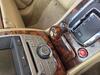
When removing it, I carefully disconnected all the cables, including the one for the marked connection in the photo.
The cable was slightly taut and had been pulled somewhere. I can’t find it anymore. I’ve tried everything I can think of, and even searched with an endoscope, but haven’t found it.
As the dealer still had some work to do, I asked him to look into this problem as well. He did so, and the display started working again. As I was curious to know whether he’d found the cable, I had a look. It wasn’t connected. So here’s my question: how did he do it?
That looks like the the din plug coaxial cable for the radio antenna. your radio can work without it you just would not get a signal to list to FM radio. Other can chime in as I maybe wrong
Thanks for the quick reply. The radio is working,
and CarPlay is working too. I just don’t have a picture on the display.
The display is working. It isn’t faulty.
I assume it’s a closed system overall. If a cable isn’t plugged in, it causes problems.
Is there any way I can get round this to get the display working again?
The Jag's use the MOST system and canbus for operation, it could be a feed for video as I went with at first what it might be, the only solutions would be t ensure no fuse blown everything is seated snuggly and you are going to have to route around and find the cable. even if it was taught and sprung back it should be visible somewhere there. follow the feeds fromthe existing radio connection s it may have just slipped behind another cable bunch and seem 'lost'.
The problem is that I’d already taken everything apart. The centre console trim, the glove box. I went in with an endoscope and searched every inch.
I just can’t find this cable.
I’m surprised that the garage managed to get the display working again without this cable.
I seem to be the only one with this problem.
I had the 2009 XK as a coupé, and there were no issues there because this cable was connected to the wiring harness.
On my new one, the cable is separate.
Hello everyone,
I’m new to the forum and have a small problem with my Jag.
I have a 2013 Jaguar XK X150 with a 5.0-litre V8 engine.
I’m very happy with the car and really enjoy driving it.
A while ago, I fitted the Mr12Volt CarPlay retrofit kit.
When removing it, I carefully disconnected all the cables, including the one for the marked connection in the photo.
The cable was slightly taut and had been pulled somewhere. I can’t find it anymore. I’ve tried everything I can think of, and even searched with an endoscope, but haven’t found it.
As the dealer still had some work to do, I asked him to look into this problem as well. He did so, and the display started working again. As I was curious to know whether he’d found the cable, I had a look. It wasn’t connected. So here’s my question: how did he do it?
I hope someone here can help me
Had to go back to my Mr12V install video. That is the FAKRA connection for the radio antenna as pointed out above.
I can't see how that would prevent the screen from working, would just mean your radio won't get a signal.
So I'm thinking you have a different issue.
Also, that cable is bundled in with a few others (see image below). So maybe it is tucked under somewhere?
Here is a link to the video where I go over everything. You can skip to about 2/3rds of the way through where I have it on a bench.
Hi Circumnavigator,
I’ve seen that video. After watching it, I installed the same setup in my first XK. The problem is that in the 2009 model year, these cables are bundled together. Starting with the first facelift, this antenna cable is separate. Here’s a picture of my cable channel.
I’ve searched everywhere, even with a mini camera, but unfortunately without finding anything.
However, the repair shop somehow bypassed this cable via software during the last visit, so it worked even without connecting it.
I’d really love to know how, so I can finally wrap up this search that’s been going on for quite some time.
By now, I could do the interior work with my eyes closed :-(
Hi Circumnavigator,
I’ve seen that video. After watching it, I installed the same setup in my first XK. The problem is that in the 2009 model year, these cables are bundled together. Starting with the first facelift, this antenna cable is separate. Here’s a picture of my cable channel.
I’ve searched everywhere, even with a mini camera, but unfortunately without finding anything.
However, the repair shop somehow bypassed this cable via software during the last visit, so it worked even without connecting it.
I’d really love to know how, so I can finally wrap up this search that’s been going on for quite some time.
By now, I could do the interior work with my eyes closed :-(
Didn’t know the harness changed that much post facelift. And sounds like you’ve done this, but first place I’d look is the trail from head unit to Mr12V box.
I’ll bet one of the guys has the wiring diagram link handy that shows the routing of that cable through the car for your model year.
It would certainly be interesting to know where the cable runs. My research so far has shown that it actually runs through the center console all the way to the back. It should run along the right side. But as I said, I’ve stripped the entire center console on both sides. I’ve even taken the glove compartment out. The cable can’t be missing, but you just can’t really see much. Not even with an endoscope



 No image on the screen Jaguar XK X150 2013