When you click on links to various merchants on this site and make a purchase, this can result in this site earning a commission. Affiliate programs and affiliations include, but are not limited to, the eBay Partner Network.
Apologies for my first post to be dragging this one back from the dead.
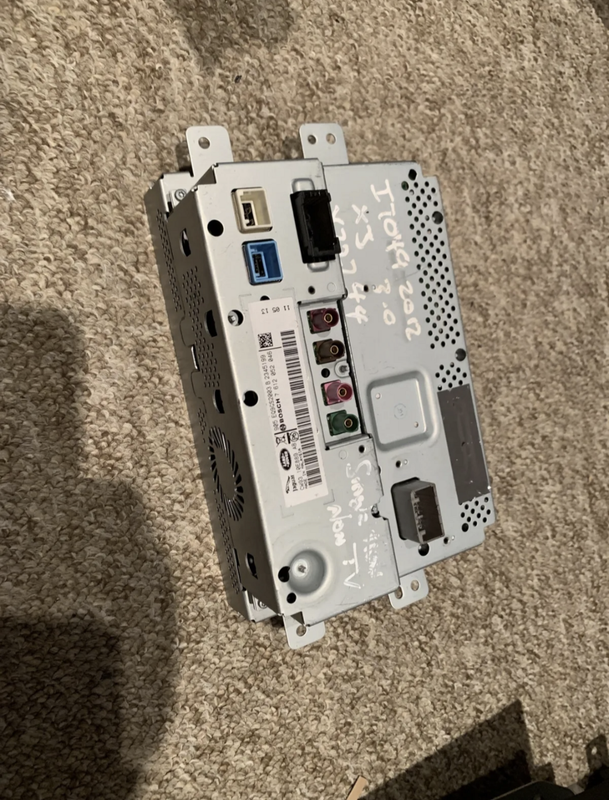
I've just attempted to upgrade the touchscreen in my 2010 XJ. I just bought this one off ebay and fitted this morning. If you can't make it out from the pic, it's CW93-10E899-AB and the build is May 2011. I didn't get the VIN from the donor vehicle unfortunately. I'm aware it's not dual view - don't use it.
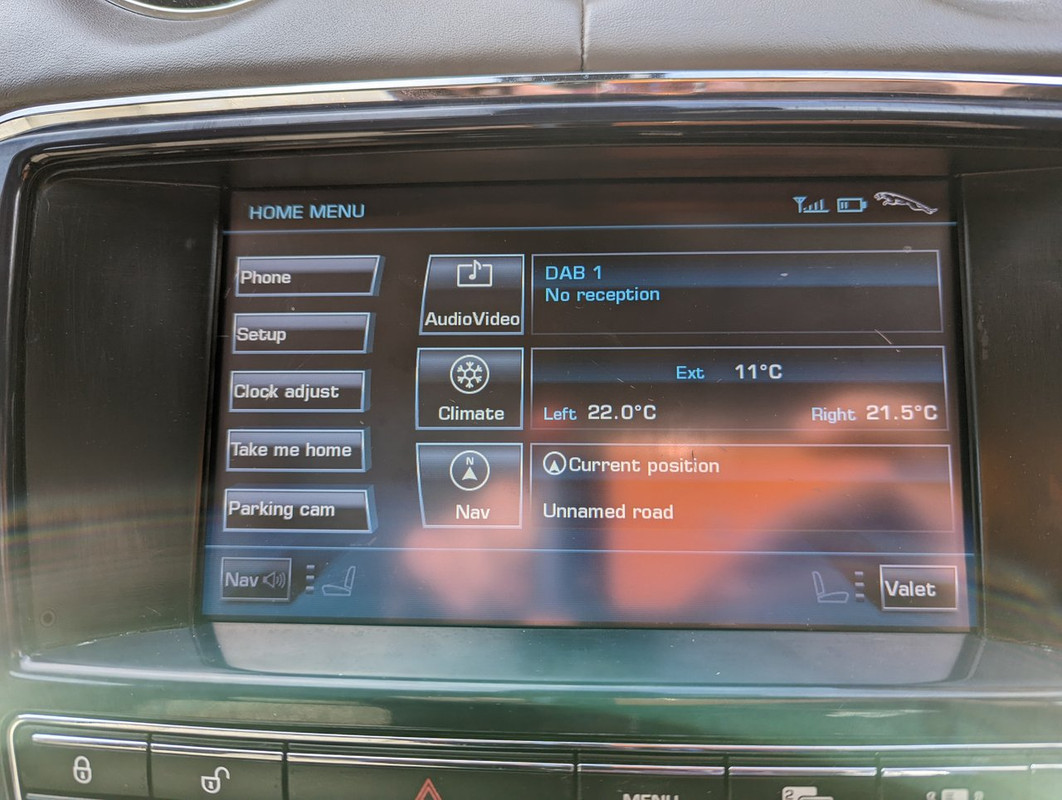
It's far more responsive than my old AW93 unit, but it's still got the old UI. From reading (or misreading?) this thread I expected the newer UI.
Is mine just too early? Also, what's the deal with the curved button edges? I've only only ever seen square buttons on XJs.
I'm struggling to find a compatible one at the moment. I'm guessing the only safe way to tell is from the VIN (in the absence of working pics).
CW93 screens were split between the years... From memory, i am pretty sure its later 2012 and newer that had the updated UI... DW93 and EW93 prefix screens are a direct replacement, but you do lose the navigation turn by turn indications in the LH side of the IC.
Hello! Just purchased a 2014 screen upgrade for my 2011 Supersport. What issues should I expect or functions not working? I’m replacing the Sirius receiver but with an original one as I don’t have a power adapter.
Replacing on my 2011 XJ with a 2014 screen was a breeze. So far I noticed three issues: No messaging seats, audio must be started by hitting the mode button and no visual volume level. What screen would I need to get to have all these features returned but also the new updated menus?
Replacing on my 2011 XJ with a 2014 screen was a breeze. So far I noticed three issues: No messaging seats, audio must be started by hitting the mode button and no visual volume level. What screen would I need to get to have all these features returned but also the new updated menus?
Get one from a 2012. Solves the latency issues without losing any features. That is what I did.
Might interest thread to know that I bought a CW93-10E889-BB display marked as manufactured in 11 06 06 and it is a resitive touch screen and is in every way identical to my 2010 screen, so having a CW part number is by no means an assurance of getting the later screen. It is dual view.
I also have a DW93-10E889-AD that was the later design and much faster, single view, with meridian audio but no display in the instruments however that was murdered by one of these chinese carplay kits that on removal (it never worked) leads to a black display instead of a map 90% of the time. It did the same to my original AW screen and I've read on here of others having the same issue, I suppose plugging some random chinese crap into your car is asking for trouble!
Also, it's not clear to me that they all have TV tuners in them. My CW93 screen did, and my DW did, but on the X351 parts finder there are different parts listed with and without the tuner.
In fact here is a CW93-10E889-BC showin as manufactured 4/6/2012 that has the old buttons and thus might still be resistive.
After further messing around I can also confirm that the dual view screens are considerably less bright and fuzzier than the single view ones. When I put in a dual view CW93-10E889-DB I was taken aback how much lower resolution it looked than the single view screen I murdered, to the point I've returned it and will replace it with a single view.
Hi Everyone
I am really not happy with the touch screen in my 2010 XJ so having read somewhere (not this post) that it was possible I bought a replacement display with an EW93 part number - on connecting this up everything seemed to work but the Audio/Video option was greyed out.
Then I found this thread and bought a CW93 unit instead - the same problem happens with this screen, everything works but no audio/video option. I noticed some posts say it takes a bit longer for the screen to come up but I waited 15 minutes and still no audio /video option
Does anyone know if there's something I need to change using the Jaguar SDD software to make the screen work? Alternatively, looking at the units it looks like the touch screen is attached to the motherboard by a ribbon cable. Would it be possible to swap the screen on the original AW93 unit with a later screen but keep the original motherboard (I'm a bit nervous about trying this in case it does some damage to the original unit!)