I bought the Type S solar powered wireless backup camera a few days ago - Woot had them on sale last week and I took the bait. It streams the image to your cellphone. I'll attach it, pair it to my phone and test it this weekend and post a review.
There are instructions on the site if you are mechanically and electronically capable to modify it yourself or I believe you can send it to him to for the modifications. Not sure of the cost.
I fitted the Type-S solar powered backup camera this weekend. As I said in my earlier post, woot had them on sale a couple weeks ago. Bottom line up front: Installation is easy, it works well to give you situational awareness of what is behind you but is not great as a parking aid. Good thing the car comes equipped with the beeping proximity sensors.
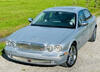
Before installation you need to charge the camera and pair it with you phone. That was all straightforward. Then you can simply screw it onto your license plate. My first attempt was at the top of the license plate. See the first two photos. It looks good, but this mounting position blocks access to the trunk / boot look and reduces illumination of the rear license plate. The third photo shows the image as seen on my iPhone from the rear view camera. The view is good for safety purposes, but first bit of ground you can see is about three feet from the back of the car - making it less than ideal for parking. Part of the issue is that the area where the license plate is mounted has a slight slope, making the camera angle even worse. There is no way to adjust the camera's orientation within the package.
The Type S backup camera also comes with a separate mounting bracket. So I tried using that at the bottom of the license plate, bending the bracket forward so that it gives a better view of the ground. See the fourth and fifth photos. It does not look nearly as good - though it would improve if I got a license plate holder. The sixth photo shows the resulting image. I can now see the ground maybe 0.2m / 8 inches behind the car. So its better.
Last thing, it often takes a few seconds for the reversing image to come up.
Conclusion, easy to install and use, imperfect, but probably worth the money spent. 1. Blocks lock and license plate lights 2. Looks good. 3. Good for situational awareness, not so good for parking 4. Optional mounting bracket bent forward to better illuminate the ground. (Slant of that part of the rear of the car is obvious). 5. Does not look great. 6. Better (but not perfect) for parking. Has adequate coverage of higher elevations.