


Drivers door lock

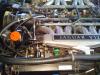
 Drivers door lock
When I bought my 90 sovereign the ignition was hanging all over the place, and could only start using this after market key. I said no problem, I'll take the ignition out of the VDP and replace it. Knowing in order to unlock and lock the doors with the key I would have to change the drivers door handle as well. It was drivers door work today. First I replaced a broken hinge. The spring was gone and the door wouldn't stay open. I took the door off to do so. I also replaced the master window switch while I was there, then on to the handle. I can now unlock and lock the door with my key. But what I can't do is press the lock down and have all the doors lock. Nor can I unlock the car with the key and have them all unlock. Am I missing something here? The wires coming off the other handle plugged right in. Any help would be appreciated as always fellas.

Junior Member
Joined: Sep 2010
Posts: 13
Likes: 2
From: CA
I just replaced the drivers door handle yesterday on my 91 Sovereign and your problem could be associated with that little micro switch that is attached to the back of the door handle (with 2 small screws) with the 2 (red black) wires coming off it.
This switch when you unlock the drivers door is engaged by the nylon lever (that turns as you unlock the door with the key) that is attached to the end of the key lock cylinder. So look at these components.
Make sure when you turn the key to unlock that door that you see the nylon lever cam press the tiny steel roller lever on the switch (which completes the circuit of the switch) which opens all the other doors. When the switch is activated you can hear an audible "click" from the switch.
You can test the switch for correct operation as well with an VOM. The switch is normally OPEN and when engaged it is closed)
If all of this is working and your locks don't unlock then it may be somewhere else. Can you lock all the doors from the lock switch on the console? If this does not work then your problem lies elsewhere - could be the locking module under the glove box. Check all fuses first. Did the electric locks work before you changed the handle?
If they did - I suspect the door handle switch - handle mechanism for the switch.
Do your electric locks work when you pull up or push down either of the front doors lock levers?
Go to the front passenger door and pull up or push down the door lock lever and listen carefully at the bottom of glovebox to hear a faint relay click sound - If you hear that then your lock system is signaling the module - which is GOOD. These cars need to have the locks synchronized.....sometimes they stop working - until you "sync" them.
You sync them by simply putting all the 4 door lock levers in the down position and close all the doors. Then unlock the front door and they should begin to work again. I had to do this yesterday after changing the door handle switch. This could be your issue and its an easy fix.
Good Luck!
This switch when you unlock the drivers door is engaged by the nylon lever (that turns as you unlock the door with the key) that is attached to the end of the key lock cylinder. So look at these components.
Make sure when you turn the key to unlock that door that you see the nylon lever cam press the tiny steel roller lever on the switch (which completes the circuit of the switch) which opens all the other doors. When the switch is activated you can hear an audible "click" from the switch.
You can test the switch for correct operation as well with an VOM. The switch is normally OPEN and when engaged it is closed)
If all of this is working and your locks don't unlock then it may be somewhere else. Can you lock all the doors from the lock switch on the console? If this does not work then your problem lies elsewhere - could be the locking module under the glove box. Check all fuses first. Did the electric locks work before you changed the handle?
If they did - I suspect the door handle switch - handle mechanism for the switch.
Do your electric locks work when you pull up or push down either of the front doors lock levers?
Go to the front passenger door and pull up or push down the door lock lever and listen carefully at the bottom of glovebox to hear a faint relay click sound - If you hear that then your lock system is signaling the module - which is GOOD. These cars need to have the locks synchronized.....sometimes they stop working - until you "sync" them.
You sync them by simply putting all the 4 door lock levers in the down position and close all the doors. Then unlock the front door and they should begin to work again. I had to do this yesterday after changing the door handle switch. This could be your issue and its an easy fix.
Good Luck!
Last edited by babbah; Mar 5, 2011 at 10:55 AM.

Thanks for taking the time to write that up. I will do what you have suggested. If the "sync" doesn't work then its that micro switch, in which I thought was working. At least it is making contact.
Junior Member
Joined: Sep 2010
Posts: 13
Likes: 2
From: CA
I'm glad it's working!!
This seems to be a very common problem - I have all the Jag Shop Manuals manuals for this car and no where is this little trick documented!
Enjoy!
This seems to be a very common problem - I have all the Jag Shop Manuals manuals for this car and no where is this little trick documented!
Enjoy!

Senior Member
Joined: Jan 2011
Posts: 239
Likes: 4
From: socal
That's an excellent tip, that I for one, didn't know. Thanks a lot......Roger.
Junior Member
Joined: Sep 2010
Posts: 13
Likes: 2
From: CA
I found out about it from a independent repair shop!! Go figure!


Thread
Thread Starter
Forum
Replies
Last Post
99xk8guy
XK8 / XKR ( X100 )
12
Sep 29, 2025 10:51 PM
FS[Western US]: XJS Lock Set with Keys- Doors, trunk, glove, gas, and ignition
XJsc-guy
PRIVATE For Sale / Trade or Buy Classifieds
6
Nov 23, 2015 01:56 PM

Currently Active Users Viewing This Thread: 1 (0 members and 1 guests)