


Help. How to put photo in signature and garage ??


 Help. How to put photo in signature and garage ??
Hope this is in the correct forum. . I went to edit siganatue / option 2 / choose file /upload , then preview it then turns blue and then nothing ? Im probley doing it all wrong. BL




Joined: Dec 2011
Posts: 120,439
Likes: 17,014
From: Durham, UK

The Photography section is intended for members to post photos so I've moved your post to Jaguar Forums Advice / Feedback & Suggestion Center section.
The problem you are having with uploading a SigPic is probably that the image you are trying to use exceeds the permitted size size limits.
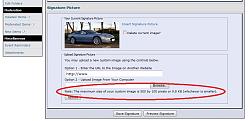
It mustn't exceed 500 x 100 pixels or 9.8 KB.
To get it within these limits, you'll need to resize it with photoediting software. Post a reply if you don't have this available or still can't get it to upload.
Graham
The problem you are having with uploading a SigPic is probably that the image you are trying to use exceeds the permitted size size limits.
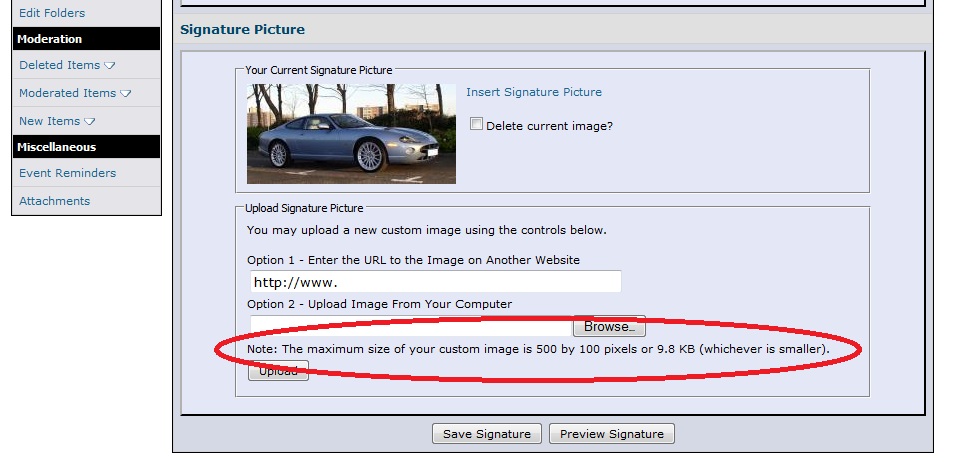
It mustn't exceed 500 x 100 pixels or 9.8 KB.
To get it within these limits, you'll need to resize it with photoediting software. Post a reply if you don't have this available or still can't get it to upload.
Graham
I thought it maybe In the wrong section . Thanks for your help, no I dont have photoediting, Im not very up on this sort of thing, more of a hands on person so any help would be appreciated . BL
Joined: Dec 2011
Posts: 120,439
Likes: 17,014
From: Durham, UK
Bernie,
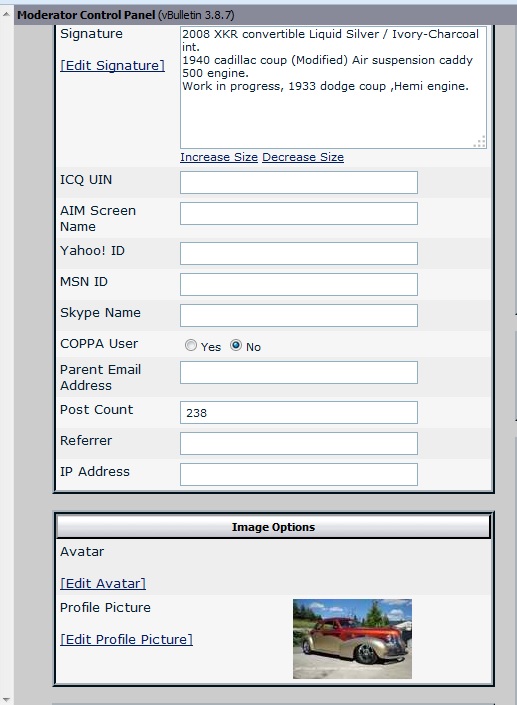
I've resized the photo you sent me and uploaded it as your SigPic (click on the following images to enlarge them):
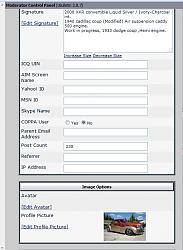
It should appear with your next post.
To set up a forum 'garage' and add full size photos:
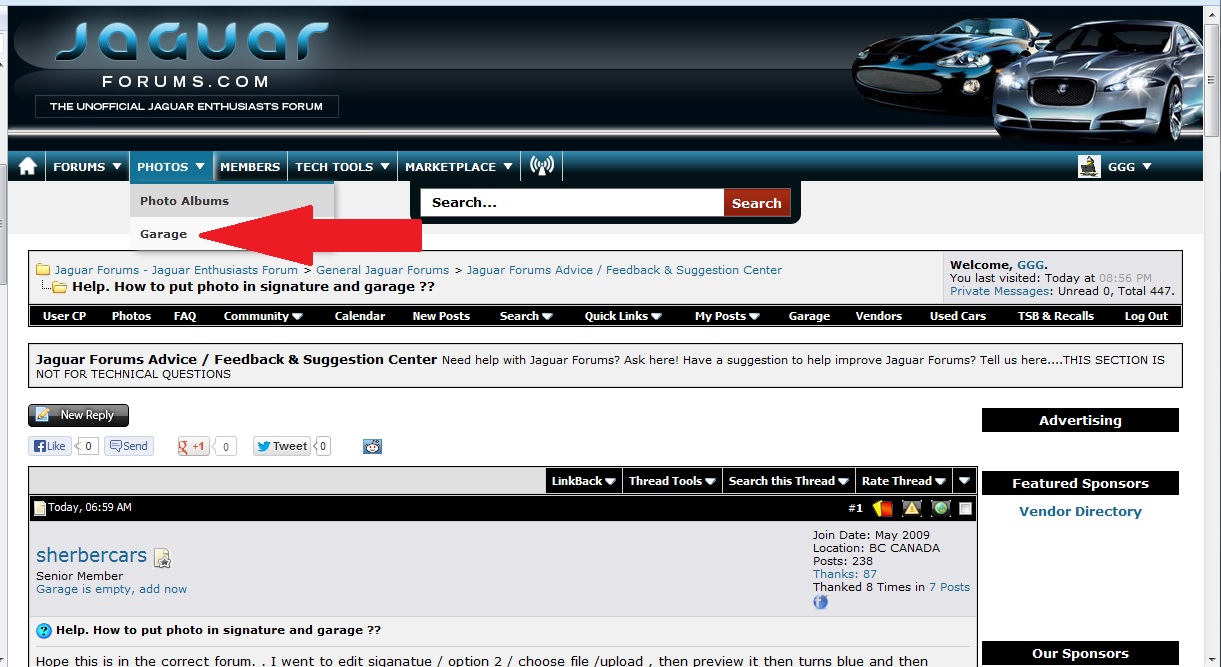
1. on the main menu bar, go to Photos and click on Garage
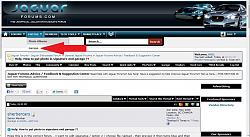
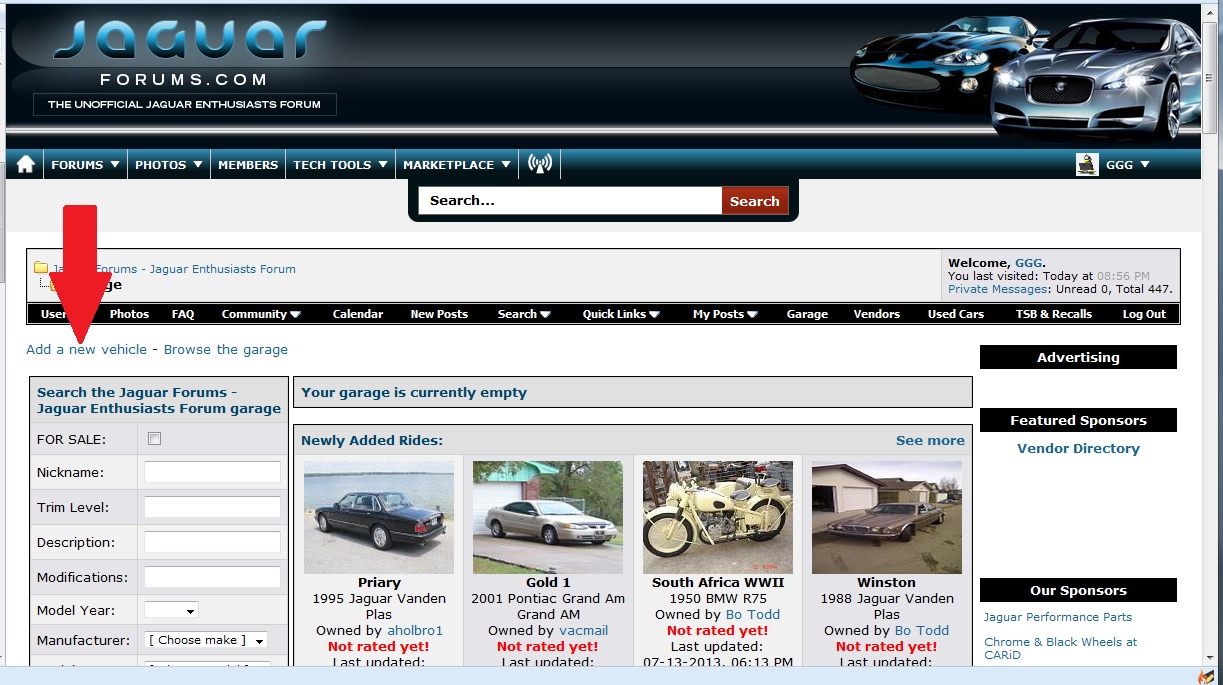
2. in the next screen, click on Add new vehicle
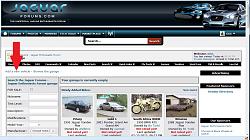
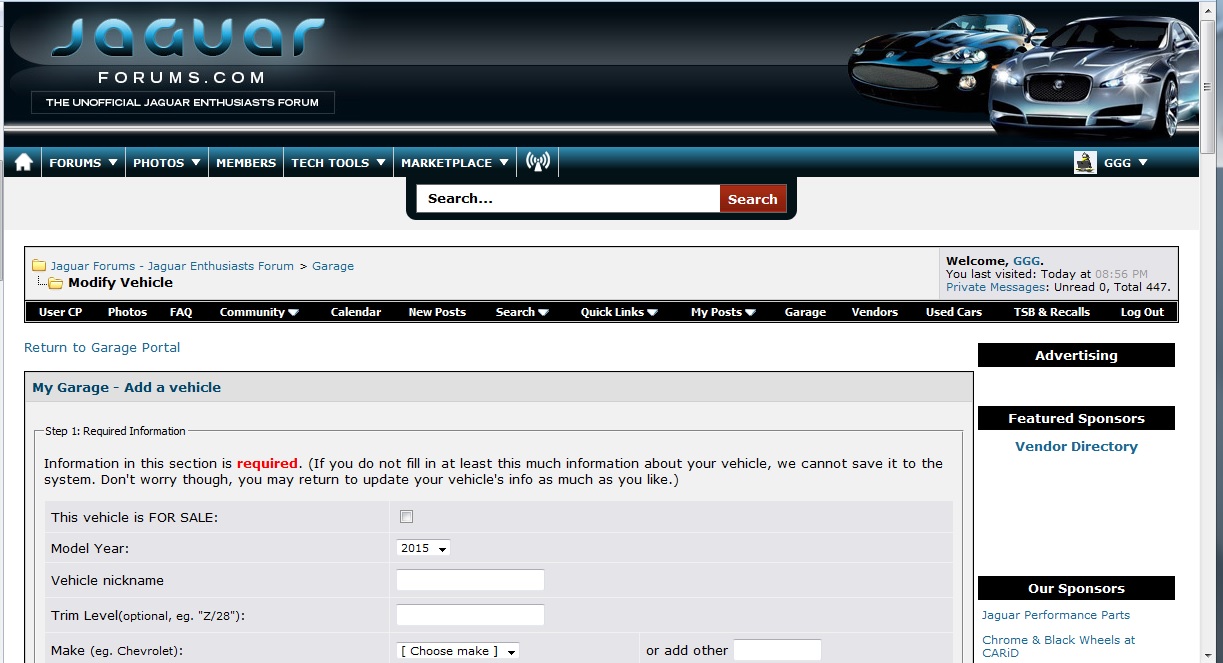
3. in the next screen, fill in the basic details about the vehicle
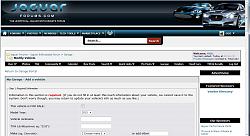
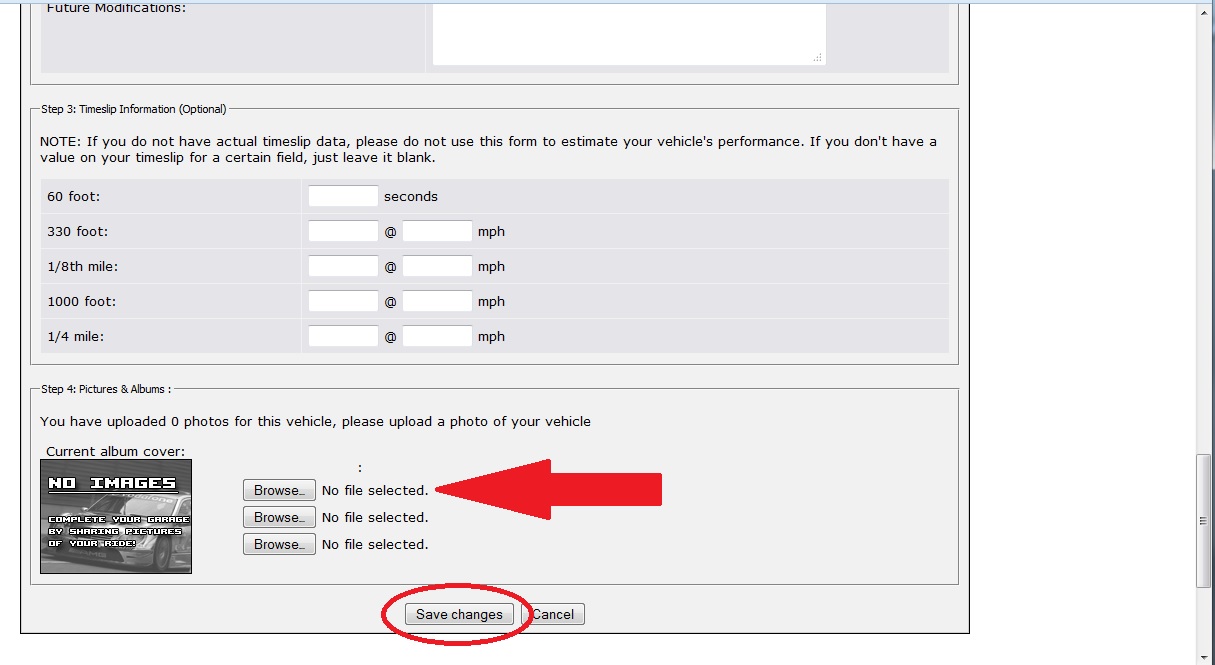
4. scroll down to the bottom of the screen and click on the Browse button
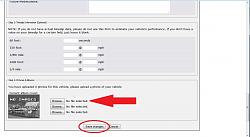
5. browse to the picture file on your computer that you want to upload
6. click the Save button
Definitely worth adding a full size photo of the Cadillac. It looks superb.
Graham
I've resized the photo you sent me and uploaded it as your SigPic (click on the following images to enlarge them):
It should appear with your next post.
To set up a forum 'garage' and add full size photos:
1. on the main menu bar, go to Photos and click on Garage
2. in the next screen, click on Add new vehicle
3. in the next screen, fill in the basic details about the vehicle
4. scroll down to the bottom of the screen and click on the Browse button
5. browse to the picture file on your computer that you want to upload
6. click the Save button
Definitely worth adding a full size photo of the Cadillac. It looks superb.
Graham
Thanks again Graham you have been a great help, Is there a way I can resize my other pics that where taken at the same time? By the way we are originially from Lythem close to Blackpool.been hear for 44 years. had lots of Jags then and since, and build hot rods for a hobby,but not to good with computers. lol. Bernie
Joined: Dec 2011
Posts: 120,439
Likes: 17,014
From: Durham, UK
Bernie,
I use Photoshop so hadn't though about how resizing could be done without a program like this. Surprisingly I found it can be done using Windows Paint.
1. open Paint from Start - All Programs - Applications
2. open the JPEG photo you want to resize
3. copy and past the image into Paint
4. click on the Resize button
5. in the dialogue box, set the required Percentage or Pixel size.
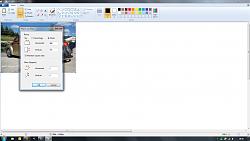
With the Maintain aspect ratio box ticked, only adjust either Horizontal OR Vertical and the other will automatically change to keep the ratio the same.
6. click OK
7. save the new image with an appropriate filename
So you and Sir William Lyons are both from Lytham. I think his original Swallow Sidecar building is still there unlike his Jaguar factories in Coventry.
Graham
I use Photoshop so hadn't though about how resizing could be done without a program like this. Surprisingly I found it can be done using Windows Paint.
1. open Paint from Start - All Programs - Applications
2. open the JPEG photo you want to resize
3. copy and past the image into Paint
4. click on the Resize button
5. in the dialogue box, set the required Percentage or Pixel size.
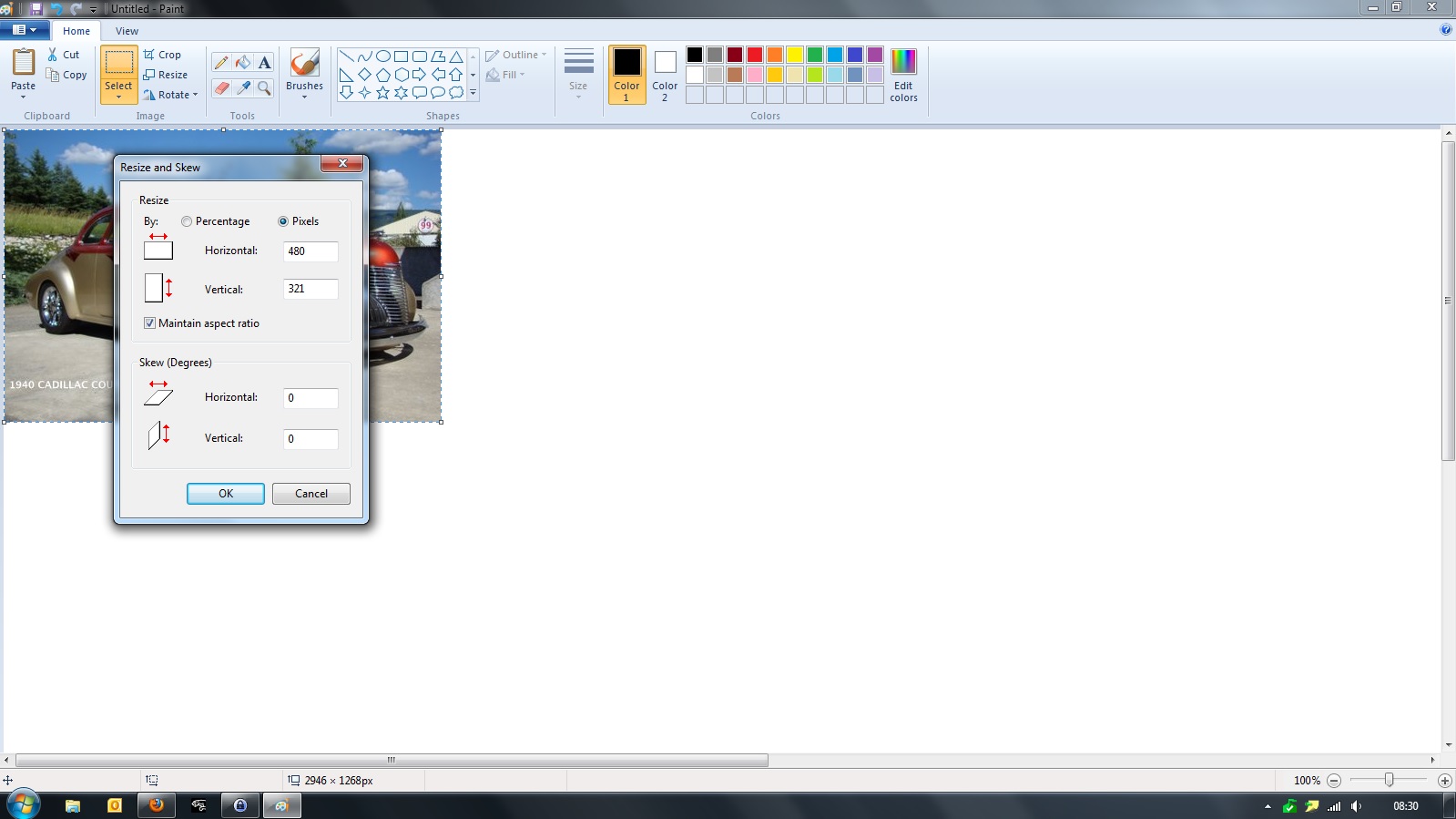
With the Maintain aspect ratio box ticked, only adjust either Horizontal OR Vertical and the other will automatically change to keep the ratio the same.
6. click OK
7. save the new image with an appropriate filename
So you and Sir William Lyons are both from Lytham. I think his original Swallow Sidecar building is still there unlike his Jaguar factories in Coventry.
Graham
Last edited by GGG; Jul 20, 2013 at 11:24 AM. Reason: typo

Thread
Thread Starter
Forum
Replies
Last Post
Beardy
PRIVATE For Sale / Trade or Buy Classifieds
1
Sep 18, 2015 10:00 AM
Currently Active Users Viewing This Thread: 1 (0 members and 1 guests)

