


This is a test




Veteran member


Joined: Mar 2007
Posts: 11,344
Likes: 1,163
From: Oak Ridge, TN
 Test Thread for Image attachment attempts - Go Gus Go!
Please edit your post as you attempt each image upload.
I am trying to determine if file size trumps dimensional adjustments that the forum software uses to 'downrez' our uploaded images.

If you look at the attachment popup, it shows a 97.7KB maximum file size for .JPG extensions, so as long as it doesn't exceed that, we can upload any size (dimensionally) that you like.
For any other file type shown with a dimensional size limit, it automatically gets reduced.
This image was originally 800x640, with a file size of 42.5K (It started out as a 2MB file, reduced to meet the 800x600 dimensions, then saved as JPG with about a 50% compression factor.)
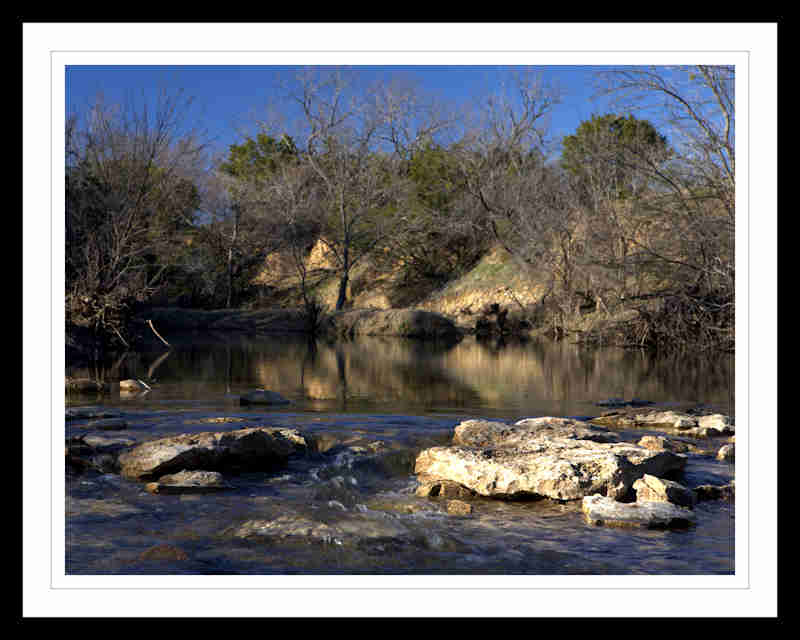
This next one had the same approximate LxW dimensions, 800x574, but its file size was 413 KB (no compression in jpg saving), so lets see what it does when I attach this...

It kept the size, but reduced it to 48.1KB, mainly on compression I assume...cuz quality really suffers.
---------------------
So, here's what I learned...I suggest doing your own image saving on your home computer, use the JPG format, as it doesn't have a dimensional size limit...just keep the size around 1MB to avoid the forum software downrezzing it poorly.
I am trying to determine if file size trumps dimensional adjustments that the forum software uses to 'downrez' our uploaded images.
If you look at the attachment popup, it shows a 97.7KB maximum file size for .JPG extensions, so as long as it doesn't exceed that, we can upload any size (dimensionally) that you like.
For any other file type shown with a dimensional size limit, it automatically gets reduced.
This image was originally 800x640, with a file size of 42.5K (It started out as a 2MB file, reduced to meet the 800x600 dimensions, then saved as JPG with about a 50% compression factor.)
This next one had the same approximate LxW dimensions, 800x574, but its file size was 413 KB (no compression in jpg saving), so lets see what it does when I attach this...
It kept the size, but reduced it to 48.1KB, mainly on compression I assume...cuz quality really suffers.
---------------------
So, here's what I learned...I suggest doing your own image saving on your home computer, use the JPG format, as it doesn't have a dimensional size limit...just keep the size around 1MB to avoid the forum software downrezzing it poorly.
Last edited by H20boy; Mar 3, 2010 at 09:50 PM.
Veteran member
Joined: Mar 2007
Posts: 11,344
Likes: 1,163
From: Oak Ridge, TN
Gus, 2nd one uploaded just fine...any chance you're uploading a GIF as in your TSB link? If so, it could be reducing it to meet the max sizes allowed.
If you have a choice convert to a jpg on your end, the it should result in the same success as your second pic. yeah!
yeah!
And, don't forget to the attachment, so we don't have to hover over the thumbnail or click to get a big one, it'll be included in the text like I did with your examples above.
If you have a choice convert to a jpg on your end, the it should result in the same success as your second pic.
yeah!And, don't forget to
the attachment, so we don't have to hover over the thumbnail or click to get a big one, it'll be included in the text like I did with your examples above.
OK so how do i get the photo into the body full size?
Last edited by Gus; Mar 4, 2010 at 03:30 PM.
Trending Topics


Veteran member
Joined: Mar 2007
Posts: 11,344
Likes: 1,163
From: Oak Ridge, TN
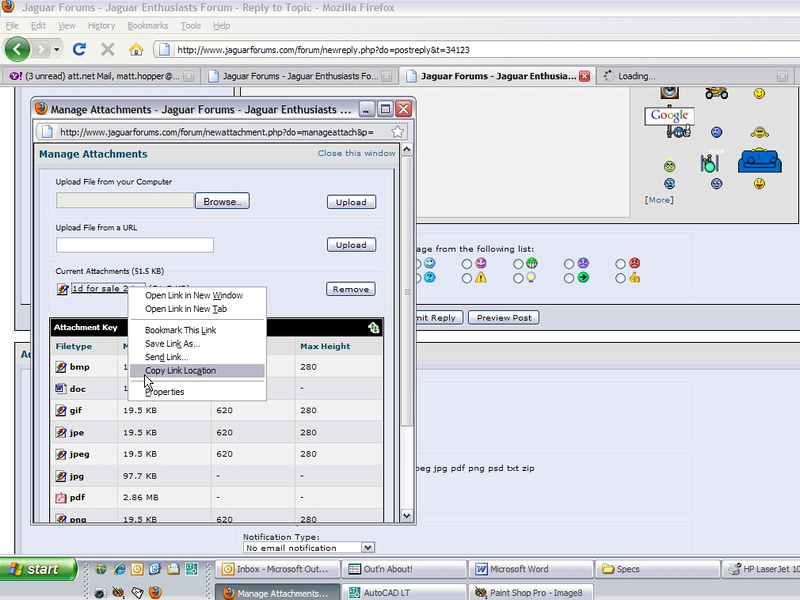
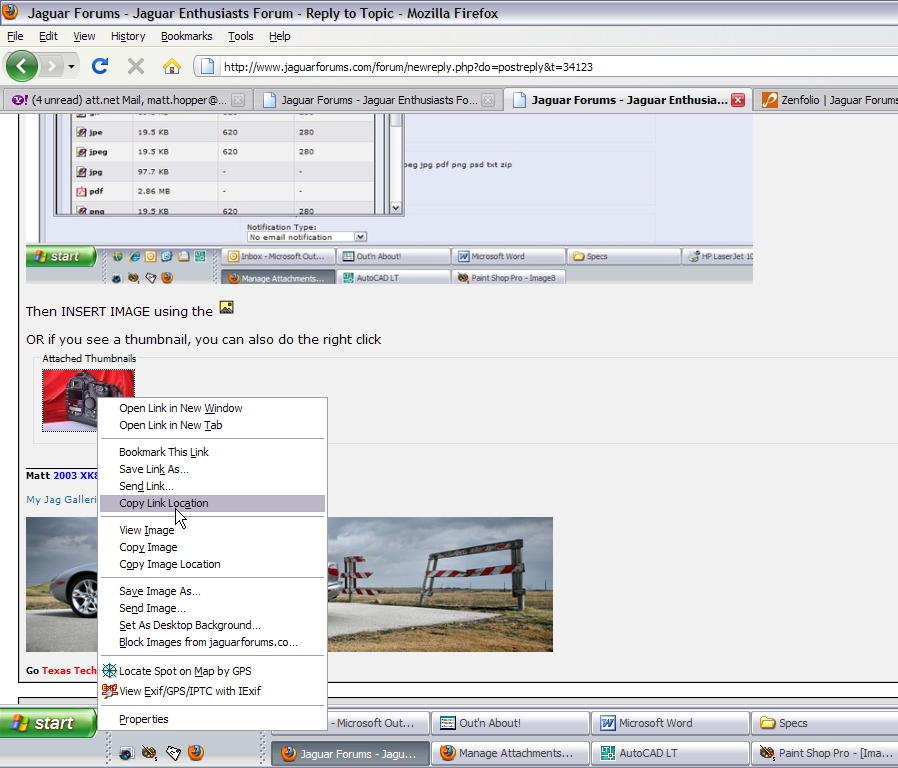
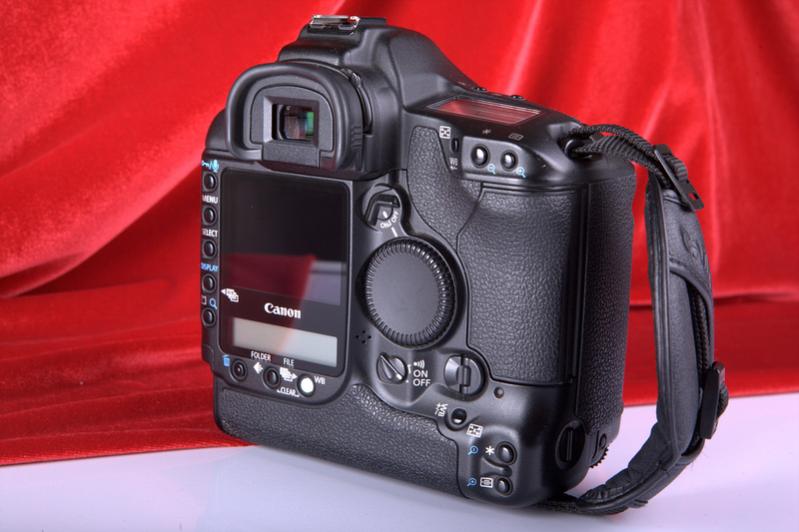
When the thumbnail is created, or the link is shown in the attachment popup, simply right click on it, 'copy link location' and then the link.
You will now get a larger (original) version in addition to the thumbnail.
the link. You will now get a larger (original) version in addition to the thumbnail.


Thread
Thread Starter
Forum
Replies
Last Post

Currently Active Users Viewing This Thread: 1 (0 members and 1 guests)

