When you click on links to various merchants on this site and make a purchase, this can result in this site earning a commission. Affiliate programs and affiliations include, but are not limited to, the eBay Partner Network.
I just bought what looks to be a very nicely kept '04 S-Type V6 without factory navigation to use for the daily commute and I've been informed that the stock radio system is entirely fiber-optic and that it's cost prohibitive ($1800 U.S.) to cut into it and replace the original CD player with an aftermarket stereo. It's a first world problem, of course, but the idea of doing the daily commute without hands-free communication, USB or Bluetooth is depressing and I've been spoiled by the aftermarket systems in our older Jags.
Radio dash kit used specifically for replacing a factory radio with an aftermarket radio
Fits Standard Double Din aftermarket radio 173 x 98mm
Fits Single Din aftermarket radios
Contoured to fit the vehicle’s factory dashboard
Finish: SATIN BLACK
High-grade ABS plastic material
SWC Radio Wire Harness Interface:
Allows for the installation of an aftermarket radio in vehicles that are equipped without a factory premium / amplified sound system (i.e. Rockford Fosgate, Bose, JBL, etc.)
Retains vehicle's factory Steering Wheel Controls (if equipped) when installed with a SWC compatible aftermarket radio (Alpine, Clarion, JVC, Kenwood, LG, Panasonic, Pioneer, Philips, and Sony)
For Jensen, android and off-brand aftermarket radios IX-SWC2 will be needed (sold separately)
Provides NAV outputs such as V.S.S. (Vehicle Speed Sense), Reverse, Mute, Parking Brake, and Amp Remote
No cutting of factory wiring necessary
Antenna Adapter:
Allows the use of the vehicle’s factory antenna when replacing the factory radio with an aftermarket radio
Plugs directly into vehicle’s factory antenna cable
One end connects to the standard plug in the aftermarket radio and the other end plugs into the vehicle’s specific antenna plug
"
Will the above product work? Is anyone out there running an aftermarket stereo with hands free, bluetooth, USB and all of the other modern conveniences in their non-Nav equipped S-Type?
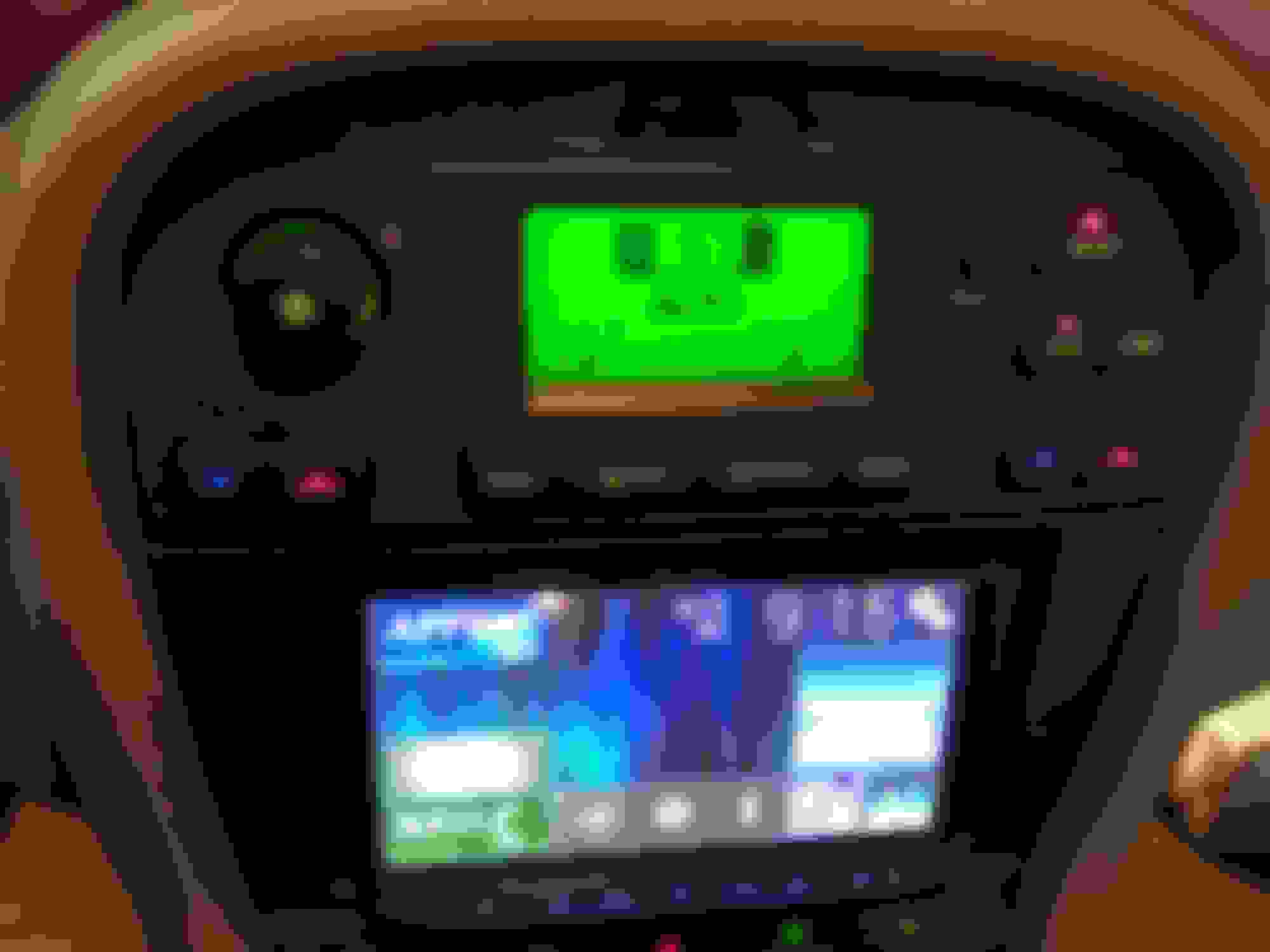
I know there are other threads on this subject but I'm having trouble getting a clear sense of the situation. Attached is a photo of what the stereo/console looks like in my new-to-me S-Type.
Thanks in advance,
Rhett S-Type radio console without factory navigation
a conversion wiring harness and bezel / surround are available on ebay .
you can also add an aux cable to the CD changer .
or add a fm modulated BT input . these are average though .
then there is the parrot option sill average though .
or the factory ACM (not cheep) .
real shame the VENBOX VEFFBOX is no longer available . they are great !!!
The non-fiber optic non-premium system in my '08 3.0 was replaced by a Pioneer system with apple play. Very nice, plug in the phone and have all mod cons - bluetooth, nav, phone, voicemail access, siri, messaging, Spotify, Pandora, Sirius XM, etc.
Mine was installed by the local car stereo emporium, I added an amplifier and upgraded speakers in all four doors. For the shop it was a straight forward job with a wiring harness and retrofit dashboard kit to make it look all nice and neat.
Good luck.
Last edited by slauson slim; Mar 2, 2018 at 11:23 AM.
I've stalled a bit on getting an aftermarket stereo installed and have started to wonder if I wouldn't be fine if I could just, somehow, get Bluetooth into the system.
I've heard of people who have connected some kind of Bluetooth receiver into the changer cabling in the trunk/boot. Apparently it's powered by the built-in wiring and the audio travels across the analog audio cabling from the boot to the sound system, so you just choose CD Changer and start streaming.
Has anyone heard of this or is it just vapor-ware?
Yes you can add a 3.5mm rca jack in to your CD changer .
There for yes ,
sure you can plug a generic 3.5mm bluetooth reciever in to it .
Once the Jack is fitted . I use a jabees 3.5mm BT reciever in one of my cars .
Works fine also answers phone calls .
Yes you can add a 3.5mm rca jack in to your CD changer .
There for yes ,
sure you can plug a generic 3.5mm bluetooth reciever in to it .
Once the Jack is fitted . I use a jabees 3.5mm BT reciever in one of my cars .
Works fine also answers phone calls .
To be clear, you're saying CD Changer, not the wiring? I have the wiring but the previous owner didn't go for the CD Changer option.
You can add or solder the aux cable to the cd changer or to the internals of the a dash mounted single cd unit . I've only seen it done these two ways .
There are how To's on this forum for this .
I amagine it could be done to the tape deck or mini disk player optioned cars ,
But I think it would be a first and unchartered teritory .
It is very easy to add the disk changer .
And quite cheep on eBay .
Ok so i recently bought a 2004 jaguar s type 4.2.. the oem stereo never turned on so i took it apart to put in a jvc double din in and the reason as to why it never worked was because the oem wire harness had been cut completly off and gone.. can i hotwire into the oem wires? If so can someone post the radio wire diagram? Thanks




 Aftermarket stereo in '04 S-Type w/out Nav