


Navigation Volume


Thread Starter
|
Junior Member
Joined: Sep 2018
Posts: 29
Likes: 1
From: San Antonio, TX
 Navigation Volume
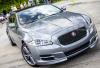
I have a 2016 XJL and can’t figure out how to adjust the volume when using the navigation function. The speaker in the driver’s door appears to be the source of the navigation voice, but it is both full of bass and somewhat low volume, so at times is difficult to hear over the radio and road noise. I looked at the manual and looked through the different prompts while in the navigation mode; I felt blind and deaf, as I didn’t find anything. Thanks for your help.


Thread
Thread Starter
Forum
Replies
Last Post
Currently Active Users Viewing This Thread: 1 (0 members and 1 guests)