


'Itchy' Volume Control Repair


Thread Starter
|
Senior Member
Joined: Feb 2011
Posts: 701
Likes: 240
From: Louisville, KY
 'Itchy' Volume Control Repair
As is the case for most radios these days, the volume control in my car was erratic and irritating. Yeah, you can use the steering wheel control but that doesn't make the other adjustments any easier. This will be a quick and dirty little how-to...
1) Remove the radio (plenty of info around here for how to accomplish that)
2) Depress the spring clips that retain the radio in the bezel the push the radio through to remove it from the bezel - can be difficult but you can cheat by going just far enough to remove the two small screws on either side of the black radio face and then the face itself.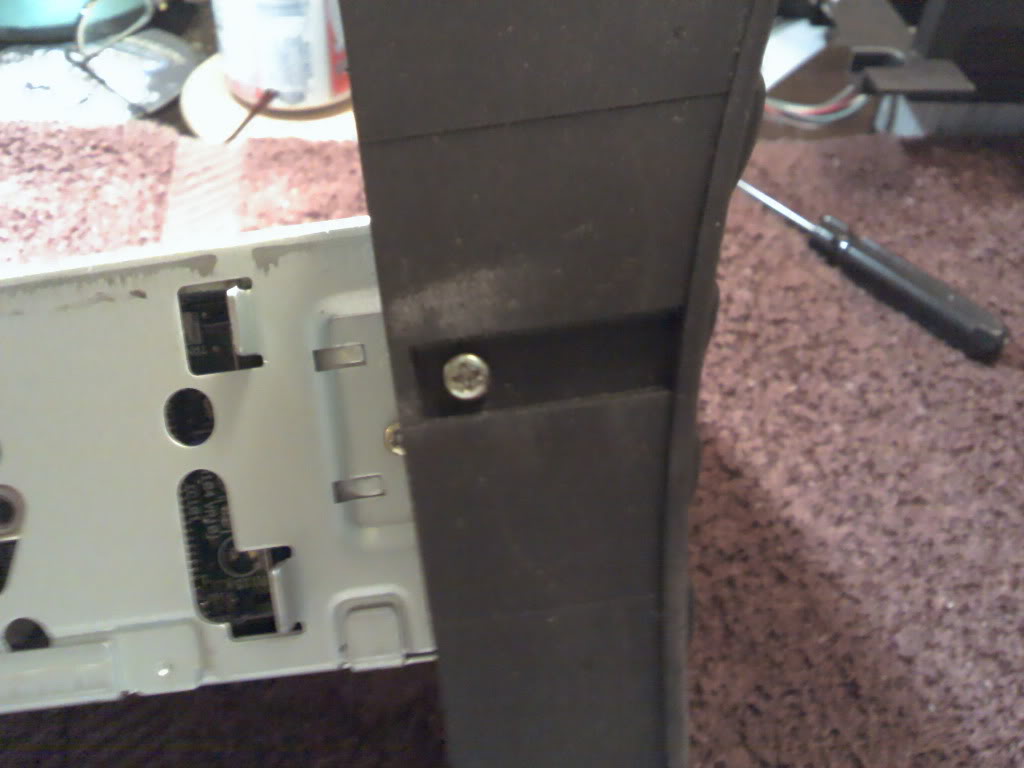
3) Now that you have the face off you can easily see the volume control.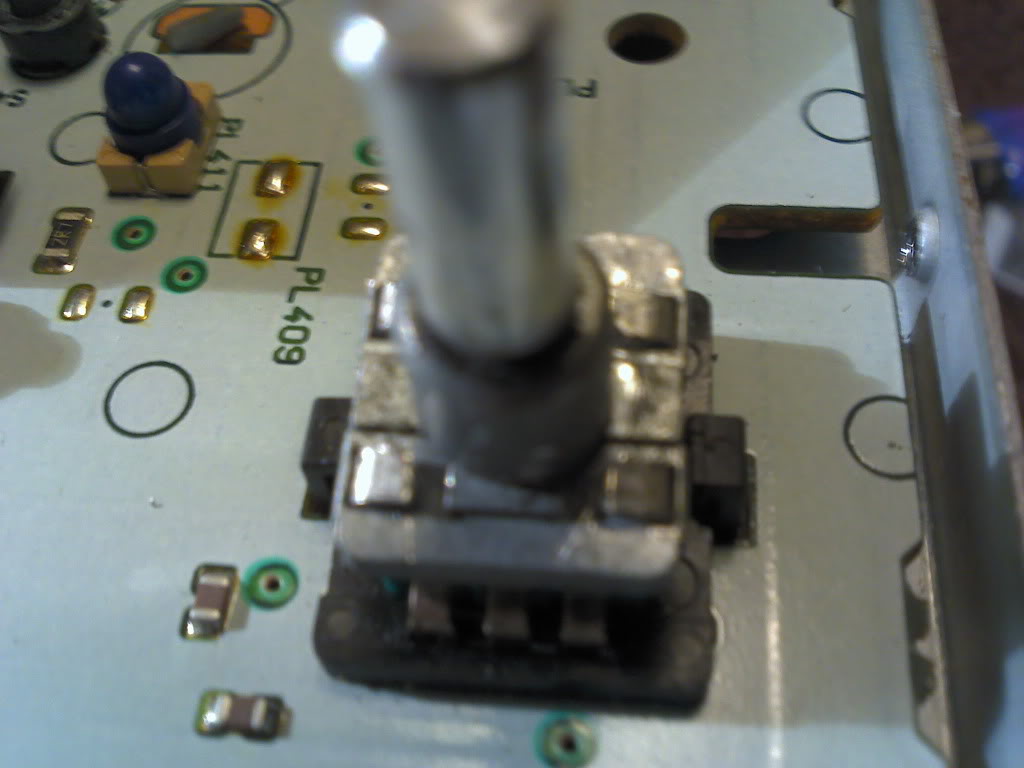
Notice the four ears that retain the control stem. Now, I don't recommend doing what I did... I used a box knife blade to lift each of the ears high enough to slip a small screwdriver under them and straighten. (sometimes I'm not certain if I'm more lucky than stupid - if you follow suit, don't cut yourself or break and flip a piece of metal in your eye, etc.) Before removal, mark a spot on the cover for reassembly. Once that's done, gently wiggle the stem and cover over the ears.
4) Now that you have the control open you'll see this: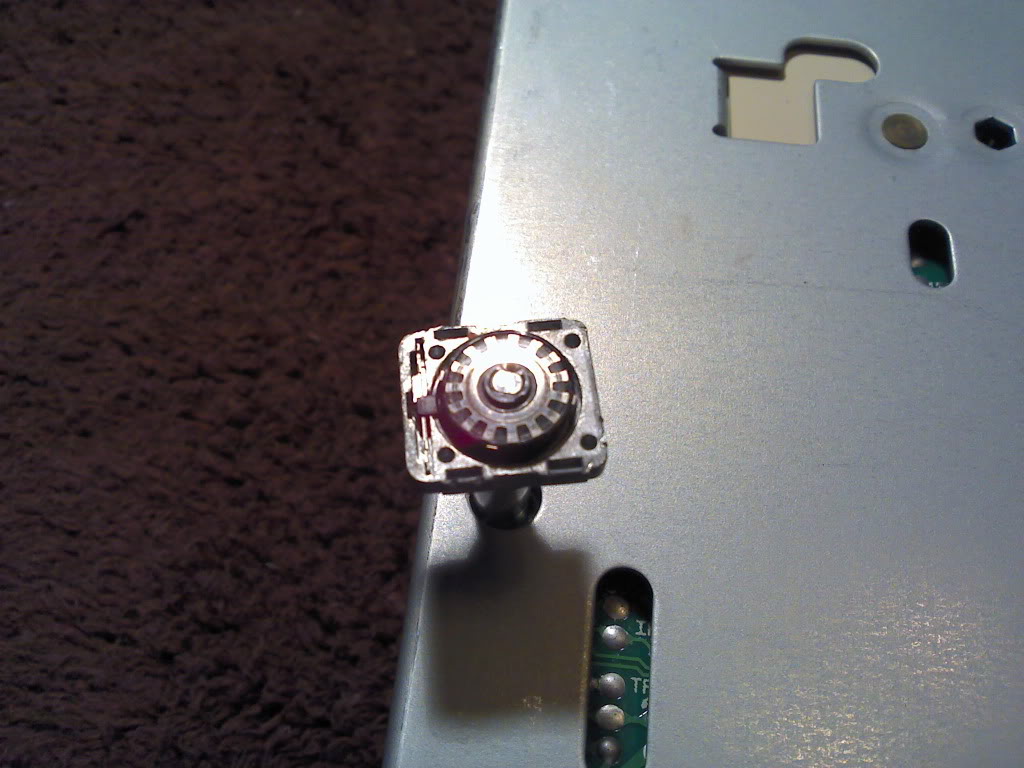
The little 'wheel' in the center is removable, make sure you place it back this way when reassembling. A little cotton swab and some t.v. tuner cleaner (preferable as it not only cleans but also leaves a slight lubricant behind) will remove the skack (technical term) from both the 'wheel' and the contact fingers: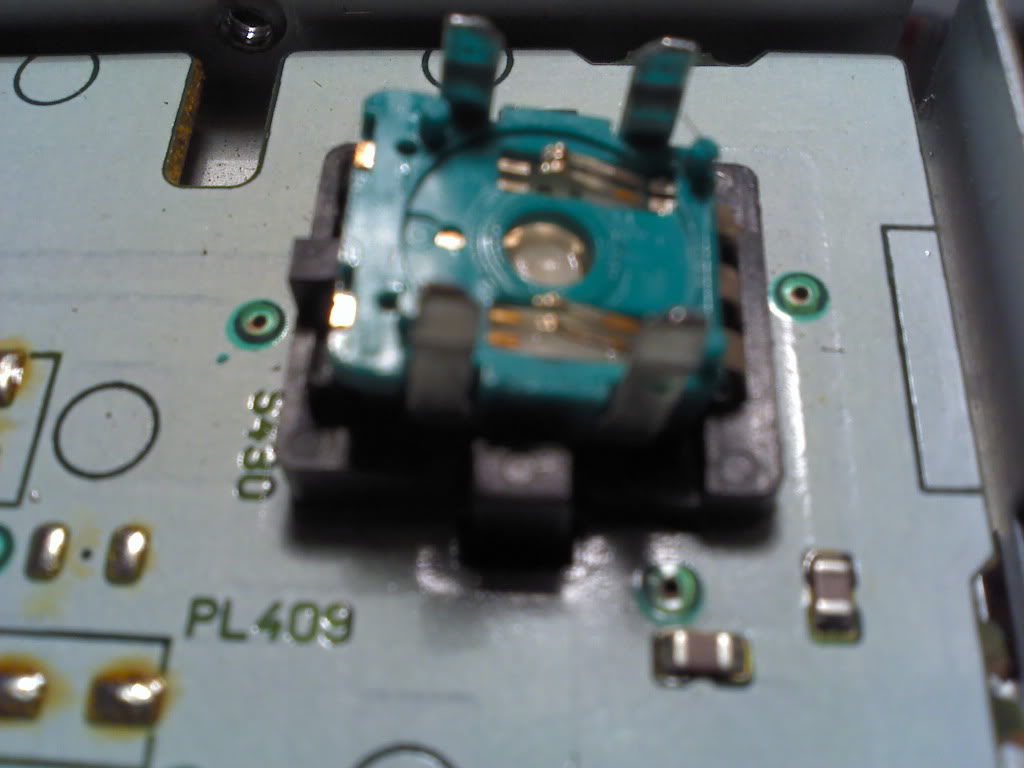
I also recommend lifting the contact arms just a wee bit to increase/restore tension against the 'wheel'. Don't get crazy! Remember, power without control is nothing.
Reverse procedure to install. Have a beer, save one for me - I will be around to collect, someday... ;-)
1) Remove the radio (plenty of info around here for how to accomplish that)
2) Depress the spring clips that retain the radio in the bezel the push the radio through to remove it from the bezel - can be difficult but you can cheat by going just far enough to remove the two small screws on either side of the black radio face and then the face itself.
3) Now that you have the face off you can easily see the volume control.
Notice the four ears that retain the control stem. Now, I don't recommend doing what I did... I used a box knife blade to lift each of the ears high enough to slip a small screwdriver under them and straighten. (sometimes I'm not certain if I'm more lucky than stupid - if you follow suit, don't cut yourself or break and flip a piece of metal in your eye, etc.) Before removal, mark a spot on the cover for reassembly. Once that's done, gently wiggle the stem and cover over the ears.
4) Now that you have the control open you'll see this:
The little 'wheel' in the center is removable, make sure you place it back this way when reassembling. A little cotton swab and some t.v. tuner cleaner (preferable as it not only cleans but also leaves a slight lubricant behind) will remove the skack (technical term) from both the 'wheel' and the contact fingers:
I also recommend lifting the contact arms just a wee bit to increase/restore tension against the 'wheel'. Don't get crazy! Remember, power without control is nothing.
Reverse procedure to install. Have a beer, save one for me - I will be around to collect, someday... ;-)
Last edited by Beav; Apr 9, 2011 at 08:17 AM.


Veteran member


Joined: Mar 2007
Posts: 11,345
Likes: 1,165
From: Oak Ridge, TN
As far as I know, nobody has attempted internal radio repairs... nice!
BTW, tip for next photo attempt like this...when you're trying to get some closeups like you are showing, be sure to use the MACRO function on your camera (most in the last few years have them - i.e. canon has a little flower symbol) and that will take the minimum focus distance much closer than in normal mode. The details you want to capture will be come out crystal clear.
BTW, tip for next photo attempt like this...when you're trying to get some closeups like you are showing, be sure to use the MACRO function on your camera (most in the last few years have them - i.e. canon has a little flower symbol) and that will take the minimum focus distance much closer than in normal mode. The details you want to capture will be come out crystal clear.
Thread Starter
|
Senior Member
Joined: Feb 2011
Posts: 701
Likes: 240
From: Louisville, KY
I have a camera with that function, however it's about eight years old and eats batteries like crazy. My phone has every function that the camera does except macro plus it takes better pictures - except for instances like this. I suppose I should charge some batteries and use the camera but when I'm on a roll that just slows me down, sooo....
Veteran member
Joined: Mar 2007
Posts: 11,345
Likes: 1,165
From: Oak Ridge, TN
my phone also has a macro function..its an android. Have you looked for that option int he menu on yours?
I understand 'the roll', been there myself plenty, often resulting in NO pictures at all. lol
I understand 'the roll', been there myself plenty, often resulting in NO pictures at all. lol


Thread
Thread Starter
Forum
Replies
Last Post

Currently Active Users Viewing This Thread: 1 (0 members and 1 guests)