When you click on links to various merchants on this site and make a purchase, this can result in this site earning a commission. Affiliate programs and affiliations include, but are not limited to, the eBay Partner Network.
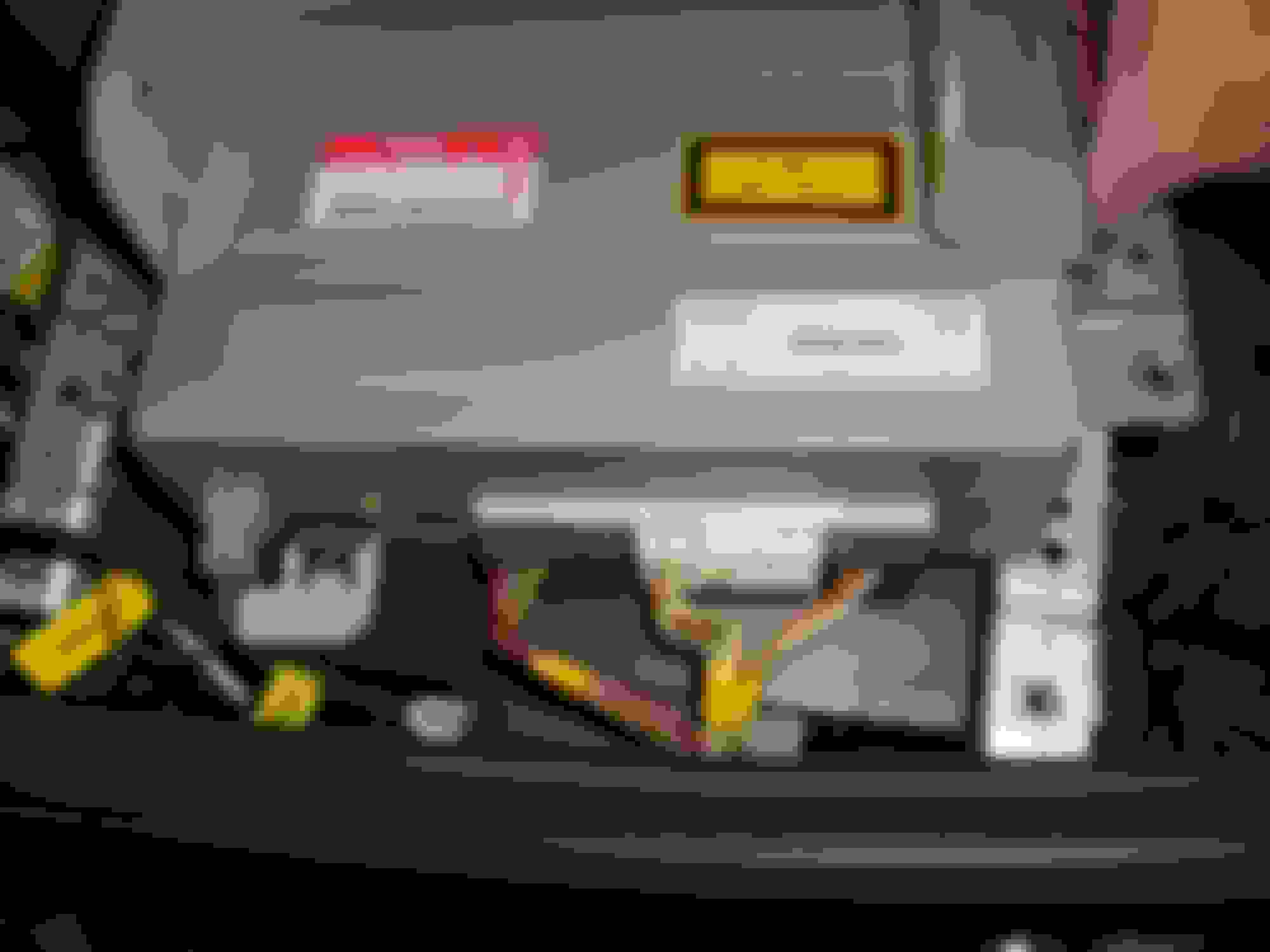
Could anyone send me a picture of the way their CD Changer is wired on their X350 please? Got an early one where the CD changer isn't working and looking at the way it's wired it only has a CAN bus power wire and another small wire going to it. The traditional round plug/socket isn't used which seems strange to me!
I've plugged it back in but put the phone optic connector for the CD changer instead. I've then gone into SDD and added an accessory of a CD changer but still it's dead as a door nail.
With the CD Changer plugged in via the power lead but not the fibre optic and not paired/synched to the head unit I take it the CD Changer should still power up?
I now fully understand the order required on the fibre optic/D2B cables but I'm no further forward with actually getting the CD Changer to get power up, I have even rearranged the wires on the power wiring plug that goes to the CD Changer in case they'd previously been messed with. The CD Changer is still dead even though the multimeter confirms there is 12 volts going to the plug. Either I've got three duff CD Changers which would be extremely bad luck or there's something else wrong. Anyone got any ideas? It's becoming a real mystery.
I've even now removed the wires from the wiring plug and put them onto the CD Changer wiring prongs directly and still no powering up of any of the three CD Changers I have!
I thought someone needs to join you in this lonely thread . Here are some pictures from my 2004 X350 which may help. I assume you have the electrical wiring diagram which will show you wiring colour & connector pin-outs Electrical Guide. Hope these help
I thought someone needs to join you in this lonely thread . Here are some pictures from my 2004 X350 which may help. I assume you have the electrical wiring diagram which will show you wiring colour & connector pin-outs Electrical Guide. Hope these help
Thanks for your pictures! Now sorted, turned out the wiring loom into the fuse box must have become wet and so heated up causing scorching. I managed to clean everything up and strip the wiring back on the green/brown and brown/white wires and replaced the crimp connectors (a Company called Simtek do them, excellent helpful service too). After wiping some sweat from my brow on testing it works perfectly so I have CD sounds again! 😜👍
I've plugged it back in but put the phone optic connector for the CD changer instead. I've then gone into SDD and added an accessory of a CD changer but still it's dead as a door nail.
Does your CDC have power - aka when you press the eject button does it eject the magazine? If not check electrical diagram and fuse box.
If you have power: check if the optical cable has signal - unplug it. power the car (no need to crank the engine, just turn the key so the radio is on). You should be able to see a few flashes of red light on one of the connector "wires". This happens briefly when the radio is on, so you will probably need someone else to turn the car on.
If you don't see any red light your optical cables are not properly connected or worse broken.
You you have touch screen, there is a secret menu and you can run d2b diagnostic from there.
Does your CDC have power - aka when you press the eject button does it eject the magazine? If not check electrical diagram and fuse box.
If you have power: check if the optical cable has signal - unplug it. power the car (no need to crank the engine, just turn the key so the radio is on). You should be able to see a few flashes of red light on one of the connector "wires". This happens briefly when the radio is on, so you will probably need someone else to turn the car on.
If you don't see any red light your optical cables are not properly connected or worse broken.
You you have touch screen, there is a secret menu and you can run d2b diagnostic from there.
All sorted now, turned out some of the CD Changer wiring plug to the fusebox had an issue causing the issues. Replaced this and suddenly had power!



 X350 CD Changer wiring





 . Here are some pictures from my 2004 X350 which may help. I assume you have the electrical wiring diagram which will show you wiring colour & connector pin-outs Electrical Guide. Hope these help