When you click on links to various merchants on this site and make a purchase, this can result in this site earning a commission. Affiliate programs and affiliations include, but are not limited to, the eBay Partner Network.
I seem to be having trouble with uploading pictures, the way this works seems to have changed recently and now most of the time I go to the adavanced page, select manage attachements, load my pictures in so I can see them in the preview, click upload and then nothing happens. If I then click manage attachements again they have all disappeared?
Is anyone else having this? What am I doing wrong as it used to work fine for me? I've tried it in both explorer and firefox and it does the same.
I have a problem on the mobil site. It might be my lack of patience. I got the hang of the regular site, I think. I don't like the pictures coming before the comments. I don't know how to change that (desktop site).
on the Quick Reply text box that shows up at the bottom of the last post, you will see the TEXT TOOLS like Bold, Italic, Underline, etc. etc.
Click on the square "Scenery" box to the left of the Smiley face.
A new window opens and then you click on BROWSE YOUR DEVICE.
Select the picture you want to upload, wait until the picture is 100% uploaded, and you can see it, then click on UPLOAD at the TOP RIGHT of the window.
Seemed to work this time, sort of any way, the first photo I uploaded went to 100% in the preview but I couldn't see the picture. The second picture came up correctly and when I clicked upload only the second picture appeared.
Have to say I don't like the new format, prefer the attachments rather than inline pictures, they keep the posts neater. I will try using the mobile site as Clyde is still managing to get attachments instead of inline pictures.
Thanks Jon for pointing out the difference between desktop & mobile photo uploads. I had just realized yesterday, but had not sunk in until your post.
Cheers.
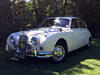
OK...let's see if this works because I was not able to upload photos earlier today (although in the past I have had no problems). Here goes....my 1966 Mk 2 3.8, 26,000 original miles, in Pale Primrose.
Nope - it did not work.: went to Manage Attachments, Browse Device, Upload...and the photo I uploaded appears NOWHERE! is it drifting in the ether somewhere, somehow....this has only been happening recently since a change was made in the uploading process. Somebody, please fix this!!!! Tried it twice....I give up.
I tried uploading from the phone, but it just did inline pics, I can't get them to work as attachments just find that the inline format makes the posts too big if several pictures are attached, can we have the attachment option back ???
Ok...thanks...let me try right now.
I have just done it - and bizarrely, as you can see, it worked. here is the problem. The "UPLOAD" screen brought up by your method (rather than by using the "Manage attachments" method) is exactly the same upload screen- identical. And my procedure was the same: browse, select the photo, double click on it, wait for the 100% indicator, then tap "UPLOAD". Exactly the same procedure but it does not work with the "Go ADVANCED" and "MANAGE ATTACHMENTS"route as it always did before. Someone, please, please fix this.
Anyway, the photo is of my 1966 Mk 2 3.8 Canadian specification (note the amber rear turn signals), just under 26,000 original miles. Thanks Jose.
Some complaints about the new infinite scroll and picture issues here, add your critique/comments to the list if anyone has issues, it will add power to the forum users that find the updates cause problems or remove facilities that they preferred in previous versions.



 Uploading pictures