When you click on links to various merchants on this site and make a purchase, this can result in this site earning a commission. Affiliate programs and affiliations include, but are not limited to, the eBay Partner Network.
New Member Area - Intro a MUSTNew to Jaguar Forums? Drop in and tell us about you, your ride and location. This is your chance to introduce yourself to the forum.
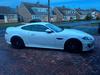
Hi everybody, I am proud to say I am now the owner of a 2007 Jaguar XKR! I just love it! What a beauty! I a Dutchy living in Southern Spain so choose the convertible
To be precise I am living in Sotogrande, just next to Gibraltar. I bought the car with 78.000km on it and it looks amazing.
I figured I might get some good info on this forum if I will need it in the future and I am also happy to share my experience if I can help someone of course.
I do have some things that I wanted to change on my new ride.
A few little things I have done already and the rest is ordered.
-Changed the 19" Jupiters for a 20" Nevis set, I did need some spacers to fit it because of the different ET's.
-Painted the foglight in body color which looks nicer in my opinion.
-Pulled fuse 19 to shut off the Active Exhaust System for a nicer sound
-Ordered the remote top control including rear window raiser by TheJagWrangler
-Ordered the Adamesh Wind deflector in beige.
-Ordered the Maestro 2.0 FM modulator by Navinc. to get an Aux-in with extra's
I will post some info on the FM Modulator when I get to installing it, as there is not much to find about it. Has anybody installed this before? Here is a little info on it's features:
- The FM modulator will be hardwired to the antenna giving high end quality sound.
- AUX-in through one 3.5mm jack and one USB port which also charges your (i)Phone.
- Track information will be displayed on your screen as RDS.
- Toggle through your playlist en songs on your phone with the steering wheel buttons.
- Toggle through your playlist en songs on your phone with a remote .
- Voice control
- No Dealer programming needed
Well, that's it for my introduction!
Cheers!
Last edited by ChrisKites; Feb 22, 2017 at 08:20 AM.
Please remember to add vehicle details to your Signature to help others to give relevant advice. Go to the User CP button on the left of the top menu bar, then Settings & Options under Your Control Panel. Select Edit Signature and enter the details.
If you haven't done so already you should add your car details to your signature to help others to help you.
If you need help with getting around and using the forum follow this link for some help Forum Help
Hi, the maestro works fine. Sound is actually mint but quite annoying you need to hear its introduction every time you switch it on. Also if you don't connect your phone within 10 seconds it will shut down and you’ll have to switch it off and back on again to restart the connection process. This takes about 10 seconds.
Never used the remote, not even sure if I still have it. Also not using the voice control. Never tried, but don’t see the point of it either.
The modulator is hard wired and uses 87.8 (I think) as its dedicated frequency. So you switch on the radio, select 87.8 It will show maestro on your radio display every time you have power to the modulator. I made an on/off switch next to a USB connecter in the armrest box.
Also made a switch for the antenna next to it so I don’t have to have it up and out making wind noise every time I have my radio powered.
The cable in the picture is an audio jack cable as an extra option to connect to the modulator. I only use the USB with a lightning cable to connect my phone though.
Easy install for both of the mods.
Last edited by ChrisKites; Mar 19, 2022 at 01:42 PM.



 Newbee Jaguar XKR Owner