
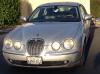
We have a 2005 S-Type. Rear pads need to be replaced.
Where is the 'Button' to hold down when turning it off to release the Electric Brakes?
I have only found an A/B button but that didn't do it....
Where is the 'Button' to hold down when turning it off to release the Electric Brakes?
I have only found an A/B button but that didn't do it....


JagV8
Veteran Member
close


Today
- Join DateMay 2009
- LocationYorkshire, England
- Posts:27,522
-
Likes:951
-
Liked:4,911 Times in 4,233 Posts
See handbook under parkbrake 
Veteran Member
Jumpin' Jag Flash
Veteran Member
close
Mar 20, 2024
- Join DateMar 2013
- LocationPawleys Island, SC USA (formerly from Tabernacle, NJ USA)
- Posts:3,018
-
Likes:2,275
-
Liked:182 Times in 158 Posts
Quote:
Where is the 'Button' to hold down when turning it off to release the Electric Brakes?
I have only found an A/B button but that didn't do it....
+1Originally Posted by satnHetrick
We have a 2005 S-Type. Rear pads need to be replaced.Where is the 'Button' to hold down when turning it off to release the Electric Brakes?
I have only found an A/B button but that didn't do it....
A/B has nothing to do with brakes.
cat_as_trophy
Veteran Member
close


May 1, 2026
- Join DateNov 2013
- LocationRegional NSW, Australia
- Posts:3,415
-
Likes:936
-
Liked:1,647 Times in 1,029 Posts
Oh dear . . . perhaps car and Owner's Handbooks have parted company? There should be at least (say) 4 of them Car Owners; Service Record; In Car Entertainment; SatNav; Phone or B/T Upgrade. In addition, you may (or may not, if US) be supplied with a radio code card which you may (or may not, if US) require after any battery power interruption.
If you do have access to the manuals . . . do read them. They have lots of worthwhile info in them . . . like . . . how do I get into my car when I find it has a dead battery and I am locked out? If you really don't have them . . . go get them. Suggest eBay or your local/regional auto wreckers or try our sponsor parts suppliers.
Ken
If you do have access to the manuals . . . do read them. They have lots of worthwhile info in them . . . like . . . how do I get into my car when I find it has a dead battery and I am locked out? If you really don't have them . . . go get them. Suggest eBay or your local/regional auto wreckers or try our sponsor parts suppliers.
Ken
Brutal

close

Mar 16, 2025
- Join DateSep 2008
- LocationDamon /Houston, Texas
- Posts:7,255
-
Likes:540
-
Liked:2,209 Times in 1,367 Posts
Push down on the "park brake" button center console behind shifter. Or start car, pull in gear, back in park and shut off car dont take out key and parking brake will not set so you can do rear pads
You guys are awesome!!
It was right there on pg 127 under Parking Brake =(
All in - looking good!
On a dift topic, my user name should be stanHetrick instead of a mispelled satnHetrick...
Is that harder to change than the brake pads????
It was right there on pg 127 under Parking Brake =(
All in - looking good!
On a dift topic, my user name should be stanHetrick instead of a mispelled satnHetrick...
Is that harder to change than the brake pads????
Norri

close


Today
- Join DateOct 2007
- LocationPHX some of the time
- Posts:121,065
-
Likes:3,304
-
Liked:6,652 Times in 5,788 Posts
It will be easier if you post an intro in the new members section and ask the admin nicely.
cat_as_trophy
Veteran Member
close
May 1, 2026
- Join DateNov 2013
- LocationRegional NSW, Australia
- Posts:3,415
-
Likes:936
-
Liked:1,647 Times in 1,029 Posts
Quote:
On a dift topic, my user name should be stanHetrick instead of a mispelled satnHetrick...
Is that harder to change than the brake pads????
Hey Stan, your non-Intro has been so amusing . . . we are all queued up to see what you have in store for us over in the New Member forum. I do hope you see this in the happy, if irreverent (but not sarcastic) manner in which it is offered . . . but your score is looking a tad frayed at the edges . . .Originally Posted by satnHetrick
You guys are awesome!!On a dift topic, my user name should be stanHetrick instead of a mispelled satnHetrick...
Is that harder to change than the brake pads????
- as a newly arrived Jaguar owner who fails to read the Owners Manual . . . this puts you in the esteemed company of most of the rest of us at some point . . . but embarrassment sure has a way of reinforcing a lesson well learned;
- but, forgetting how to spell your own name is maybe edging towards a niggling worry . . . again, thoroughly understandable as you obviously have a dyslexic keyboard like mine . . . vejvhb levqrjbvqrlq3rb r rv
"Heck Dad. that's one thing I really wish you had told me earlier!"
Best wishes satn,

neK.
cat_as_trophy: I think thanks...
And I love your travel trailer!! My family loves mine
Ps: How do you get a picture next to your name like that?
And I love your travel trailer!! My family loves mine
Ps: How do you get a picture next to your name like that?


cat_as_trophy
Veteran Member
close
May 1, 2026
- Join DateNov 2013
- LocationRegional NSW, Australia
- Posts:3,415
-
Likes:936
-
Liked:1,647 Times in 1,029 Posts
Thanks Stan; you took my off-beat humour in the spirit intended.
Aaah . . . the highly modded Mk1 reduced to act as tractor to that great lump of travel trailer. I once made the mistake of waxing lyrical about several great holidays we had enjoyed in Scotland, which brought a reply from Graham [GGG] pointing at my avatar, and asking . . . how our submarine combination had handled the long undersea voyages? Good thing I had Chris and the kids well trained in holding their breath, eh?
Perhaps the sage technical advice is what drew us to JaguarForums in the first instance but I believe the seasoning of humour and good solid friendliness is what keeps most of us coming back to contribute, share ideas and enjoy!
Best wishes Stan,
Ken
Aaah . . . the highly modded Mk1 reduced to act as tractor to that great lump of travel trailer. I once made the mistake of waxing lyrical about several great holidays we had enjoyed in Scotland, which brought a reply from Graham [GGG] pointing at my avatar, and asking . . . how our submarine combination had handled the long undersea voyages? Good thing I had Chris and the kids well trained in holding their breath, eh?
Perhaps the sage technical advice is what drew us to JaguarForums in the first instance but I believe the seasoning of humour and good solid friendliness is what keeps most of us coming back to contribute, share ideas and enjoy!
Best wishes Stan,
Ken
cat_as_trophy
Veteran Member
close
May 1, 2026
- Join DateNov 2013
- LocationRegional NSW, Australia
- Posts:3,415
-
Likes:936
-
Liked:1,647 Times in 1,029 Posts
Hi again Stan, and apologies to all for double post . . . but I had missed Stan's question in his PS. The short answer is to go to the FAQ "How to . . ." section in the general forum section for full explanation of just about any forum navigation question, but here's the long answer . . .
Across the top of most screens in JaguarForums is the black single-line main menu bar. At the left end, click on [User CP] then navigate down to either [Edit Signature] which is ideally where you should include details of your car model/year/engine variant as a permanent flag to others to ensure advice is accurate for your car . . . or choose [Edit Avatar] which is your persona displayed upper left in each of your posts.
On each edit screen, as also below the edit window when you compose a post . . . you will find a section to manage attachments. If you wish to add a picture to your avatar as you requested, screens will open to guide you through browse to find the pic on your computer, then upload into JF then submit to save.
Hope this helps Stan,
Ken
Across the top of most screens in JaguarForums is the black single-line main menu bar. At the left end, click on [User CP] then navigate down to either [Edit Signature] which is ideally where you should include details of your car model/year/engine variant as a permanent flag to others to ensure advice is accurate for your car . . . or choose [Edit Avatar] which is your persona displayed upper left in each of your posts.
On each edit screen, as also below the edit window when you compose a post . . . you will find a section to manage attachments. If you wish to add a picture to your avatar as you requested, screens will open to guide you through browse to find the pic on your computer, then upload into JF then submit to save.
Hope this helps Stan,
Ken