When you click on links to various merchants on this site and make a purchase, this can result in this site earning a commission. Affiliate programs and affiliations include, but are not limited to, the eBay Partner Network.
SGTM7 from what I have been reading it's possible to add fastboot to an Android device?
Would this be possible? Fast Boot
.
.
.
That is not the same "fast boot". Which might be why it appears most Android stereo head units are now calling the mode where the unit boots up almost instantaneously as "auto sleep". The link you provided is for this definition of fastboot: "In Android, fastboot is a special diagnostic and engineering protocol that you can boot your Android device into. While in fastboot, you can modify the file system images from a computer over a USB connection."https://www.androidcentral.com/android-z-what-fastboot
The description seems to be exactly what we are trying to do?
Can this app just be added to the Android device?
Heck it's even listed as free in the listing!
.
.
.
Last edited by clubairth1; Apr 6, 2020 at 10:50 AM.
That might be worth a try to see if it works. At least it is free. I haven't seen the schematics/wiring diagrams for the Merryway units, so I don't know how exactly the Android portion interfaces with the OEM boards that you have to install in the Merryway unit. I can't experiment with it now, because I already put my OEM head unit back in the car. If I order a new one, the estimate is 37 days to deliver it to me.
Started the install and one thing that seems to be different or at least I have not read anything about it is the 4G antenna connection that was mentioned up thread?
The main board looks very different and is now blue instead of red. Has a 12-22-2019 date on the board so it's pretty new.
Old one had a SIM card slot and I can't find one on this so maybe it doesn't have one?
The description says "4G SIM Supported". Must have a slot?
Here is the 4G antenna that comes with the unit.
Now I am not sure where to mount the flat antenna base? It has double sided sticky tape so it could most anywhere but I am not sure what 4G is affected by for signal reception?
Is under the dash board gonna work or does it need to have a clear view out a window?
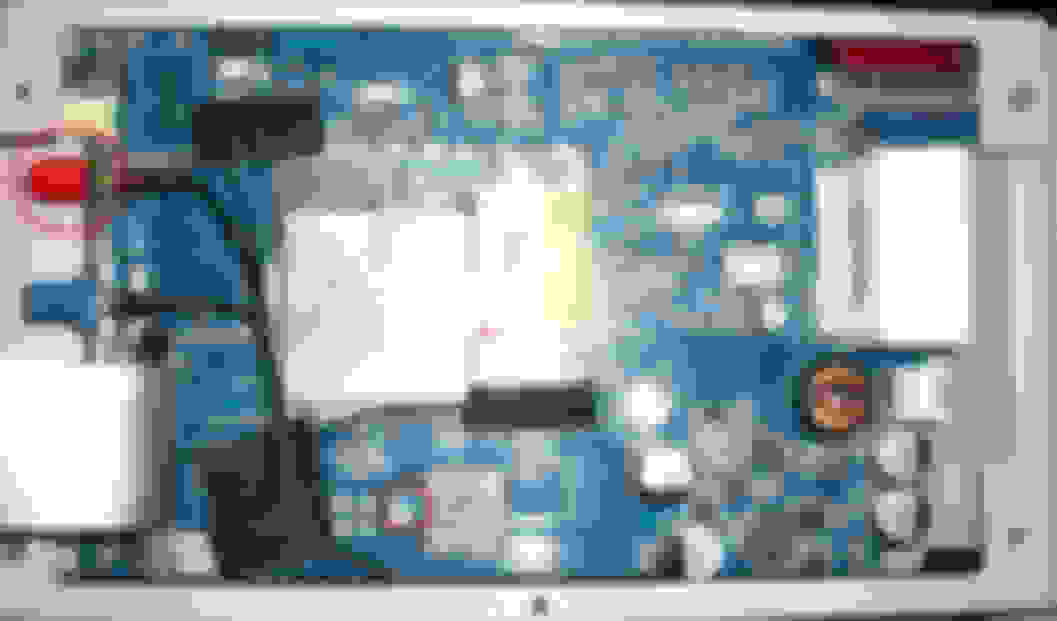
Here is the new main board.
The red plastic cap circled is a new connection and that's where the 4G antenna connects. The smaller red circle is also labeled 4G but the connector is way to small?
Ordered an extension for the USB cable as I want to put the USB in the center console next to the factory USB port.
.
.
.
Started the install and one thing that seems to be different or at least I have not read anything about it is the 4G antenna connection that was mentioned up thread?
The main board looks very different and is now blue instead of red. Has a 12-22-2019 date on the board so it's pretty new.
Old one had a SIM card slot and I can't find one on this so maybe it doesn't have one?
The description says "4G SIM Supported". Must have a slot?
Here is the 4G antenna that comes with the unit.
Now I am not sure where to mount the flat antenna base? It has double sided sticky tape so it could most anywhere but I am not sure what 4G is affected by for signal reception?
Is under the dash board gonna work or does it need to have a clear view out a window?
Here is the new main board.
The red plastic cap circled is a new connection and that's where the 4G antenna connects. The smaller red circle is also labeled 4G but the connector is way to small?
Ordered an extension for the USB cable as I want to put the USB in the center console next to the factory USB port.
.
.
.
Hi, This board is the same I have.
SIM slot is just beside of unused 4G antenna connector your marked with the smaller red circle (the silver metal slot to the right).
You got an antenna in the box, that connects to the larger connector (larger red oval on your picture) (remove the red rubber dust-cover!).
Uhmm. That 4G antenna you are describing, is usually a wifi antenna. At least in all the other Android units I have had, that was what it was for. Never heard of using it for 4G connections. Then again, I suppose it could be a multipurpose antenna. LTE frequencies will generally be up to 2600 MHz(exactly which frequencies depends on where in the world) and wifi is 2400MHz. Since they wouldn't be sure which country and which LTE bands were being used, I suppose they could be using an antenna that covers the entire LTE possible frequency range, which would cover the wifi frequency of 2400.
Just out of curiosity, does the antenna have the frequency/frequency range listed on the antenna?
I don't have a separate antenna for WI-fi? The 4G antenna is just a flat rectangular piece of plastic.
What is the difference between the 4G and the Wi-fi antenna? Just the frequency as you posted?
I did look again but no label or any mention of frequency either.
Could it be a language barrier problem? I could be miss-understanding what they are saying.
The ad states WI-fi?
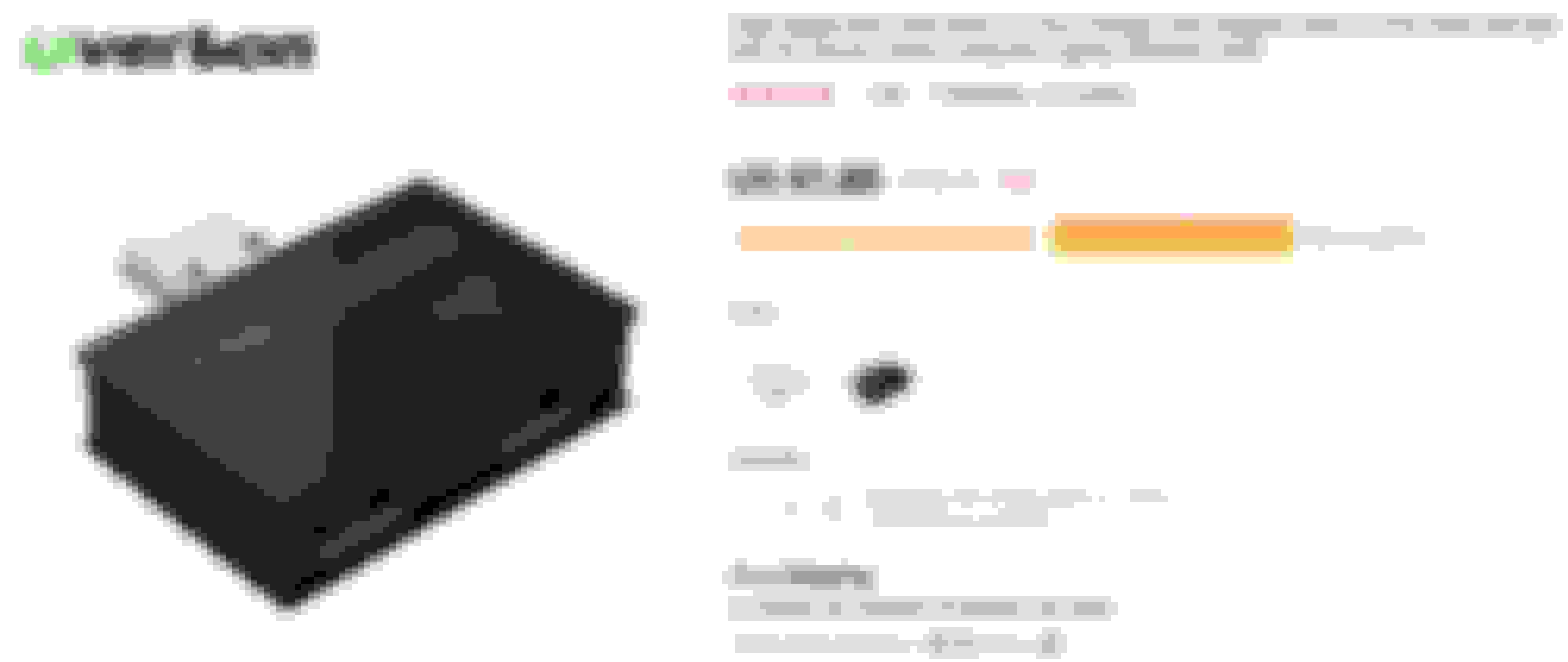
Can I use USB HUB? When I look at the some photos, I can see only 1 USB port. If I will connect Dongle for car play, I cannot use the USB memory stick. Can I expand it to 2 or more ports using USB HUB? I found very small USB HUB on Aliexpress.
Uhmm. That 4G antenna you are describing, is usually a wifi antenna. At least in all the other Android units I have had, that was what it was for. Never heard of using it for 4G connections. Then again, I suppose it could be a multipurpose antenna. LTE frequencies will generally be up to 2600 MHz(exactly which frequencies depends on where in the world) and wifi is 2400MHz. Since they wouldn't be sure which country and which LTE bands were being used, I suppose they could be using an antenna that covers the entire LTE possible frequency range, which would cover the wifi frequency of 2400.
Just out of curiosity, does the antenna have the frequency/frequency range listed on the antenna?
Hi,
Well - from the outer look I can not decide what frequency the antenna use but sorry to write:
- If I disconnect the antenna connected to the screw-fixed connector 4G costs coverage (while WiFi has still good signal).
(also if I disconnect the blue Fakra connector for the GPS - GPS losts signal but nothing else).
Finally there is a WiFi antenna stickered to the LCD and connected to the mainboard (just underneath the black sticker-tape) - and when this was disconnected WiFi connection was lost.
This is mine: Android 9 from 2020 February.
May be the earlier mainboards has different connections ...
Can I use USB HUB? When I look at the some photos, I can see only 1 USB port. If I will connect Dongle for car play, I cannot use the USB memory stick. Can I expand it to 2 or more ports using USB HUB? I found very small USB HUB on Aliexpress.
Very small USB HUB
Best regards,
KIM
Hi again,
If anyone has experience with this or other "USB-HUBs" please post it...
THX
Thank you SGTM7 I do not know much about this but trying to understand it.
I will study up on "auto sleep".
Sorry for more questions but you are right that auto sleep seems to be what we want.
Here is the app on Amazon. auto sleep app
The description seems to be exactly what we are trying to do?
Can this app just be added to the Android device?
Heck it's even listed as free in the listing!
.
.
.
I have tried it out but it even not starts
(Downlad from Amazon, Install - but when start it displays an error: App stopped. - Exit)
Is that possible if this app has not upgraded to Android 9?
I have tried it out but it even not starts
(Downlad from Amazon, Install - but when start it displays an error: App stopped. - Exit)
Is that possible if this app has not upgraded to Android 9?
There is a thread about that app on XDA developer website. The app came out in 2014, and hasn't been available at the playstore for a few years. Some people said it doesn't work with newer versions of Android, whereas some said it works with Android 9. Have you tried it on more than one device?
Hi again,
If anyone has experience with this or other "USB-HUBs" please post it...
THX
30 to 50 days for delivery?! That is a long wait to find out if it will work. Your XJ doesn't have the USB ports in the center console? If you do, you could use the OEM USB port for music, and control it through the OEM screen. If you don't have the OEM USB port, you can transfer your music onto the head unit through the Android USB port. Once you transfer it, you can then remove the USB drive, so that port is now free for other uses.
I don't have a separate antenna for WI-fi? The 4G antenna is just a flat rectangular piece of plastic.
What is the difference between the 4G and the Wi-fi antenna? Just the frequency as you posted?
I did look again but no label or any mention of frequency either.
Could it be a language barrier problem? I could be miss-understanding what they are saying.
The ad states WI-fi?
.
The flat rectangular antenna is a wifi antenna for all the previous Android headunits I have had (4 of them, not including the one for the Jag). I guess they are doing something different with this.
There is a thread about that app on XDA developer website. The app came out in 2014, and hasn't been available at the playstore for a few years. Some people said it doesn't work with newer versions of Android, whereas some said it works with Android 9. Have you tried it on more than one device?
Hi, Thanks for the update.
No I only have the head unit in my car runs Android.
Is there another source for the app (even in file)?
THX
30 to 50 days for delivery?! That is a long wait to find out if it will work. Your XJ doesn't have the USB ports in the center console? If you do, you could use the OEM USB port for music, and control it through the OEM screen. If you don't have the OEM USB port, you can transfer your music onto the head unit through the Android USB port. Once you transfer it, you can then remove the USB drive, so that port is now free for other uses.
Yes - all X351 XJ has 2 USB ports connected to the OEM head unit.
Yes - I use USD drive for immediate playing and also I have tons of uploaded files to the memory of the Android unit.
I would like to use more then 1 USB with the Android unit (1 for CarPlay with my iPhone and the other one for OBD2/BUS data-trap).
Hi, Thanks for the update.
No I only have the head unit in my car runs Android.
Is there another source for the app (even in file)?
THX
Yes. Pretty much any Android app can be downloaded from other sites as an apk file. The xda developer website has links for it. Ignore the one from the playstore, link isn't good anymore. https://forum.xda-developers.com/sho....php?t=2670903
I would like to use more then 1 USB with the Android unit (1 for CarPlay with my iPhone and the other one for OBD2/BUS data-trap).
Okay. Got it. Don't know if the port puts out enough power to split off and run two devices, but I suppose for the price, it is worth a try. I am not sure what you mean by ODB2/BUS data-trap. If you are talking about monitoring and running diagnostics through the ODB port, if you haven't already bought a device that interfaces from ODB to USB, they also make ODB devices that connect via bluetooth. I have 3 of them(one for each of my cars), and they work great using Torque, ODBLink, etc.