


Service indicator reset.


Senior Member
Joined: Sep 2019
Posts: 262
Likes: 133
From: Texas

Every time I do this I imagine some Jaguar engineer at home laughing his *** off
at what he makes us owners do to reset the service light..
On my other car, you hit menu on dash,scroll down to reset, push ok.
Only thing Jaguar left out was to get out of car and dance a Jig to the Jaguar gods..
 :
:
Frank G
at what he makes us owners do to reset the service light..
On my other car, you hit menu on dash,scroll down to reset, push ok.
Only thing Jaguar left out was to get out of car and dance a Jig to the Jaguar gods..
:Frank G
This is the procedure for the XF. Should work on the XK.
1. Press and hold the rear fog lamp switch (before the ignition is on).
2. Press the start button without applying the foot brake (do not start the engine)
3. Release the rear fog lamp switch (1sec)
4. Press and hold the trip computer cycle switch (within 1sec).
5. Press and hold the rear fog lamp switch. (within 1sec)
6. Continue to hold the trip computer and rear fog lamp switches.
7. The message center should display "resetting service mode" and then "service mode reset"
8. Release the trip computer and the fog lamp switches and turn the ignition off.
1. Press and hold the rear fog lamp switch (before the ignition is on).
2. Press the start button without applying the foot brake (do not start the engine)
3. Release the rear fog lamp switch (1sec)
4. Press and hold the trip computer cycle switch (within 1sec).
5. Press and hold the rear fog lamp switch. (within 1sec)
6. Continue to hold the trip computer and rear fog lamp switches.
7. The message center should display "resetting service mode" and then "service mode reset"
8. Release the trip computer and the fog lamp switches and turn the ignition off.


Senior Member
Joined: Jun 2010
Posts: 378
Likes: 193
From: SW Florida
I've had the same issue today, Must have tried 20-30 times with the same result. I got stuck in "Resetting Service Mode" message and then nothing else. Then, I did 2 things
1. Disabled Bluetooth connection to my phone
2. Switched display from showing trip mileage to current speed
After that, it worked on the first try. My guess is that #2 two made a difference. Computer was fooled into resetting the trip counter instead if resetting the service light.
1. Disabled Bluetooth connection to my phone
2. Switched display from showing trip mileage to current speed
After that, it worked on the first try. My guess is that #2 two made a difference. Computer was fooled into resetting the trip counter instead if resetting the service light.
Dude!!!!! Well done. Ive reset my service reminder many times between our 3 JLR products over the years. But tonight I was stumped thinking I got the procedure wrong. Nope....just had the phone connecting via bluetooth in the cabin.
 Another twist
I've had the same issue today, Must have tried 20-30 times with the same result. I got stuck in "Resetting Service Mode" message and then nothing else. Then, I did 2 things
1. Disabled Bluetooth connection to my phone
2. Switched display from showing trip mileage to current speed
After that, it worked on the first try. My guess is that #2 two made a difference. Computer was fooled into resetting the trip counter instead if resetting the service light.
1. Disabled Bluetooth connection to my phone
2. Switched display from showing trip mileage to current speed
After that, it worked on the first try. My guess is that #2 two made a difference. Computer was fooled into resetting the trip counter instead if resetting the service light.

Junior Member


Joined: Nov 2025
Posts: 16
Likes: 15
From: Hampshire
Confession time, I had a Mr 12v installed in March, I never managed to do it and the service warning was on till December when it was actually serviced. It reminds me of wiper service position on my other Jag, still never managed it.
Update success!
so having successfully got as far as the resetting service light mode and getting stuck there I did the 2 things mentioned above! Imagine my frustration as now I can’t get past the original service Required msg! The original procedure doesn’t do anything now. Any helpful suggestions?

Junior Member
Joined: Feb 2026
Posts: 1
Likes: 1
From: Kent
With kind regards
Nick


Veteran Member


Joined: Jan 2015
Posts: 5,323
Likes: 2,597
From: Naperville, Illinois USA
Correct. It’s a 5.0L car thing.


Veteran Member
Joined: Apr 2013
Posts: 11,906
Likes: 6,417
From: Kaysville, Utah, US
I've had my car twelve years, never had to try more than four times to get the thing reset. Phone connected or not, OBD2 plugged in or not. I found an even tempo was most important.

Veteran Member
Joined: Apr 2013
Posts: 11,906
Likes: 6,417
From: Kaysville, Utah, US
My F250 has it displayed on the dash... "Hold 'OK' for five seconds to reset service reminder".

Senior Member
Joined: Dec 2023
Posts: 443
Likes: 295
From: San Diego
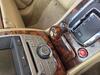
I’m not skilled enough to get through the reset sequence in the right order and time to reset it in my ‘15 XKR.
Senior Member
Joined: Mar 2025
Posts: 436
Likes: 265
From: Indialantic Florida
 understand...
Understand..
When resetting my wife's epace was simpler..
Open hood..
lower passenger window 2,5 inches..
scream loudly....
Say a prayer
.

Junior Member

Joined: Jan 2018
Posts: 22
Likes: 6
From: Corby
I had to change my battery recently on my XKR 5 litre, so the service indicator came back on. I struggled at first to even get as far as getting the reset message. This is what I found by reading the various comments above, I also have the Mr12Volt fitted Car play, I managed to get the complete reset done by simply turning the audio off (just pressed the volume knob to off) and then made sure the middle display was showing mileage left with the fuel in the tank (if you know what I mean). Once I did this first the reset procedure worked straight away, I hope this helps someone.

Thread
Thread Starter
Forum
Replies
Last Post
TMack
XF and XFR ( X250 )
4
Sep 9, 2014 04:22 PM
10 XF Premium
XF and XFR ( X250 )
4
Apr 9, 2013 06:44 PM
Currently Active Users Viewing This Thread: 1 (0 members and 1 guests)