When you click on links to various merchants on this site and make a purchase, this can result in this site earning a commission. Affiliate programs and affiliations include, but are not limited to, the eBay Partner Network.
I know there have been loads of threads about this topic ( I think I have read most ) but I've never seen this gadget mentioned so I thought I would post it fro information sake
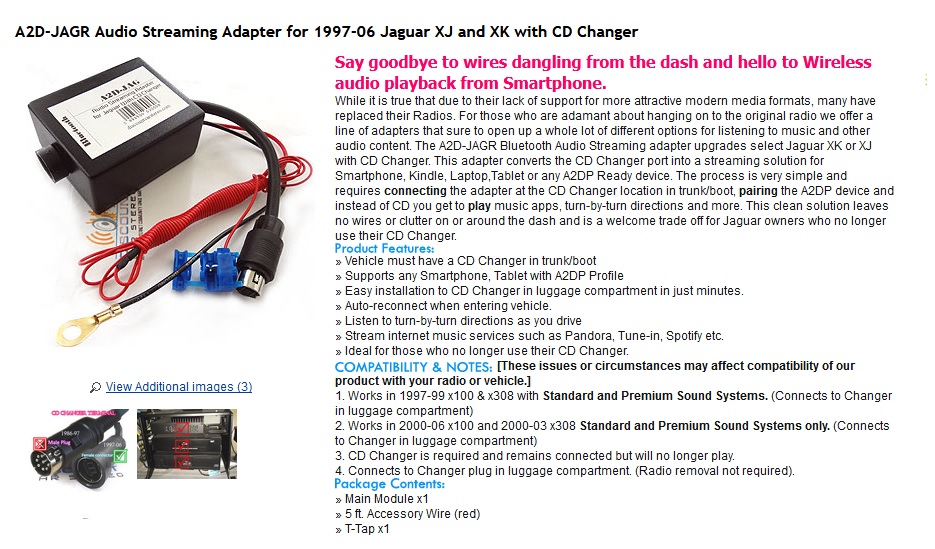
A2D-JAGR Audio Streaming Adapter for 1997-06 Jaguar XJ and XK with CD Changer
There are several models available. Some just allow Bluetooth streaming from the phone with no calling and no CD use to others which allow hands free calling and retain the use of the CD changer
You'll lose use of the CD player. I have been more than satisfied getting streaming and handsfree phone use with the ION Bluetooth Cassette Adapter. If you search for that you will see a few posts.
There is a model where you don't lose the CD player...it's (of course) the most expensive one
I looked into something similar at one time and there was (is) a guy on the forum here who had very good instructions for adapting something like a Parrot system to work and still retain all of the stock functions. I visited a few stereo shops to investigate and decided it was not worth going through the expense of doing this. At around the same time someone posted about the ION cassette adapter for about $20 (at the time) and I figured it was worth taking a chance.
I am not an audiophile, especially in the vehicle. Still I was more than impressed with what this $20 gizmo was able to accomplish. I can easily stream Pandora (or anything else) and also talk on the cell phone if I choose to do so. The best $20 I ever spent on this car.
I did a lot of research and this seemed like the least intrusive, highest quality solution. It was on backorder for a long time, but I recently received it. It will be a spring project to install it.
I am interested to hear how this comes out. When I was looking into doing something like this there was some key piece of equipment that was no longer available but the guy on the forum who I had been communicating with had come up with some kit to accomplish being able to keep the CD player. For some reason accomplishing this with the Alpine Premium setup was very convoluted (at least for me).
The kit you linked to certainly seems reasonably priced and the installation doesn't look too complex. So keep us posted on how it goes.
Installed the kit on the weekend. As usual the instructions were a bit sketchy, so had to figure a few things out. Again, this was for the JAGCD-HF. Key points:
1. You don't have to remove anything from the frame that holds the CD player and amp, or the frame itself for that matter. Good thing because it would have been very difficult to remove the frame because of the hydraulic pump for the convertible top. The cable with the connectors was actually taped to the top of the CD player at the back edge. We just reached in, peeled back the tape and unplugged the connectors. (After about half an hour unbolting and re installing bolts.)
2. The easiest feed through for the cables is on the drivers side. We routed the cables behind the metal bulkhead behind the seats and across the car to the drivers side. We fed fishing tape through the foam grommet and pulled the connector through. It was tough because the connector is large and the grommet is small and it was hard to get the connector through at the right angle, but we did it after 10 or 15 minutes of cursing.
This required removing the rear seat bottom (2 nuts), the back seat back (2 screws) and the speaker grill panel (seatbelt bolt, 2 screws and the convertible top cover snap).
3. The console is really tight and there is no slack in the cables. We used the phone connector, which is a yellow connector that was tucked down in the drivers side of the console. Per the instructions, it was the black ground wire and the green wire from pin 5 (readable on the connector). The blue IDC tap are difficult to put on the wires given the lack of slack and the tightness of the cable bundle going into the connector. Took several minutes of prying, pushing, prodding to get them through. The black wire was especially difficult, because it is thick and the IDC blade seems to be made for a thinner gauge wire. Use pliers to make sure the connector clicks closed.
3. I just fished the microphone/switch through the shifter console, after removing the outer shifter bezel. I then mounted the switch on the bezel itself next to the cruise control button. It seems to work well for speaking, and it is inobtrusive there.
4. I didn't install the USB charger (since it is only a charger). I will use a cigarette lighter plug in adapter for that, if I decide I need one.
5. Make sure you leave enough slack in the grey cable before buttoning up the console. You can tie wrap it to the cable bundle that runs under the rear seat and into the console, but you need some slack to do that. I used double sided tape to stick the bluetooth module to the passenger side of the console, and to mount the inline module to the top of the CD player.
5. The final result, there is a bit of noise on the line when playing Bluetooth. Can compensate with volume. Overall, though, the switching is good. Make sure you trial everything before you bolt it back together and that the cables stay together when you do. The switching wasn't working at first, until we figured out that the microphone button cable wasn't inserted properly. So AM/FM works normally, CD switches to Bluetooth, and pushing the microphone button 4 times switches to playing the CDs. It's prett slick.
Resources for this job:
JAGCD-HF Installation Instructions (from Discount Car Stereo)
CE2 JAG's XK8 Bluetooth Phone and Streaming Audio Module Intall pdf file from the Bluetooth Module Install thread (https://www.jaguarforums.com/forum/a...le-install.pdf)
Removing the rear speaker cover: How to eliminate the antenna on a Jaguar XK8 video by Reverend Sam
Disconnected cable from AMP to CD player. White stuff in the back is the tape that was holding the cables down (black on the other side).
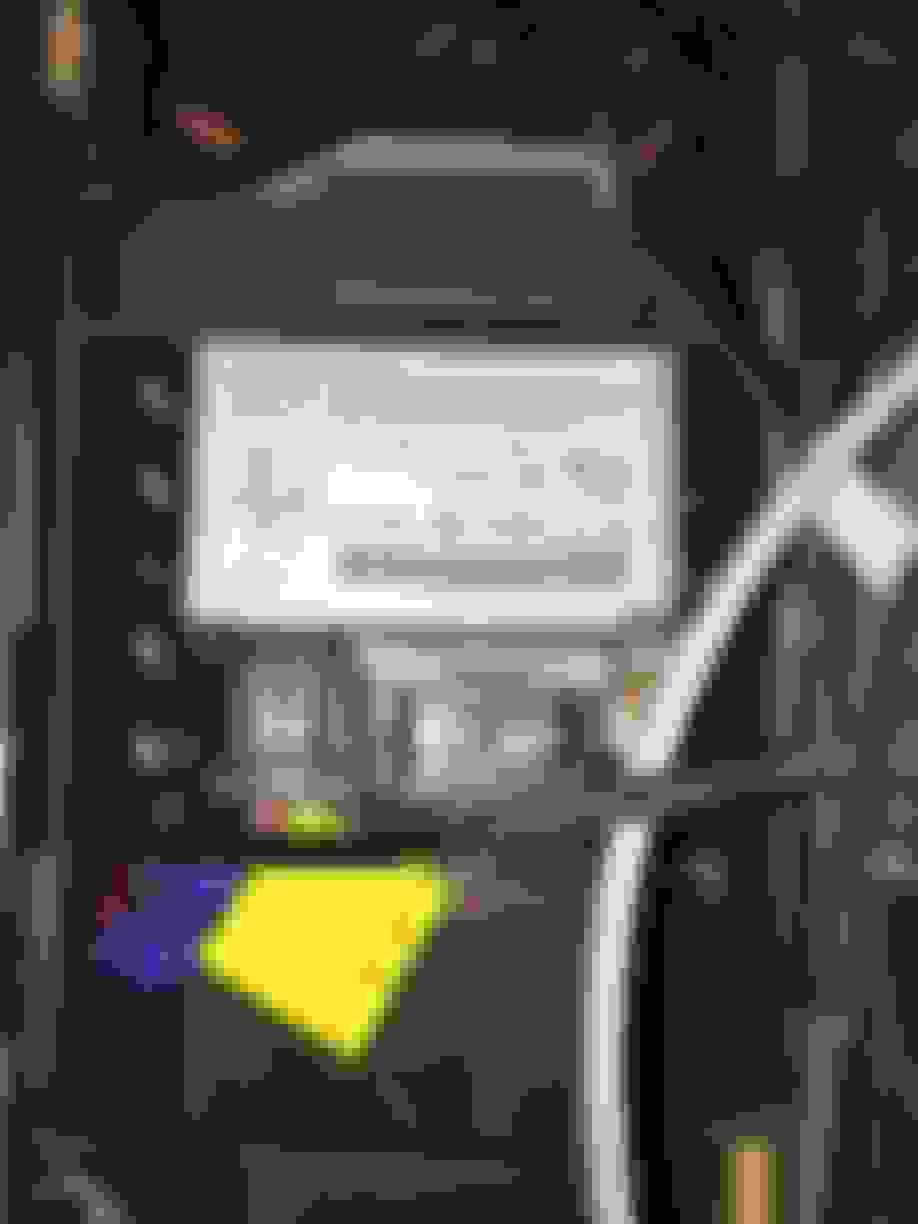
This is the phone connector. It is yellow and was tucked down on the drivers side of the console next to the adaptive restraint module. The tap connectors (blue) have already been installed.
Microphone attached to the chrome shifter surround.
Hey Silver Fox, many thanks for sharing details of your bluetooth audio install.
Can I ask a few years on now if you're still happy with the kit - it looks like its still available but has received some indifferent feedback mainly because of delivery time but you mention background noise. Have you managed to filter that out? Like you I wanted to preserve originality and this looks like one of the more inobtrusive solutions out there! Cheers Dave
Yes, still happy with it. Seems bulletproof proof, always works. It’s a bit of a juggle going back and forth between the phone and radio. For example if you’re listening to the radio and the phone rings you have to flip over to CD to use the hands free. I never resolved the noise issue. You can only hear it on soft passages. Never seems to affect the phone calls. At least I haven’t noticed it.
Originally Posted by BWFC58
Hey Silver Fox, many thanks for sharing details of your bluetooth audio install.
Can I ask a few years on now if you're still happy with the kit - it looks like its still available but has received some indifferent feedback mainly because of delivery time but you mention background noise. Have you managed to filter that out? Like you I wanted to preserve originality and this looks like one of the more inobtrusive solutions out there! Cheers Dave
Many thanks Silver Fox, very helpful! Think that's the route I'm heading down provided they can deliver...
I'm guessing no Stampede in Calgary this year, been a while since I was there!
All the best
Dave
Not being overly 'Tech adept', and wanting a good GPS (tossed the Jag GPS in favor of 3 gauge set), I added a Garmin 61 unit to my dash(left side out of driving line of sight). It is easy to reach while driving, has blue tooth available, and I also added a wireless backup camera, mounted over the license plate. No drilling, pulled power from left fascia fuse box. Not exactly invisible but allows use of CD/Tape/radio. I do have to turn the GPS unit on and off, as I have been unable to find a 'Switched' fuse in the left fascia.
It even gave me a warning,"Caution, you are going the wrong way on a one-way street", when I turned into a parking lot next to a one way street.



 Blue tooth for XK8 & XJ