When you click on links to various merchants on this site and make a purchase, this can result in this site earning a commission. Affiliate programs and affiliations include, but are not limited to, the eBay Partner Network.
A few days ago I bought a 2014 F-type S V8 (50k miles). Awesome car. One thing I can't yet figure out is the navigation. I've done a search on this forum and can't quite find out how to fix the problem. I gather there is likely a need to reinstall something but am hoping I'm just too simple to figure it out on my own. When I press either the soft Navigation button or the sticky one on the right column I get the screen below.
If I press the microphone button I get the "I'm listening" icon but the system doesn't respond to anything I say, even profanity. I would expect to see a map with some means to enter a destination. Any advice would be appreciated. I hope it won't require me spending $.
Does the car actually have CarPLay (as shown on the screen)?
If so, connect your phone cable to the center USB slot and use Siri / Waze navigation.
Both are much better than the JLR software anyway.
Does the car actually have CarPLay (as shown on the screen)?
If so, connect your phone cable to the center USB slot and use Siri / Waze navigation.
Both are much better than the JLR software anyway.
I don't think it has Carplay. I think the icon is there but does nothing. At least with my phone connected the icon doesn't become active.
But I agree, I'd be perfectly happy if I could just use waze or Google maps.
Well I am often wrong but I did not think CarPlay was even an option in 2014, so perhaps you have an after market display system (with Carplay).
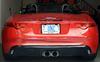
BTW, nice looking vert!!
Thanks. I think you are right. I didn't think CarPlay was an option. I read somewhere, on this forum probably, that icons were there as placeholders but didn't actually do anything.
I think I'm going to have to find the map updates on USB and upload them to the car. Google searching now.
Interesting (and odd). The MY14 didn't support CarPlay/Android or voice. So, I assume that the previous owner installed an aftermarket system. I'm not even sure what "microphone" button you find, unless either on the steering wheel which was replaced with a later version, or it's on the aftermarket screen. CarPlay would be a nice enhancement to the standard setup, if you can get it working. I'd suggest getting in touch with the seller. Otherwise, hopefully someone here will recognize the screen layout and know the source.
Map updates for the MY14 came on a USB that is tied to the VIN. But, given that you appear to have a non-standard setup, and it's not working, as is, I'm not sure that getting the JLR USB will work.
Interesting (and odd). The MY14 didn't support CarPlay/Android or voice. So, I assume that the previous owner installed an aftermarket system. I'm not even sure what "microphone" button you find, unless either on the steering wheel which was replaced with a later version, or it's on the aftermarket screen. CarPlay would be a nice enhancement to the standard setup, if you can get it working. I'd suggest getting in touch with the seller. Otherwise, hopefully someone here will recognize the screen layout and know the source.
Thanks Uncheel, I'll keep at it and if I find a solution I'll post it in case it is helpful to anyone else.
Interesting (and odd). The MY14 didn't support CarPlay/Android or voice. So, I assume that the previous owner installed an aftermarket system. I'm not even sure what "microphone" button you find, unless either on the steering wheel which was replaced with a later version, or it's on the aftermarket screen. CarPlay would be a nice enhancement to the standard setup, if you can get it working. I'd suggest getting in touch with the seller. Otherwise, hopefully someone here will recognize the screen layout and know the source.
Map updates for the MY14 came on a USB that is tied to the VIN. But, given that you appear to have a non-standard setup, and it's not working, as is, I'm not sure that getting the JLR USB will work.
Thanks uncheel and CJSJAG, Your comments about an aftermarket addition or something the PO did got me thinking. In the console (pic below) there was also a red usb wire that didn't look stock. So rather than connect my phone to the Jag USB port I connected it to the red one. Apple CarPlay became active and showed up on the screen. Problem solved. This is probably a better solution that paying JLR $ to get map updates.
Only downside is I have no excuse for getting lost and driving the long way home
That's clearly an aftermarket system that has been installed and takes over the video signal from the built in navigation. Great that you got CarPlay working and you're not really missing anything because the navigation in these early cars was pretty crap.



 navigation question