


JTIS21 win7 64 install method & new archives


Thread Starter
|
Veteran Member


Joined: Aug 2010
Posts: 2,636
Likes: 1,636
From: Southington CT

The JTIS21 is the Jaguar Technical Information System software.
It is windows xp software program that was used by Jaguar Techs in the dealership service dept (also by Indy shops).
One of our forum members showed how to install it on windows 7 operating systems.
I tested, documented and now maintain the information for the jaguar forum members.
It coveres XJ X308 model series thru 2003 and the XJ X350 (2003.5 thru 2004). Look at post# 53 - has all the information on download archives and the software installation procedures.
The JTIS21 also covers XJS model years 1995 and 1996, XJ X300 model years 1995 thru 1997, XK model years 1997 thru and including 2004, S type model years 1999.25 thru and including 2004, and X type model years 2001.50 thru and including 2004.25.
You can purchase a PDF file version download covering your 2004 XJ X350 (03 to 09) from jagdocs.com for $11.72.
X350 Workshop Manual [Jaguar X350 XJ6 XJ8 XJR]
If you purchase the PDF, you will be saving yourself time and effort that is involved in the downloading the JTIS21 software archive files (software) and its installation.
Jim Lombardi
It is windows xp software program that was used by Jaguar Techs in the dealership service dept (also by Indy shops).
One of our forum members showed how to install it on windows 7 operating systems.
I tested, documented and now maintain the information for the jaguar forum members.
It coveres XJ X308 model series thru 2003 and the XJ X350 (2003.5 thru 2004). Look at post# 53 - has all the information on download archives and the software installation procedures.
The JTIS21 also covers XJS model years 1995 and 1996, XJ X300 model years 1995 thru 1997, XK model years 1997 thru and including 2004, S type model years 1999.25 thru and including 2004, and X type model years 2001.50 thru and including 2004.25.
You can purchase a PDF file version download covering your 2004 XJ X350 (03 to 09) from jagdocs.com for $11.72.
X350 Workshop Manual [Jaguar X350 XJ6 XJ8 XJR]
If you purchase the PDF, you will be saving yourself time and effort that is involved in the downloading the JTIS21 software archive files (software) and its installation.
Jim Lombardi
Last edited by jimlombardi; Oct 12, 2014 at 07:22 AM. Reason: corrected model years for X350, also added other model series

 Cannot run setup.exe in JTIS21
I am running a Windows 7 64 bit machine. I downloaded the files and instructions from MediaFire and have not had complete success. The .dll file installed without a hitch. The Windows help file installed with no problem. I ran the JTIS CD Pt1 and it flew through the archive folders just fine, presumably installing the Pt2 and Pt3 sections. Everything looks fine. The problem comes when I try to run the .exe file. Whether I try to run it directly by just double clicking it, or as administrator, all I get is the spinning circle for a few seconds. No Jaguar folder is created that I can find and no software interface appears.
I also got the same result when I tried it with just the XJ install.
Any ideas what might be the issue?
Thanks.
I also got the same result when I tried it with just the XJ install.
Any ideas what might be the issue?
Thanks.
Last edited by bookman; Nov 9, 2014 at 06:42 AM.
Thread Starter
|
Veteran Member
Joined: Aug 2010
Posts: 2,636
Likes: 1,636
From: Southington CT
Hi
It sounds like got a bad download from the mediafire website.
We have been experiencing problems with mediafire and that is why I have the downloads on the dropbox.com site.
Try deleting all the files and folders, then go to post# 53 (the latest install information) and use the download links to the archive files in dropbox.com
Jim Lombardi
It sounds like got a bad download from the mediafire website.
We have been experiencing problems with mediafire and that is why I have the downloads on the dropbox.com site.
Try deleting all the files and folders, then go to post# 53 (the latest install information) and use the download links to the archive files in dropbox.com
Jim Lombardi
Last edited by jimlombardi; Nov 9, 2014 at 08:58 AM.
Still no joy. I deleted all of the folders and installed new ones from your Dropbox archive. I downloaded, installed, and registered the .dll file from Dropbox in a folder directly under C: (the earlier instructions had me register the .dll in a different, already existing DAO folder).
I still get the same result when I try to run the .exe dated 1/13/1999, either directly or as administrator. All I get I is the spinning arrow for a couple of seconds. Nothing ever opens and I never see the software interface.
Any other ideas?
I still get the same result when I try to run the .exe dated 1/13/1999, either directly or as administrator. All I get I is the spinning arrow for a couple of seconds. Nothing ever opens and I never see the software interface.
Any other ideas?
I found a post in another thread regarding multiple jjtis.ini files. I searched my computer and found that there are no .ini files for jjtis. When I click on the .exe file to start the program, nothing is happening. The rotating arrow just spins for a second or two, then it's over. No errors, no program running, just over.
Any more ideas?
Thanks.
Any more ideas?
Thanks.

Member
Joined: Sep 2013
Posts: 60
Likes: 5
From: London UK
Cannot set DAO35\Disk 1\Setup.exe to open. PC says incompatible to windows version. In my case Windows Home premium 64b bit. Right click into properties shows Windows XP (service pack 3). How to solve. Any comments please.
Before upload the forums JTIS XJ parts 1,2 and 3 I made sure Old CD was deleted off PC, registry, etc.
Have 2 JJTIS.INI files
One in C:\Windows
One in C:\Users\User\AppsData\Local\Virtualstore\Windows from running the main library file in the folder I upload into which I called JTIS 21.
Deleted the later as surplus as referred my older CD paths.
Can anyone help me in opening the Disk 1\Setup,exe, please.
Before upload the forums JTIS XJ parts 1,2 and 3 I made sure Old CD was deleted off PC, registry, etc.
Have 2 JJTIS.INI files
One in C:\Windows
One in C:\Users\User\AppsData\Local\Virtualstore\Windows from running the main library file in the folder I upload into which I called JTIS 21.
Deleted the later as surplus as referred my older CD paths.
Can anyone help me in opening the Disk 1\Setup,exe, please.
Last edited by KenXJ; Nov 11, 2014 at 11:17 AM.
Thread Starter
|
Veteran Member
Joined: Aug 2010
Posts: 2,636
Likes: 1,636
From: Southington CT
KenXJ
You need to follow the install instructions in the PDF file (post# 53):
https://www.dropbox.com/s/fe6jkw5py3...it%20v 1.6.pdf
Create a new folder in the C drive called DAO (C:\DAO)
Save downloaded dao350.dll file into DAO folder (use "save as" option)
Register the dao350.dll file - set this cmd.exe file to run as administrator by right click on cmd.exe (click on Run as administrator) --- Copy and paste the next line:
C:\Windows\SysWOW64\regsvr32.exe "C:\DAO\dao350.dll"
Next follow instructions in the JTIS 21 Download, Extract and Save to Hard drive Instructions.pdf
https://www.dropbox.com/s/c2uduuuj83...structions.pdf
Did you download the three JTIS 21 CD archive files or two JTIS21 XJ files - your choice -- install is the same except the XJ 2 files will have C:\ destination folder in place of C:\JTIS21
Create a new folder C:\JTIS21 (in XJ version no new folder is needed - the archive extract will automatically create C:\JTIS21 XJ folder during the extraction).
Run the JTIS 21 CD.part1.exe (try running it as administrator) then click on the install button - Use the new folder C:\JTIS21 as the destination folder (XJ version see above - use C:\)
Now you should be able to see all the files from the 3 archives that have been extracted into C:\JTIS21 folder (XJ version C:\JTIS21 XJ folder).
Go to JTIS21 folder and select Setup.exe , Then right click to run as administator (to run it and install the software.) - (XJ version JTIS21 XJ folder - instead of JTIS21 folder)
Then run C:\JTIS21\Setup.exe (XJ version C:\JTIS21 XJ\Setup.exe
A warning message should popup:
When this User Account Control pops up, click on Yes button
Then new screen of the setup opens (32 bit) ignore it, just click OK button
Then next 2 new screens (information) also ignore them, click OK.
Then screen will show message JTIS successfully installed, click OK
Next screen - gives message that PC needs to be restarted for proper operation of JTIS, yes button is already selected, click on the restart now button and it will restart the PC
After you run the setup.exe, a new C:\Jaguar folder is created.
This folder has all the files needed to start the JTIS viewer
and presents all the menus items displayed on each screen page and all the information that is now in the C:\JTIS21 folder.
C:\Users\User\AppData\Local\VirtualStore\Windows\j jtis.ini is the file that has the correct contents:
Here is the first 5 lines in that file:
[File]
StartFile=C:\JTIS21\data\startup.txt
DataPath=C:\JTIS21\data
DTCStartFile=DTCStart.PDF
Whatsnew=C:\JTIS21\data\whatsnew.sgm
or in the case of XJ version:
C:\Users\User\AppData\Local\VirtualStore\Windows\j jtis.ini is the file that that you will have to change lines 2, 3,5 to point to the XJ data:
Here is what the first 5 lines in that file will look like after you change them:
[File]
StartFile=C:\JTIS21 XJ\data\startup.txt
DataPath=C:\JTIS21 XJ\data
DTCStartFile=DTCStart.PDF
Whatsnew=C:\JTIS21 XJ\data\whatsnew.sgm
Jim Lombardi
You need to follow the install instructions in the PDF file (post# 53):
https://www.dropbox.com/s/fe6jkw5py3...it%20v 1.6.pdf
Create a new folder in the C drive called DAO (C:\DAO)
Save downloaded dao350.dll file into DAO folder (use "save as" option)
Register the dao350.dll file - set this cmd.exe file to run as administrator by right click on cmd.exe (click on Run as administrator) --- Copy and paste the next line:
C:\Windows\SysWOW64\regsvr32.exe "C:\DAO\dao350.dll"
Next follow instructions in the JTIS 21 Download, Extract and Save to Hard drive Instructions.pdf
https://www.dropbox.com/s/c2uduuuj83...structions.pdf
Did you download the three JTIS 21 CD archive files or two JTIS21 XJ files - your choice -- install is the same except the XJ 2 files will have C:\ destination folder in place of C:\JTIS21
Create a new folder C:\JTIS21 (in XJ version no new folder is needed - the archive extract will automatically create C:\JTIS21 XJ folder during the extraction).
Run the JTIS 21 CD.part1.exe (try running it as administrator) then click on the install button - Use the new folder C:\JTIS21 as the destination folder (XJ version see above - use C:\)
Now you should be able to see all the files from the 3 archives that have been extracted into C:\JTIS21 folder (XJ version C:\JTIS21 XJ folder).
Go to JTIS21 folder and select Setup.exe , Then right click to run as administator (to run it and install the software.) - (XJ version JTIS21 XJ folder - instead of JTIS21 folder)
Then run C:\JTIS21\Setup.exe (XJ version C:\JTIS21 XJ\Setup.exe
A warning message should popup:
When this User Account Control pops up, click on Yes button
Then new screen of the setup opens (32 bit) ignore it, just click OK button
Then next 2 new screens (information) also ignore them, click OK.
Then screen will show message JTIS successfully installed, click OK
Next screen - gives message that PC needs to be restarted for proper operation of JTIS, yes button is already selected, click on the restart now button and it will restart the PC
After you run the setup.exe, a new C:\Jaguar folder is created.
This folder has all the files needed to start the JTIS viewer
and presents all the menus items displayed on each screen page and all the information that is now in the C:\JTIS21 folder.
C:\Users\User\AppData\Local\VirtualStore\Windows\j jtis.ini is the file that has the correct contents:
Here is the first 5 lines in that file:
[File]
StartFile=C:\JTIS21\data\startup.txt
DataPath=C:\JTIS21\data
DTCStartFile=DTCStart.PDF
Whatsnew=C:\JTIS21\data\whatsnew.sgm
or in the case of XJ version:
C:\Users\User\AppData\Local\VirtualStore\Windows\j jtis.ini is the file that that you will have to change lines 2, 3,5 to point to the XJ data:
Here is what the first 5 lines in that file will look like after you change them:
[File]
StartFile=C:\JTIS21 XJ\data\startup.txt
DataPath=C:\JTIS21 XJ\data
DTCStartFile=DTCStart.PDF
Whatsnew=C:\JTIS21 XJ\data\whatsnew.sgm
Jim Lombardi
Last edited by jimlombardi; Nov 11, 2014 at 02:08 PM.

Senior Member
Joined: Aug 2014
Posts: 277
Likes: 51
From: New Jersey USA
What about JTIS compatability with Windows 8.1?
I'm thinking of buying a new laptop for portability when working on the car,and they come with 8.1 installed.
( I've been unsuccesful loading it into my PC that has Vista 64 bit)
Thanks for any input on this.
# frustrated!
I'm thinking of buying a new laptop for portability when working on the car,and they come with 8.1 installed.
( I've been unsuccesful loading it into my PC that has Vista 64 bit)
Thanks for any input on this.
# frustrated!


Joined: Dec 2011
Posts: 120,439
Likes: 17,014
From: Durham, UK
I've previously had JTIS installed with both Vista and Windows7 and am currently running it with Windows 8.1.
I'd expected it may have to be in a VM but it will install directly. The problem is registering DLL's which gives error messages:

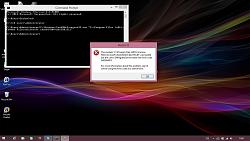
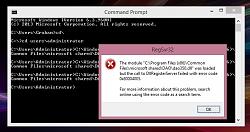
Just running MSCONFIG as Administrator doesn't work for 8.1 - it's slightly more complicated to get round this than it is in Windows7. Do a search for Emsa DLL Register Tool to download a utility to force registration of DAO350.DLL.
Graham
I'd expected it may have to be in a VM but it will install directly. The problem is registering DLL's which gives error messages:
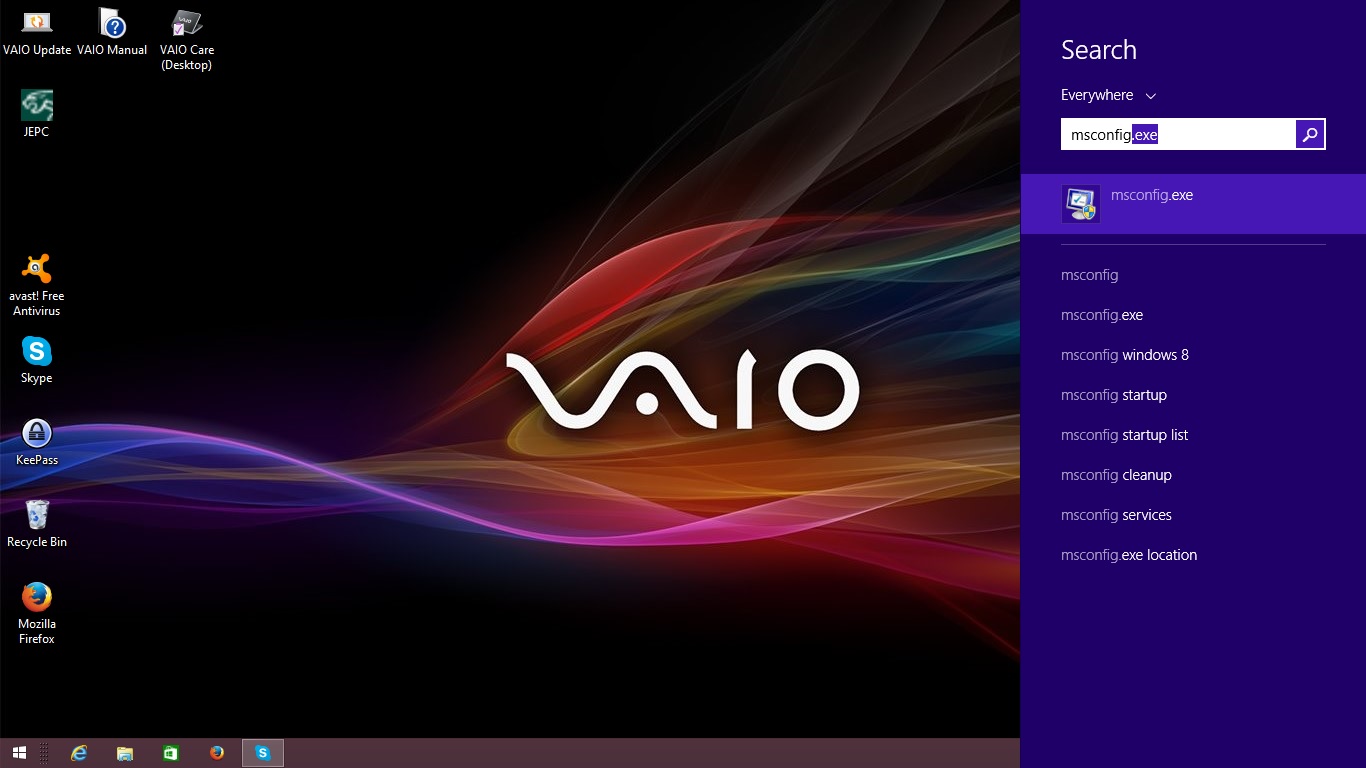

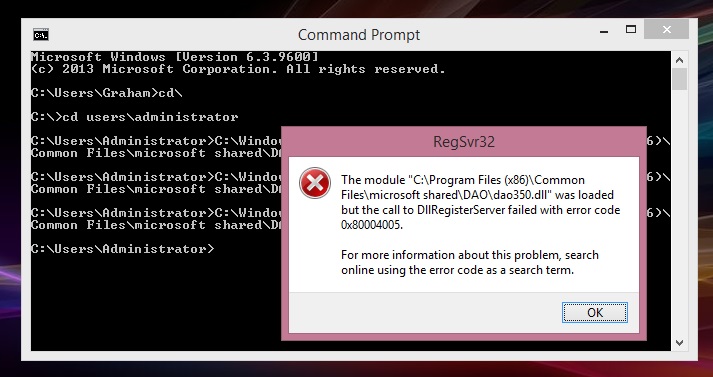
Just running MSCONFIG as Administrator doesn't work for 8.1 - it's slightly more complicated to get round this than it is in Windows7. Do a search for Emsa DLL Register Tool to download a utility to force registration of DAO350.DLL.
Graham
Last edited by GGG; Jan 8, 2015 at 01:08 PM.

Veteran Member
Joined: Feb 2011
Posts: 9,733
Likes: 2,203
From: on-the-edge
the rightmost "5".
One way to get around this is to start your command window in administrative mode.
Note that this is not the same thing as being logged in as the administrator. The
privilege escalation is still required.
right click, run as administrator
then proceed as usual.
In fact, the easiest way to do the install is to start the command window or explorer
in administrative mode from the very start of the process.
As the person who worked out the com object registrations and some other difficulties,
I can offer the additional advice that it helps to mark all executables and dll's with
Windows XP compatibility mode. This is performed by right clicking on the particular
file and setting the compatibility property in the compatibility dialog tab. Doing this
drops a hint to Windows that it should expect the interfaces to use Windows XP
capabilities and limitations.
Don't know anything about needing MSCONFIG as the usual method of registering
com objects is "regsvr32 <name of dll>" taking care that the proper version of
regsvr32 is used if it is a 64 bit system. There are two. One in system32 which
is used with 64 bit dlls and one in syswow64 which is used with 32 bit dll's.
++
Last edited by plums; Jan 8, 2015 at 01:37 PM.
Member
Joined: May 2014
Posts: 31
Likes: 5
From: West Sussex
All you Guys that kept going on making this install happen I take my hat of to you's. It inspired me to keep going and yeap have it working on Windows XP, Widows 7 (compatability mode XP SP3), Windows 7 32bit and last but not least the 64bit ver. Hooray thats over with..............Phew. It got very confussing when it kept loading user window with menu choice and locking out the model selection when selected under any of the buttons. All info of which is all stored in the DAO files. Is patience and bit of logical thinking that works as these files don't get extracted on the intial install. In my instance I had to get into the files and then extract quite seperately and then install one by one as required. A bit of fiddling on some settings for permissions etc but it does work well. Even got it running on a small notebbok so it is my companion underr the hood with me........Yippeee.


Member
Joined: Oct 2015
Posts: 54
Likes: 25
From: North Queensland, Australia
JTIS Fails to open PDF's
Hi jimlombardii,
I have sore eyes reading this forum and notice you are a very knowledgeable & helpful member. Could you please assist me with this JTIS program ?
I have followed through all the stages on the installation process and have the program opening and working 75%. The problem is that when I come to open any DTC or Battery Care info, which requires reference to a pdf, it says the 'file is missing'.
I managed to get it to the stage below and when I press the OK icon, then I can manually open each pdf, but it doesn't via the program
Just wondering if you would know where I have gone wrong, if possible. I have installed the program several times, but still can't seem to over come this problem
Many thanks in advanced
XKJoe

I have sore eyes reading this forum and notice you are a very knowledgeable & helpful member. Could you please assist me with this JTIS program ?
I have followed through all the stages on the installation process and have the program opening and working 75%. The problem is that when I come to open any DTC or Battery Care info, which requires reference to a pdf, it says the 'file is missing'.
I managed to get it to the stage below and when I press the OK icon, then I can manually open each pdf, but it doesn't via the program
Just wondering if you would know where I have gone wrong, if possible. I have installed the program several times, but still can't seem to over come this problem
Many thanks in advanced
XKJoe


Veteran Member

Joined: May 2009
Posts: 27,546
Likes: 4,924
From: Yorkshire, England
I think it's just Windows & 64-bit issues. try a VM or anything else.

Senior Member
Joined: Oct 2016
Posts: 170
Likes: 14
From: Near Niagara Falls, NY
I did it for x-type but should be the same regardless...
Downloaded JTIS21 X_Type.part1.exe and JTIS21 X_Type.part2.rar
Ran the part1.exe. It extracted files...lots of them.
It created a folder call JTIS21 X_Type and inside that folder was the dao350.dll
Copy the dao350.dll
Paste it into:
C:\Program Files (x86)\Common Files\microsoft shared\DAO
(you'll probably see a dao360.dll there already...that's ok)
Click your start button....go to Windows System...when it expands RIGHT-click on Command Prompt and choose Run as Administrator.
you can probably copy and paste this, but.....run this command in that command prompt window:
C:\Windows\SysWOW64\regsvr32.exe "C:\Program Files (x86)\Common Files\microsoft shared\DAO\dao350.dll"
Now go to your JTIS entry in your start menu and run it.
I think in order to see some of the photos, you'll need to install the windows help system which I haven''t done yet, but this DID show me the diagrams and procedure when I looked up changing a starter.
I'll look at installing the help system, but that should get you started (pun intended)

Junior Member
Joined: Jun 2017
Posts: 7
Likes: 1
From: Gold Coast
My thanks to whomever is responsible, but I tried and failed in my quest for 2005 S type manual. Any assistance in the acquisition of same greatly appreciated. And now Dutchy returns to his rock.