


Backup Camera install on 2007 Vanden Plas

Thread Starter
|
Senior Member
Joined: Aug 2014
Posts: 254
Likes: 41
From: Tucson, Arizona
 Backup Camera install on 2007 Vanden Plas
Well, the older I get the more I tend to run into things while in reverse. The 80 year old doctor that used to own my car evidently backed into a rock wall on the drivers side. Even though it was just pits in the left bumper and chrome it cost a little over $1,000 to fix it.
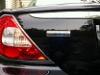
I took my car into Paradyme Sound & Vision in Sacramento. $949.90 later I had a license frame mounted camera displaying on my factory navigation screen when the vehicle was in reverse. The unit I bought has a control mounted on the top of the little cave to the lower left of the steering wheel. You can't see it. It allows you to move the camera up, down, left & right. Also it allows a standard view or a view with parking lines. It does a lot of other things but I chose to go with the lines (which are adjustable for all three zones in both width as well as distance) and I set it's default to go to that setting every time I'm in reverse.
The install included a Boyo VTL275HDL License plate camera in chrome made by Vision Tech America and an interface.
Even though I have front and rear parking assist on my car the video will be a welcomed addition.
Dan
I took my car into Paradyme Sound & Vision in Sacramento. $949.90 later I had a license frame mounted camera displaying on my factory navigation screen when the vehicle was in reverse. The unit I bought has a control mounted on the top of the little cave to the lower left of the steering wheel. You can't see it. It allows you to move the camera up, down, left & right. Also it allows a standard view or a view with parking lines. It does a lot of other things but I chose to go with the lines (which are adjustable for all three zones in both width as well as distance) and I set it's default to go to that setting every time I'm in reverse.
The install included a Boyo VTL275HDL License plate camera in chrome made by Vision Tech America and an interface.
Even though I have front and rear parking assist on my car the video will be a welcomed addition.
Dan
Last edited by danveenstra; Sep 3, 2014 at 08:14 AM.






Veteran Member


Joined: Jun 2013
Posts: 8,935
Likes: 4,742
From: USA
Well, the older I get the more I tend to run into things while in reverse. The 80 year old doctor that used to own my car evidently backed into a rock wall on the drivers side. Even though it was just pits in the left bumper and chrome it cost a little over $1,000 to fix it.
I took my car into Paradyme Sound & Vision in Sacramento. $949.90 later I had a license frame mounted camera displaying on my factory navigation screen when the vehicle was in reverse. The unit I bought has a control mounted on the top of the little cave to the lower left of the steering wheel. You can't see it. It allows you to move the camera up, down, left & right. Also it allows a standard view or a view with parking lines. It does a lot of other things but I chose to go with the lines (which are adjustable for all three zones in both width as well as distance) and I set it's default to go to that setting every time I'm in reverse.
The install included a Boyo VTL275HDL License plate camera in chrome made by Vision Tech and an interface.
Even though I have front and rear parking assist on my car the video will be a welcomed addition.
Dan
I took my car into Paradyme Sound & Vision in Sacramento. $949.90 later I had a license frame mounted camera displaying on my factory navigation screen when the vehicle was in reverse. The unit I bought has a control mounted on the top of the little cave to the lower left of the steering wheel. You can't see it. It allows you to move the camera up, down, left & right. Also it allows a standard view or a view with parking lines. It does a lot of other things but I chose to go with the lines (which are adjustable for all three zones in both width as well as distance) and I set it's default to go to that setting every time I'm in reverse.
The install included a Boyo VTL275HDL License plate camera in chrome made by Vision Tech and an interface.
Even though I have front and rear parking assist on my car the video will be a welcomed addition.
Dan
I've read where others have added a backup camera but have had to manually change the navigation menu each time they put the car in reverse in order for the camera to work.
Senior Member
Joined: May 2012
Posts: 737
Likes: 255
From: Wisconsin
Nice indeed.
How is the screen quality of the backup picture on the screen. Others have noticed a very grainy look, fuzzy, or a interference line showing on the screen with the systems the have installed. Yours looks very clear and great. Do you have a picture of the control switch.
How is the screen quality of the backup picture on the screen. Others have noticed a very grainy look, fuzzy, or a interference line showing on the screen with the systems the have installed. Yours looks very clear and great. Do you have a picture of the control switch.
Thread Starter
|
Senior Member
Joined: Aug 2014
Posts: 254
Likes: 41
From: Tucson, Arizona
Besides the Boyo VTL275HDL camera mounted license plate frame there is an interface. The interface is shown on the bill as NAV RGB2+. Price for the interface was $350. I do know they extended the wire that went to the remote control unit which was mounted to the lower left of the steering wheel. I bet if you went to the one of the most popular auto stereo/auto video stores in your area they would recognize the interface NAV number RGB2+.
Everything works on the factory navigation the same as before the camera install. They basically ran the license plate wires to the navigation system in the left side of the trunk by the CD changer. The only thing that was run forward was the remote control. Dan
Everything works on the factory navigation the same as before the camera install. They basically ran the license plate wires to the navigation system in the left side of the trunk by the CD changer. The only thing that was run forward was the remote control. Dan
Thread Starter
|
Senior Member
Joined: Aug 2014
Posts: 254
Likes: 41
From: Tucson, Arizona
Backup Camera in dash control
Sean,
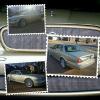
Here are some pictures of the control that will turn the camera in all directions and also is used to set defaults, etc. I had it installed in the little "cave" to the lower left of the steering wheel.
Here are some pictures of the control that will turn the camera in all directions and also is used to set defaults, etc. I had it installed in the little "cave" to the lower left of the steering wheel.
Last edited by danveenstra; Sep 3, 2014 at 08:18 AM.
Trending Topics
Thread Starter
|
Senior Member
Joined: Aug 2014
Posts: 254
Likes: 41
From: Tucson, Arizona
Sean, The video is in high definition and color. I don't see any problems with it. I think it's as clear as the back up on my new Subaru. You also mentioned that the other units you are aware of had to be manually set up each and every time the car was put in reverse (after turning off and on your ignition, I assume). With this unit you choose what you want to see every time and then hold in on the center "Set" button for 3 seconds. By doing this, the screen you are looking at is set as your future default. Every time you hop into your car, turn on your ignition, and put it into reverse you will see that same default screen. As I have mentioned, I chose to set the default as rear view with the parking lines. Also, the parking lines can be set longer/shorter and narrower/wider to suit the size of your car. I'm telling you, these Vision Tech America guys have it down. By the way, they have a video on their web site that demos this camera. I don't know if this forum allows links to companies web sites but you can Google them as Vision Tech America.
Dan
Dan
Last edited by danveenstra; Sep 3, 2014 at 08:28 AM.




Senior Member
Joined: May 2008
Posts: 184
Likes: 38
From: SoCal
About this item
Features
Connects video devices to your vehicle's front navigation or color LCD screenAccepts any device with a standard composite (yellow RCA)Adapts video game systems, DVD players, iPod video out, satellite dish systems, backup cameras and moreTurn your vehicle into a rolling entertainment system on your family's next road trip
Technical Details
Brand Name:*NAV-TVModel:*NTV-KIT038
Product Details
Manufacturer:*NAV-TVManufacturer reference:*NTV-KIT038
It does require programing for each specific car.
Features
Connects video devices to your vehicle's front navigation or color LCD screenAccepts any device with a standard composite (yellow RCA)Adapts video game systems, DVD players, iPod video out, satellite dish systems, backup cameras and moreTurn your vehicle into a rolling entertainment system on your family's next road trip
Technical Details
Brand Name:*NAV-TVModel:*NTV-KIT038
Product Details
Manufacturer:*NAV-TVManufacturer reference:*NTV-KIT038
It does require programing for each specific car.
Last edited by mberman; Sep 9, 2014 at 09:02 PM.

Senior Member
Joined: Feb 2014
Posts: 219
Likes: 32
From: Shreveport, LA

About this item
Features
Connects video devices to your vehicle's front navigation or color LCD screenAccepts any device with a standard composite (yellow RCA)Adapts video game systems, DVD players, iPod video out, satellite dish systems, backup cameras and moreTurn your vehicle into a rolling entertainment system on your family's next road trip
Technical Details
Brand Name:*NAV-TVModel:*NTV-KIT038
Product Details
Manufacturer:*NAV-TVManufacturer reference:*NTV-KIT038
It does require programing for each specific car.
Features
Connects video devices to your vehicle's front navigation or color LCD screenAccepts any device with a standard composite (yellow RCA)Adapts video game systems, DVD players, iPod video out, satellite dish systems, backup cameras and moreTurn your vehicle into a rolling entertainment system on your family's next road trip
Technical Details
Brand Name:*NAV-TVModel:*NTV-KIT038
Product Details
Manufacturer:*NAV-TVManufacturer reference:*NTV-KIT038
It does require programing for each specific car.
Thread Starter
|
Senior Member
Joined: Aug 2014
Posts: 254
Likes: 41
From: Tucson, Arizona
I've been referring back to my posting on the Vanden Plas because I just bought an XK, 2007. I just saw your posting and have also seen these things where you need to manually turn the rear view camera on and off. This installation on the Vanden Plas operates just like a factory install. When you shift into reverse the nav screen automatically displays the rear view picture. When you shift into another gear out of reverse, the normal nav screen is displayed. It's fully automatic. Dan
Veteran Member
Joined: Jun 2013
Posts: 8,935
Likes: 4,742
From: USA
You won't have the same luck with the XK Dan. The XK doesn't use D2B and the screen is different.
The XK uses the MOST fiber optic ring network and GVIF technology to feed visuals to the screen.
See my post here. It tags on to flyc2c's post and is primarily for adding gauges to the screen, but, reverse camera applies.
https://www.jaguarforums.com/forum/x...-camp2-175877/
You'll note that I vacillated between installing the camera to the touch screen or installing a new mirror with reverse LCD display but ultimately stayed with the touchscreen display because I didn't want to lose the auto dimming on the door mirrors.
If you find away around having to go through NAV on the touch screen, you will be the mac daddy of the XK forum.
The XK uses the MOST fiber optic ring network and GVIF technology to feed visuals to the screen.
See my post here. It tags on to flyc2c's post and is primarily for adding gauges to the screen, but, reverse camera applies.
https://www.jaguarforums.com/forum/x...-camp2-175877/
You'll note that I vacillated between installing the camera to the touch screen or installing a new mirror with reverse LCD display but ultimately stayed with the touchscreen display because I didn't want to lose the auto dimming on the door mirrors.
If you find away around having to go through NAV on the touch screen, you will be the mac daddy of the XK forum.
Last edited by Sean W; Feb 18, 2017 at 12:12 PM.

Veteran Member
Joined: Jan 2010
Posts: 1,251
Likes: 117
From: Mukilteo, WA
Nice. I have to say that the backup camera is one of the most useful things I've also done to the car. Mornings where all the windows are fogged, it's invaluable for backing out of my driveway. The joystick is awesome.

Junior Member
Joined: Apr 2019
Posts: 3
Likes: 0
From: St Augustine, Fl
need help finding a NE Florida Installer for Back up camera
I am in Saint Augustine, Florida with a 2007 XJ8 Vanden Plas with a factory OEM installed Double Din Navigation Screen, and I can not seem to find a installer to install the camera to the Nav Screen. The Company's seem to think, am install will or possibly will cause other OEM electronics not to function properly??
I am open to traveling to Jacksonville or Daytona to get someone to do this camera install, if I can get help in locating a qualified installer.
Thanks, MarcTMatt
I am open to traveling to Jacksonville or Daytona to get someone to do this camera install, if I can get help in locating a qualified installer.
Thanks, MarcTMatt
Last edited by MarcTMatt; Jul 10, 2019 at 05:17 PM. Reason: missed a word



Thread
Thread Starter
Forum
Replies
Last Post
rusty37
XJ6 & XJ12 Series I, II & III
6
Apr 5, 2020 07:40 PM
Guy-Pierre Boucher
XJ XJ6 / XJ8 / XJR ( X350 & X358 )
7
Sep 16, 2015 05:55 PM
FS[SouthEast]: 2006 and 2007 Jaguar Media Press Kits
SCMike
PRIVATE For Sale / Trade or Buy Classifieds
0
Sep 9, 2015 09:30 AM

Currently Active Users Viewing This Thread: 1 (0 members and 1 guests)