


my retrofit touchscreen vs my doubledin,lots of info


Thread Starter
|
Veteran Member


Joined: May 2006
Posts: 2,050
Likes: 591
From: connecticut
 my retrofit touchscreen vs my doubledin,lots of info
well i first installed a doubledin, which was cool it had all the bells and whistle
but then someone tried to break in and take it ,they had no such luck everthing is bolted down,
so now i thought let me try the stock touchsreen sat nav and add movie play back,and a backup camera, usb ETC,
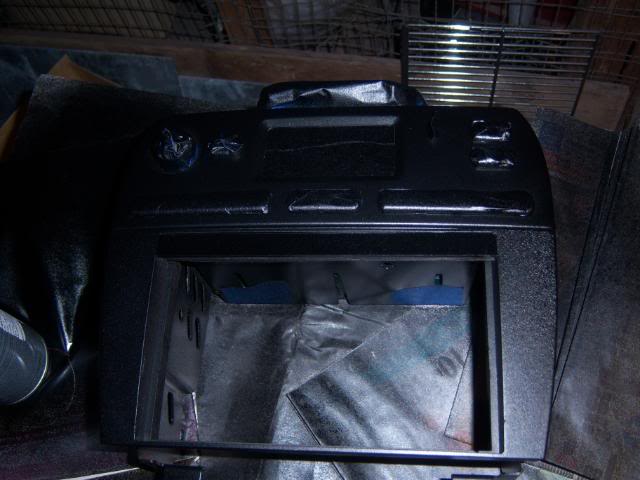
so my first task was to locate all the parts and shematics heres some pic of what i had to get
i posted some of my past projects also
i hope i dont blind you guys with all these pics

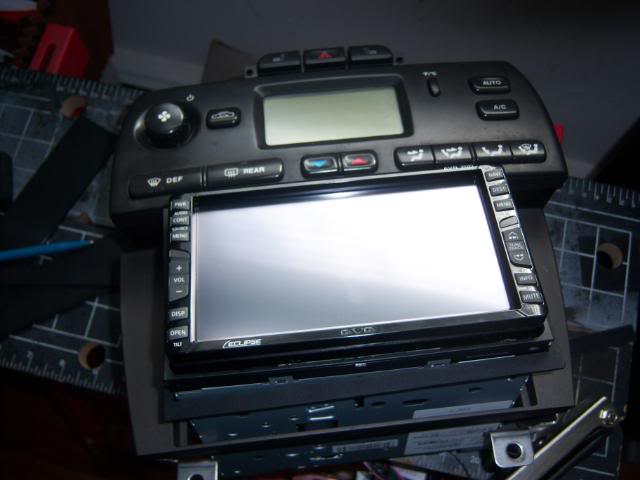
what you see is the touch sreen,
harness ,
remote climate controll unit,
dvd rom drive,
gps antenna
optical link

the piece above is the remote climate controll unit the hardest part to get,i got lucky i have 2

it fit perfect in the side
heres some pics of install

started wiring things up

backup camera at night


for the backup camera you tap into our rear light plug the grean and black wire


phone btooth working

heres some of te plugs i orded


heres some of the schematics if you want to try it yourself
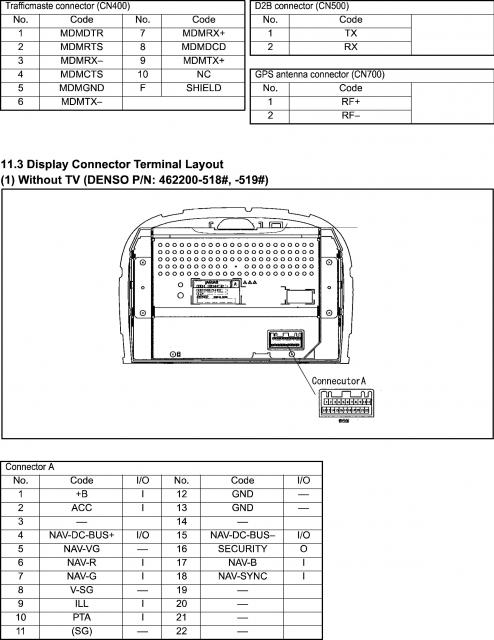
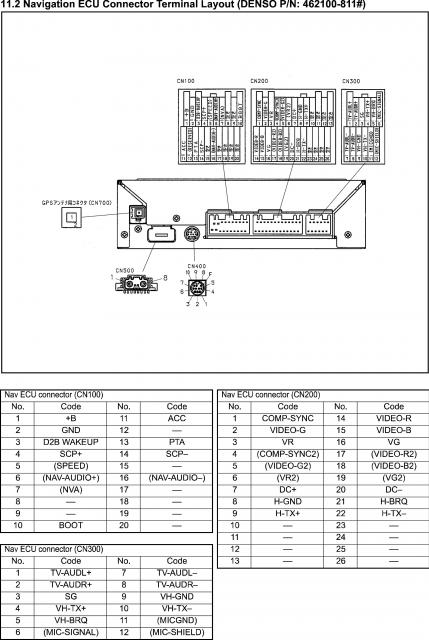
this diagram is from dave x thanks bud
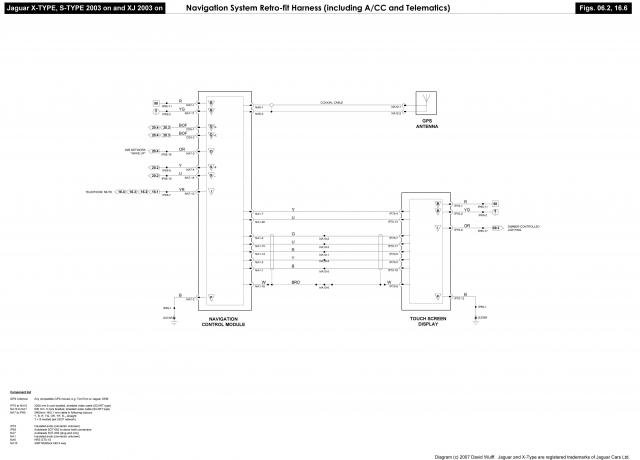
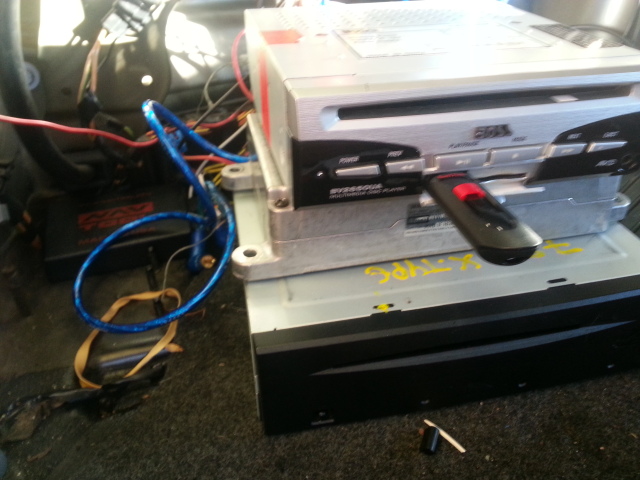
look in that mess of wires is the navtool thats what you need to play movies and backup camera of course i straightened up the wiring neatly

heres the button i switch between movies and navigation


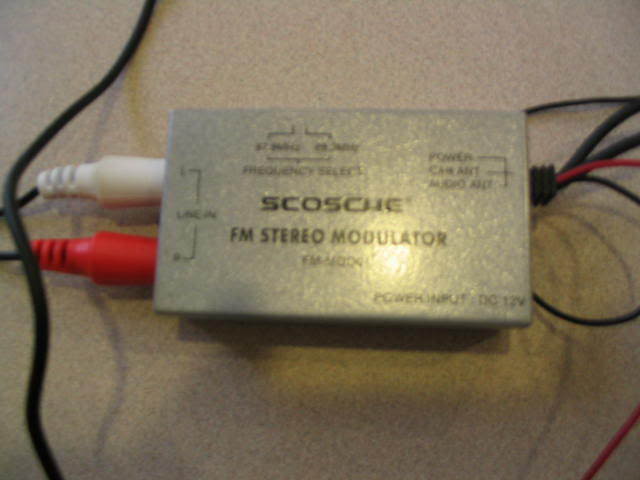
heres the audio modulator
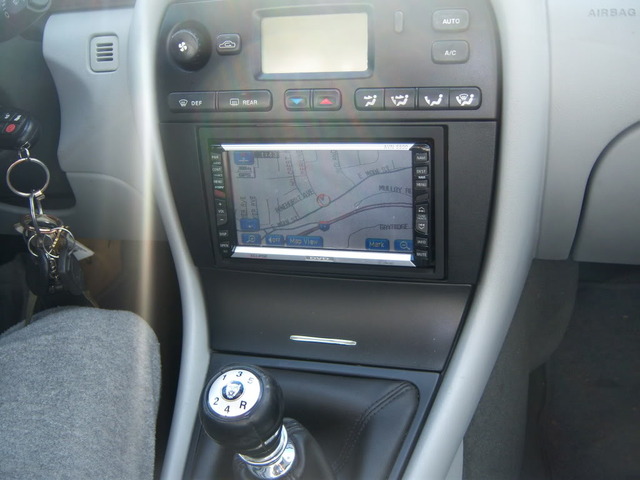
this was my double din install youve seen before





WRITE UP TO ADD BACK UP CAMERA AND MOVIES TO SAT NAV
PARTS NEEDED
NAVTOOL i paid $150 on ebay

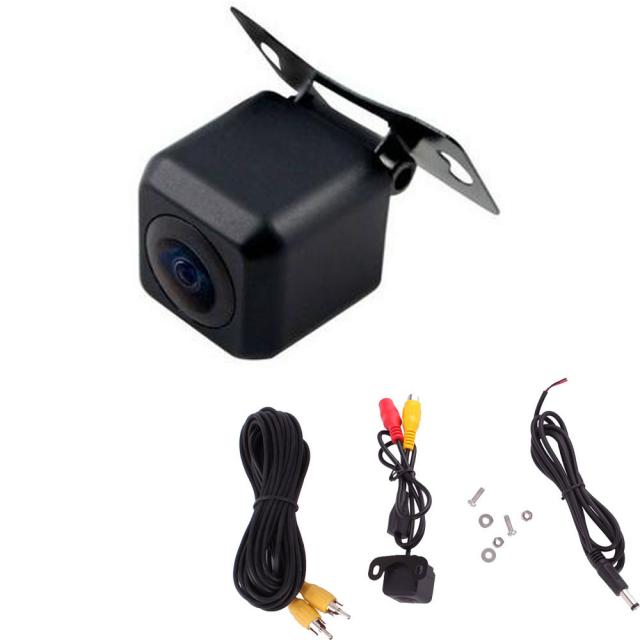
BACKUP CAMERA i paid $12 ebay
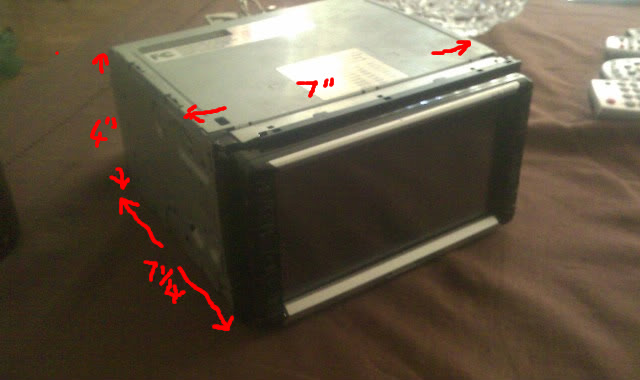
DVD PLAYER i paid $79 for a soundstream one ,i changed the boss one i had

in the diagram all you have to do is cut the four wires in the diagram
on the navtool theres also a acc wire to be hooked up and the backup camera
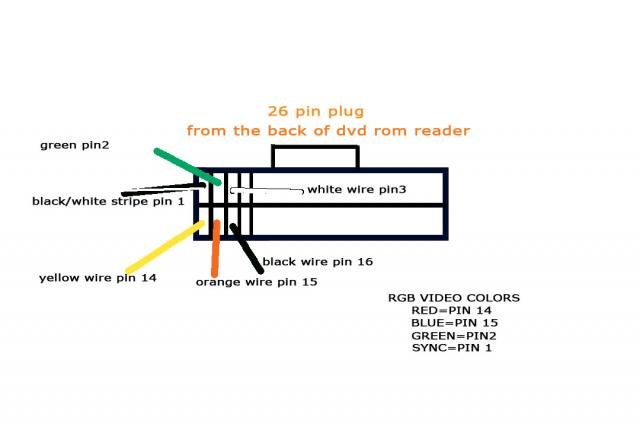

i made these diagrams to help you guys out when you get the navtool you will see all the wires matchup to my diagram
the diagram they give you is no good , i figured it out for you guys
heres the bluetooth and voice modules connected

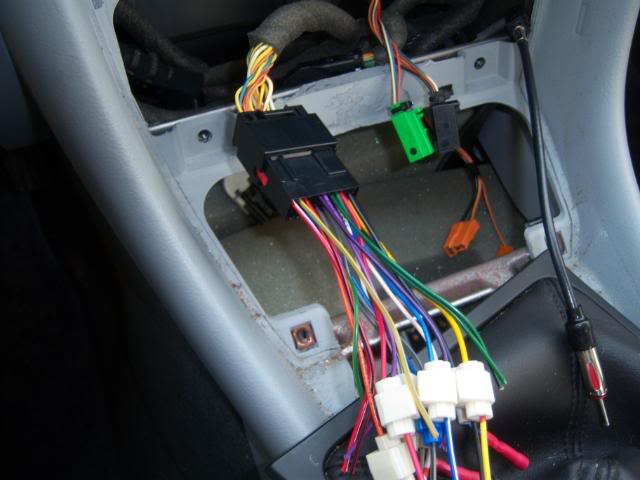
heres the harness

running the bluetooth module under the carpet

putting the harness under the carpet is a bitch
PLUS I FOUND SOME M&MS under the console lol

this is what you need for bluetooth and voice intergration

but then someone tried to break in and take it ,they had no such luck everthing is bolted down,
so now i thought let me try the stock touchsreen sat nav and add movie play back,and a backup camera, usb ETC,
so my first task was to locate all the parts and shematics heres some pic of what i had to get
i posted some of my past projects also
i hope i dont blind you guys with all these pics

what you see is the touch sreen,
harness ,
remote climate controll unit,
dvd rom drive,
gps antenna
optical link

the piece above is the remote climate controll unit the hardest part to get,i got lucky i have 2

it fit perfect in the side
heres some pics of install


started wiring things up

backup camera at night


for the backup camera you tap into our rear light plug the grean and black wire


phone btooth working

heres some of te plugs i orded


heres some of the schematics if you want to try it yourself


this diagram is from dave x thanks bud

look in that mess of wires is the navtool thats what you need to play movies and backup camera of course i straightened up the wiring neatly

heres the button i switch between movies and navigation


heres the audio modulator

this was my double din install youve seen before


WRITE UP TO ADD BACK UP CAMERA AND MOVIES TO SAT NAV
PARTS NEEDED
NAVTOOL i paid $150 on ebay

BACKUP CAMERA i paid $12 ebay

DVD PLAYER i paid $79 for a soundstream one ,i changed the boss one i had

in the diagram all you have to do is cut the four wires in the diagram
on the navtool theres also a acc wire to be hooked up and the backup camera


i made these diagrams to help you guys out when you get the navtool you will see all the wires matchup to my diagram
the diagram they give you is no good , i figured it out for you guys
heres the bluetooth and voice modules connected

heres the harness

running the bluetooth module under the carpet

putting the harness under the carpet is a bitch
PLUS I FOUND SOME M&MS under the console lol

this is what you need for bluetooth and voice intergration

Last edited by dennis black; Apr 6, 2014 at 11:23 AM.






Thread Starter
|
Veteran Member
Joined: May 2006
Posts: 2,050
Likes: 591
From: connecticut
Some past projects
HERE are some past projects
my rear wheals had bad camber ,so i put a volvo control are ,a tip from thermo thanks
now my wheels are straight


then i had sticking calipers i replaced them and rebuilt the old ones

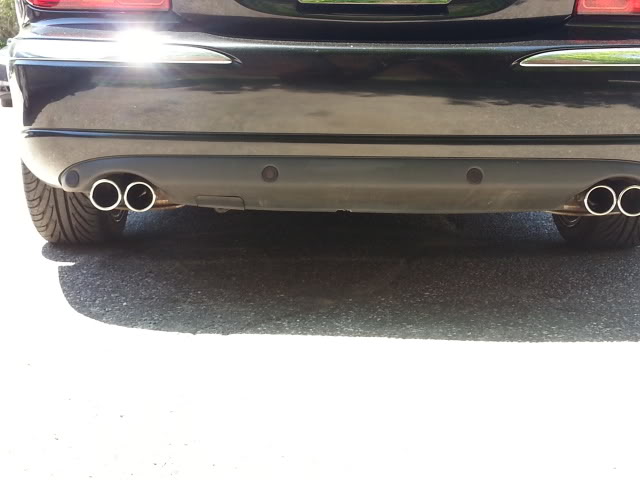
put quad pipes
did the boot plinth mod thanks to one of the members idea

grille mod

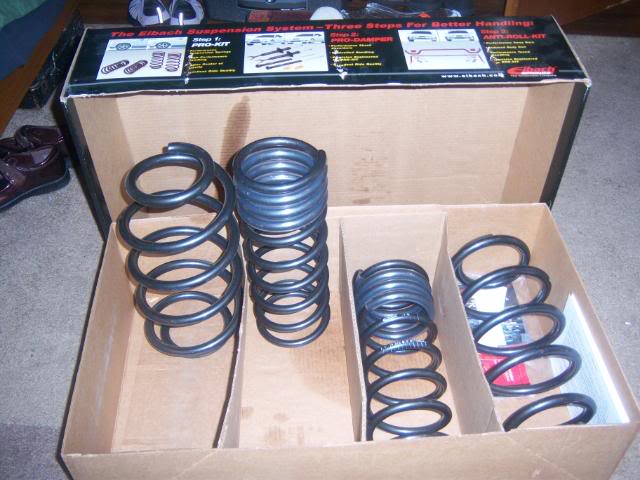
lowering springs

my rear wheals had bad camber ,so i put a volvo control are ,a tip from thermo thanks
now my wheels are straight


then i had sticking calipers i replaced them and rebuilt the old ones

put quad pipes

did the boot plinth mod thanks to one of the members idea

grille mod

lowering springs



Senior Member
Joined: Jan 2011
Posts: 336
Likes: 36
From: Denver, CO
The install itself looks wonderful with a lot of thought into the overall look. It's very clean and looks great.
But why the hell use crap BOSS components????? That's a sacrilege in the car audio world
But why the hell use crap BOSS components????? That's a sacrilege in the car audio world
Thread Starter
|
Veteran Member
Joined: May 2006
Posts: 2,050
Likes: 591
From: connecticut
i was trying to find a good player but there was not much to offer i put it in to see if it would work,and bam it worked , and i no what you mean about boss equipment there cheap and like jvc crappy ,so i put it in the trunk and wired it wireless so no one would no lol
now dont tell anyone i have a boss player,
but it gets the job done till i find a quality one,
this is the one going in,now everything works

now dont tell anyone i have a boss player,
but it gets the job done till i find a quality one,
this is the one going in,now everything works

Last edited by dennis black; Sep 15, 2013 at 06:19 PM.
Senior Member
Joined: Jan 2011
Posts: 336
Likes: 36
From: Denver, CO
i was trying to find a good player but there was not much to offer i put it in to see if it would work,and bam it worked , and i no what you mean about boss equipment there cheap and like jvc crappy ,so i put it in the trunk and wired it wireless so no one would no lol
now dont tell anyone i have a boss player,
but it gets the job done till i find a quality one,
this is the one going in,now everything works
now dont tell anyone i have a boss player,
but it gets the job done till i find a quality one,
this is the one going in,now everything works
I hear ya on that


Member
Joined: Apr 2008
Posts: 71
Likes: 8
Need to know how you tapped into the stock screen and added everything. Can you please list parts and details used?
Thanks.
Thanks.
Trending Topics
Thread Starter
|
Veteran Member
Joined: May 2006
Posts: 2,050
Likes: 591
From: connecticut
thanks bud,ill be puting in the same thread how to add your android phone on the screen,and have it so its usable ,with internet everthing whats on your phone, i have a samsung gs3 ,
 How did you change the logo image Dennis?

Member
Joined: Dec 2013
Posts: 46
Likes: 13
From: Tromsø, Norway

Thread Starter
|
Veteran Member
Joined: May 2006
Posts: 2,050
Likes: 591
From: connecticut
to get daimler logo

to get the daimler log first hold the menu and phone buttons together dont let go untill you see this screen

punch in the code 1971
then you will see this screen

then hit the misc button
you will see this

now hit sytem options ,you will see this

now hit the daimler button then go back
to logo screen

thats it

beware never hit system update or any update you will have a black screen
i hope that helps skinny
Last edited by dennis black; Jan 17, 2014 at 06:41 PM.


Member
Joined: Dec 2013
Posts: 46
Likes: 13
From: Tromsø, Norway
Thank you very much Dennis. I've been to the settings menu several times, but using the "917" code. Turns out, it offers other options than "1971." Shame we can't use custom images for the logo screen.

