


Alcon rear parking brake


Thread Starter
|
Senior Member


Joined: Dec 2020
Posts: 224
Likes: 136
From: Sydney
 Alcon rear parking brake
My brake rotors has a slight lip on the edge. I manage to get hold of the local company that can supply the brake rotors which suits the Jag with Alcon brakes.
Factory specs (left and right rotors has different part numbers and they are directionals which is good that they confirm this).
Fronts rotors are 400mm diameter and 36mm thickness.
Rears rotors are 350mm diameter and 28mm thickness.
I'm waiting for the supplier to confirm the thickness of the rotors. Does anyone know the correct way to put the rear parking brake into service mode? I’ve gone through the PDF service manual that’s floating around online, but it doesn’t mention how to release or back off the electronic parking brake. There is some service tool dongle with a switch that you put into the fuse box to release the parking brake, but not sure if you can manually jumper it. In fact, there aren’t any exploded diagrams of the Alcon front or rear brake setup either. The only information I can find is the torque specs for the calliper bolts that are meant to be replaced whenever the calipers are removed.
My assumption is that you need to disable the electronic parking brake and possibly disconnect the battery, but I’m not sure how to reset the parking brake to its fully open position. I don’t have access to Jaguar’s SDD software, and my OBD2 reader is very basic and not Jaguar specific.
Parts and service details are very very limited concerning the Alcon brakes.
Also thanks to @jahummer for the PDF technical diagram of the Alcon brakes itself.
Factory specs (left and right rotors has different part numbers and they are directionals which is good that they confirm this).
Fronts rotors are 400mm diameter and 36mm thickness.
Rears rotors are 350mm diameter and 28mm thickness.
I'm waiting for the supplier to confirm the thickness of the rotors. Does anyone know the correct way to put the rear parking brake into service mode? I’ve gone through the PDF service manual that’s floating around online, but it doesn’t mention how to release or back off the electronic parking brake. There is some service tool dongle with a switch that you put into the fuse box to release the parking brake, but not sure if you can manually jumper it. In fact, there aren’t any exploded diagrams of the Alcon front or rear brake setup either. The only information I can find is the torque specs for the calliper bolts that are meant to be replaced whenever the calipers are removed.
My assumption is that you need to disable the electronic parking brake and possibly disconnect the battery, but I’m not sure how to reset the parking brake to its fully open position. I don’t have access to Jaguar’s SDD software, and my OBD2 reader is very basic and not Jaguar specific.
Parts and service details are very very limited concerning the Alcon brakes.
Also thanks to @jahummer for the PDF technical diagram of the Alcon brakes itself.
Last edited by XKRAU; Sep 25, 2025 at 05:22 AM.
Thread Starter
|
Senior Member
Joined: Dec 2020
Posts: 224
Likes: 136
From: Sydney
ok cool, good to know thanks.

Veteran Member
Joined: Jul 2016
Posts: 1,451
Likes: 857
From: Vancouver BC
When I did the rear driver side the display said "can't apply park brake" - I disconnected the battery again and then the park brake reset ok - not sure why it did this, I didn't have that occur when I did the passenger side.
Senior Member

Joined: Feb 2025
Posts: 762
Likes: 352
From: Charlotte, NC
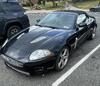
I see the Brembo? Black separate calipers for the parking brake on the front, but not the rear.
I did read something somewhere that said the parking brake is also integrated into the rear Alcon calipers, but found that confusing.
Veteran Member
Joined: Jul 2016
Posts: 1,451
Likes: 857
From: Vancouver BC
Guess I’m learning something new.
I see the Brembo? Black separate calipers for the parking brake on the front, but not the rear.
I did read something somewhere that said the parking brake is also integrated into the rear Alcon calipers, but found that confusing.
I see the Brembo? Black separate calipers for the parking brake on the front, but not the rear.
I did read something somewhere that said the parking brake is also integrated into the rear Alcon calipers, but found that confusing.


Senior Member
Joined: Feb 2025
Posts: 762
Likes: 352
From: Charlotte, NC
Still new around here, just went out and looked. Had it swapped in my head.

Thread
Thread Starter
Forum
Replies
Last Post
Currently Active Users Viewing This Thread: 1 (0 members and 1 guests)