


Constant fault codes


Thread Starter
|
Junior Member
Joined: Feb 2020
Posts: 5
Likes: 12
From: North Texas
 Constant fault codes
I have been having a strange electrical issue with my 07 XKR. Since I left the doors open a few weeks ago while cleaning the car I have been getting all the warning messages flashing on the instrument cluster. Such as battery not charging, eng temp, transmission fault, etc. Along with the check engine light and Codes u0155,103,405,402,100,151,128 and P0500.
My first though was the battery, so I got a new battery and fully charged it before installing it. Still getting the same codes after the new battery. The car runs fine when this starts showing the codes. But if I put the car in park the gear selector is locked and the car will not turn over. Just keeps running through the Faults on the instrument cluster. After sitting for about 15 minutes the car will start and run fine, just keeps showing the codes.
I have cleaned the wheel sensors and replaced the stoplight switch so far. When not driving the car it is always on a battery Trickle charger.
Any ideas what maybe causing this? Thanks for any ideas in advance.
Dave
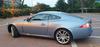
2007 Jaguar XKR Convertible.
My first though was the battery, so I got a new battery and fully charged it before installing it. Still getting the same codes after the new battery. The car runs fine when this starts showing the codes. But if I put the car in park the gear selector is locked and the car will not turn over. Just keeps running through the Faults on the instrument cluster. After sitting for about 15 minutes the car will start and run fine, just keeps showing the codes.
I have cleaned the wheel sensors and replaced the stoplight switch so far. When not driving the car it is always on a battery Trickle charger.
Any ideas what maybe causing this? Thanks for any ideas in advance.
Dave
2007 Jaguar XKR Convertible.

Popular Reply
Mar 28, 2020, 07:43 PM
Thread Starter
Junior Member
Joined: Feb 2020
Posts: 5
Likes: 12
From: North Texas
Resolved
Well it was the ground by the drivers side fuse box. Very little corrosion on it, but must have been enough to cause my issue.





Veteran Member


Joined: Aug 2010
Posts: 10,124
Likes: 7,127
From: Atlanta suburbs

Years ago, I left my OBDII reader plugged in overnight. I started my car the next morning and all the warning lights went bonkers. After that happened I never left it plugged in again. Problem solved.

Veteran Member

Joined: Apr 2008
Posts: 3,702
Likes: 1,696
From: Ottawa, Ontario, Canada
What @CleverName and @peterv8 said.
and @Stuart S
Unless of course in your cleaning and improving efforts the negative terminal is not clean and secure or you knocked the connectors to the cpus/modules.
and @Stuart S
Unless of course in your cleaning and improving efforts the negative terminal is not clean and secure or you knocked the connectors to the cpus/modules.
Thread Starter
|
Junior Member
Joined: Feb 2020
Posts: 5
Likes: 12
From: North Texas
Thanks for all the things to try. Code reader is only plugged in when pulling the codes. But I did have An auto parts store try to pull the codes originally. When they plugged in their code reader the dash went crazy with alerts and alarms
I will track down every ground location on the car and clean them.
I will let you all know what happens.
Thanks
I will track down every ground location on the car and clean them.
I will let you all know what happens.
Thanks

Senior Member
Joined: Aug 2017
Posts: 988
Likes: 380
From: Södra Sandby, Sweden
Thanks for all the things to try. Code reader is only plugged in when pulling the codes. But I did have An auto parts store try to pull the codes originally. When they plugged in their code reader the dash went crazy with alerts and alarms
I will track down every ground location on the car and clean them.
I will let you all know what happens.
Thanks
I will track down every ground location on the car and clean them.
I will let you all know what happens.
Thanks


Trending Topics






Junior Member
Joined: Apr 2020
Posts: 2
Likes: 0
From: barrie
Vince
I have the same problem today with my 2007 XKR, where exactly do I find the ground strap on the drivers side fusebox. Do you have a picture , I'n going to try this fix tomorrow. BTW , I just discovered a Jaguar service bulletin related to dead battery problems on the 2007 XKR. It indicates the problem lies in the instrument cluster. It says to return the vehicle to the dealer for warranty replacement, its dated 2007. Have heard of this problem and fix?
Thanks,
Vince
Thanks,
Vince
Thread Starter
|
Junior Member
Joined: Feb 2020
Posts: 5
Likes: 12
From: North Texas
There is a 13mm bolt just to the left of the fuse block. Remove that nut and clean it and the stud. If that does not fix it there is also one located in the same location on the passenger side. Be careful when you tighten the nut down they are aluminum and will snap off easy.
If those two don’t fix it there are several in the trunk and rear seat fuse box are once I cleaned the grounds I have had no more electrical issues.
Hope this helps.
Dave
If those two don’t fix it there are several in the trunk and rear seat fuse box are once I cleaned the grounds I have had no more electrical issues.
Hope this helps.
Dave
Thread
Thread Starter
Forum
Replies
Last Post
Currently Active Users Viewing This Thread: 1 (0 members and 1 guests)