


ELM327 OBDII reader - how to pair with Torque/Android


Thread Starter
|
Veteran member
Joined: Jan 2011
Posts: 1,638
Likes: 173
From: France (UK expat)
 ELM327 OBDII reader - how to pair with Torque/Android
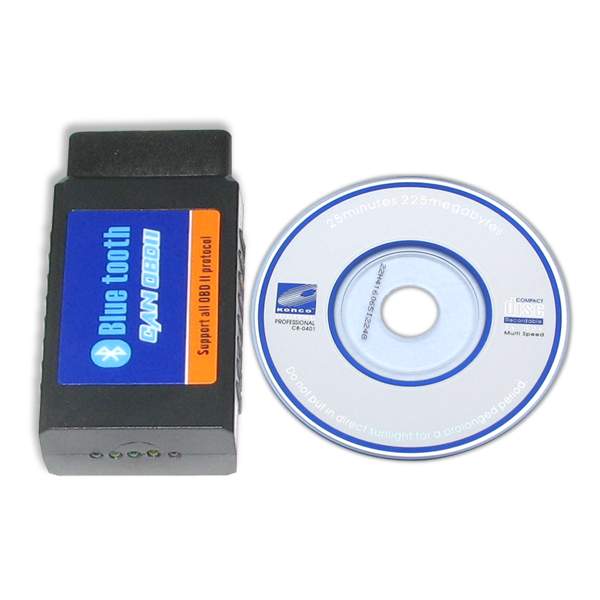
Been struggling with this for over an hour now... According to 'Settings', the ELM327 is now paired to my Galaxy II tablet, but the Torque application still says 'No Bluetooth device paired' and nothing works.
Any advice?
Any advice?




Joined: Dec 2011
Posts: 120,439
Likes: 17,004
From: Durham, UK
Did you get this to work?
I don't have a tablet but my Vgate BlueTooth connector works reliably with my Samsung Galaxy:
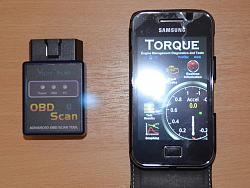
I didn't use the setup CD that came with the connector. This is the sequence used:
1. install the Torque Android App on the phone through Google Play
2. plug the connector into the vehicle and startup
3. check connector is powered up
3. allow the App to discover the device
4. enter the default PIN (has to be done every time)
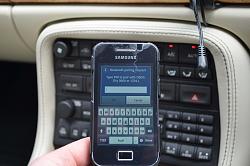
5. wait about 15 seconds for connection
Are you getting the PIN input screen?
Graham
I don't have a tablet but my Vgate BlueTooth connector works reliably with my Samsung Galaxy:

I didn't use the setup CD that came with the connector. This is the sequence used:
1. install the Torque Android App on the phone through Google Play
2. plug the connector into the vehicle and startup
3. check connector is powered up
3. allow the App to discover the device
4. enter the default PIN (has to be done every time)
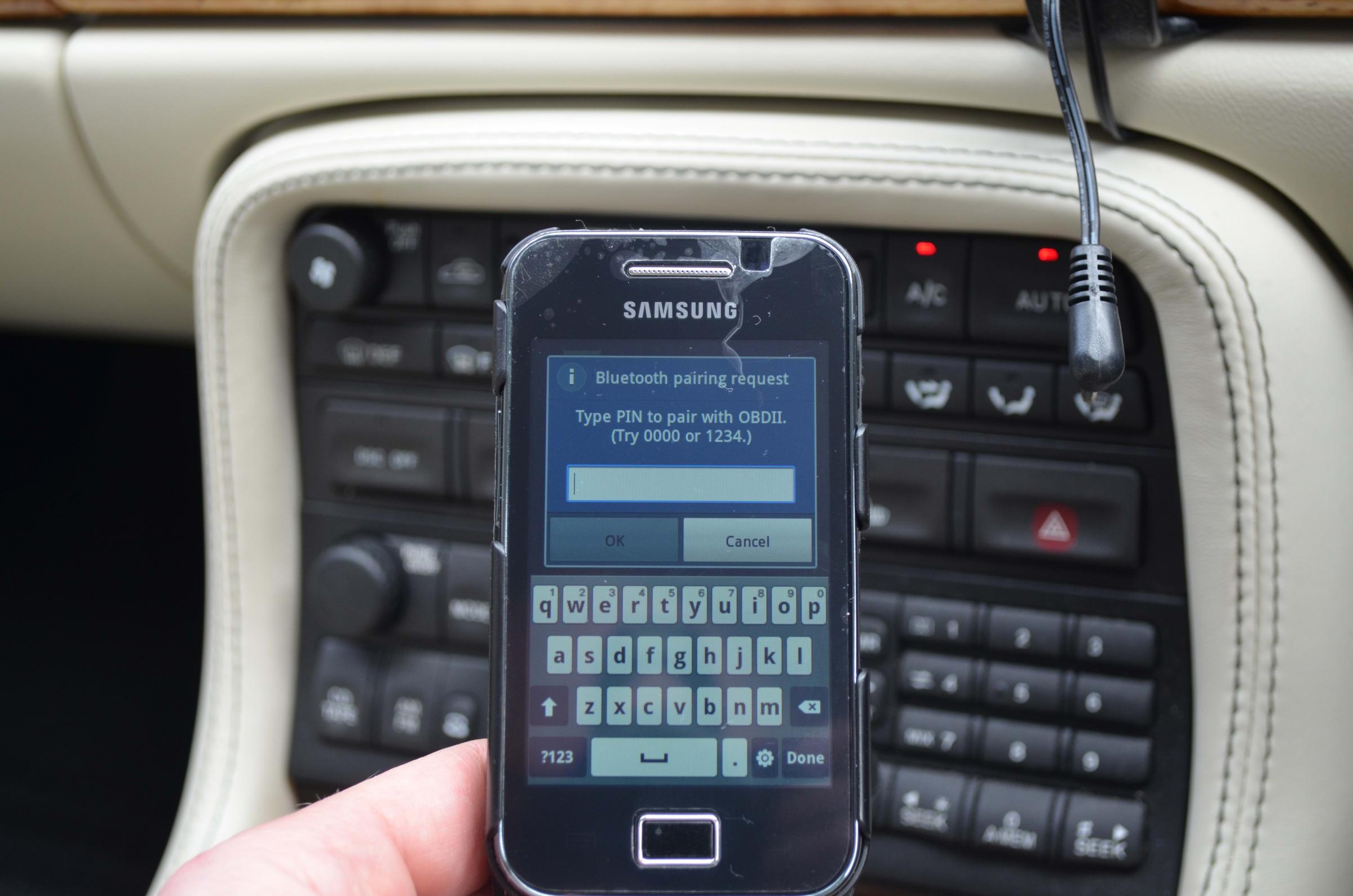
5. wait about 15 seconds for connection
Are you getting the PIN input screen?
Graham

Banned
Joined: Feb 2012
Posts: 517
Likes: 27
From: London
Are you sure you've got Bluetooth enabled on your tablet Frog?
Sometimes it's disabled by default until you go into the settings.
And you need at least your ignition on P2, in fact I started the car before trying to connect.
Actually they are different OBD2 devices aren't they?
Mine looks similar to GGG's.
I may have needed a pin initially, but after the first time I just plug the scanner into the car port, start the car, open the Torque app and it auto detects.
Scanner was £22.95 off ebay, and well worth it for real time engine temp alone, plus Torque does lots more like fault code reading and clearing.
Sometimes it's disabled by default until you go into the settings.
And you need at least your ignition on P2, in fact I started the car before trying to connect.
Actually they are different OBD2 devices aren't they?
Mine looks similar to GGG's.
I may have needed a pin initially, but after the first time I just plug the scanner into the car port, start the car, open the Torque app and it auto detects.
Scanner was £22.95 off ebay, and well worth it for real time engine temp alone, plus Torque does lots more like fault code reading and clearing.
Last edited by Roadhogg; Apr 29, 2013 at 07:28 AM. Reason: Additional info

Banned
Joined: Feb 2012
Posts: 517
Likes: 27
From: London
HHOBD Bluetooth OBD2 Wireless CAN BUS Scanner Interface Adapter Android Torque | eBay
If GGG is using the free version of Torque, that may explain why he has to enter a pin number each time.
I paid a few pounds for the Torque version with extra functions, either £3 or £5, but well worth it.
If GGG is using the free version of Torque, that may explain why he has to enter a pin number each time.
I paid a few pounds for the Torque version with extra functions, either £3 or £5, but well worth it.
Veteran Member
Joined: Sep 2012
Posts: 1,473
Likes: 655
From: Devon. U.K.
I think the cheap "Chinese clone" ELM adapters are a bit hit-and-miss - I had one similar to yours and couldn't get it to work. Sent it back - replacement (identical) worked OK.
I assume you have done the following :
Paired your phone with the ELM adapter (check on the bluetooth menu on the phone to be certain.)
Open "Torque" on your phone and open the OBD2 Adapter Status menu which will tell you whether a) Bluetooth is enabled, b) Connection to adapter is OK, and c) Connection to car's ECU.
If Bluetooth is enabled, but there's no connection to the adapter or the ECU, then your adapter is probably faulty.
Hope this helps.
I assume you have done the following :
Paired your phone with the ELM adapter (check on the bluetooth menu on the phone to be certain.)
Open "Torque" on your phone and open the OBD2 Adapter Status menu which will tell you whether a) Bluetooth is enabled, b) Connection to adapter is OK, and c) Connection to car's ECU.
If Bluetooth is enabled, but there's no connection to the adapter or the ECU, then your adapter is probably faulty.
Hope this helps.

Junior Member
Joined: Aug 2014
Posts: 1
Likes: 0
From: Lomita
Paired but not connected = OK so far
After you finally get the correct code pin number you need to go into your program settings (Torque) and connect it there. Click on 'more', then settings then scroll down to Device and turn it on.
Trending Topics
Joined: Dec 2011
Posts: 120,439
Likes: 17,004
From: Durham, UK
Please follow this link New Member Area - Intro a MUST - Jaguar Forums - Jaguar Enthusiasts Forum to the New Member Area - Intro a MUST forum and post some info about yourself and your vehicle for all members to see. In return you'll get a proper welcome and some useful advice about posting to the forum.
Graham

Thread
Thread Starter
Forum
Replies
Last Post

Currently Active Users Viewing This Thread: 1 (0 members and 1 guests)