When you click on links to various merchants on this site and make a purchase, this can result in this site earning a commission. Affiliate programs and affiliations include, but are not limited to, the eBay Partner Network.
Help - Cover between multimedia display and ventilation
Hay guys,
can someone, who has a F-Type with the new 10.2´´ display help me? I am retrofitting the 10.2´´ screen instead of my 8´´.
Contrary to what has already been described here in the forum, this is not plug & play at all!
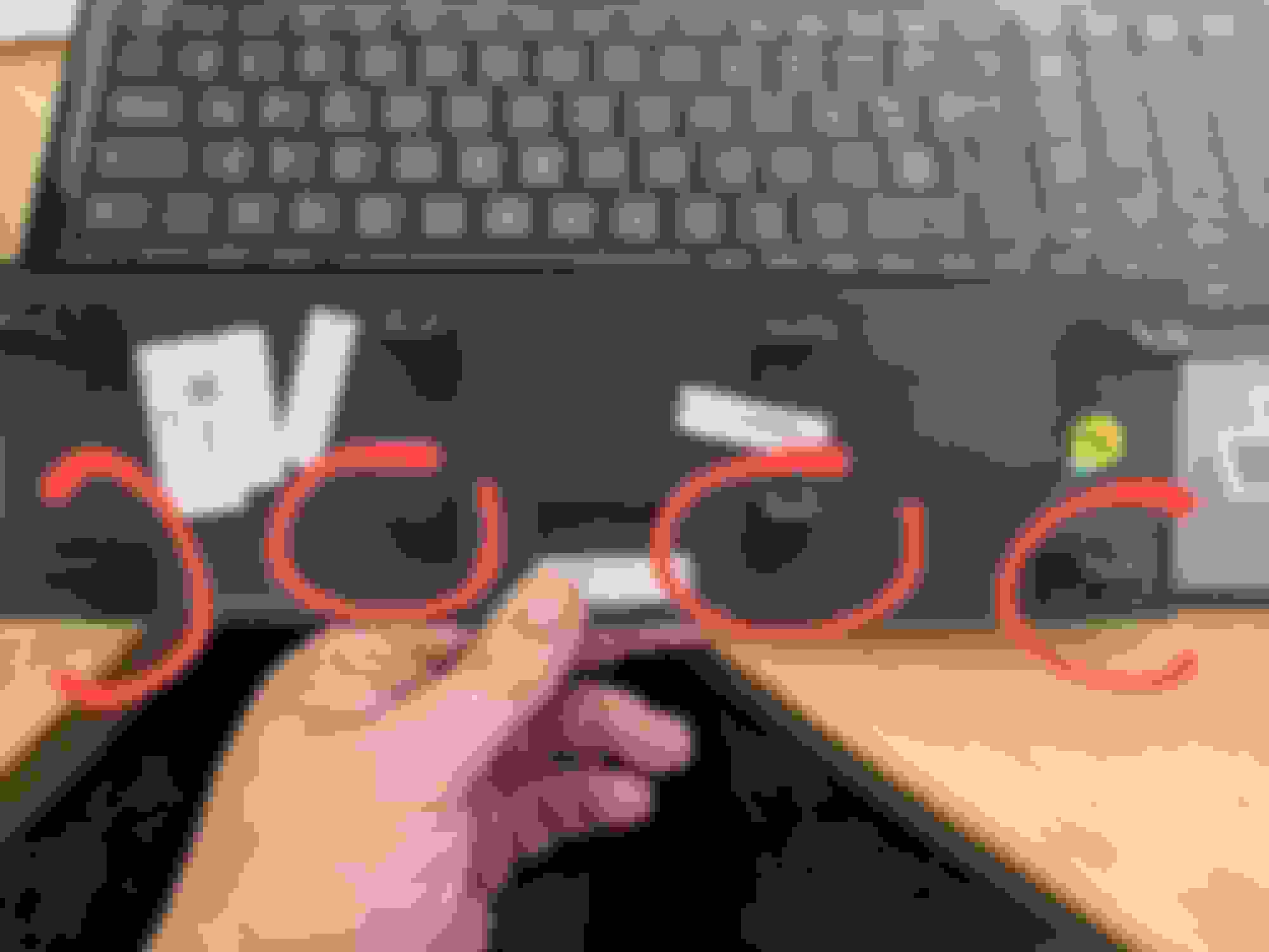
I have now adapted everything except for the change to the CCF and this cover between the multimedia display and ventilation. It no longer fits - of course - because the noses of the lower row, as the noses that are connected to the band around the larger display, are now in a different position and narrower.
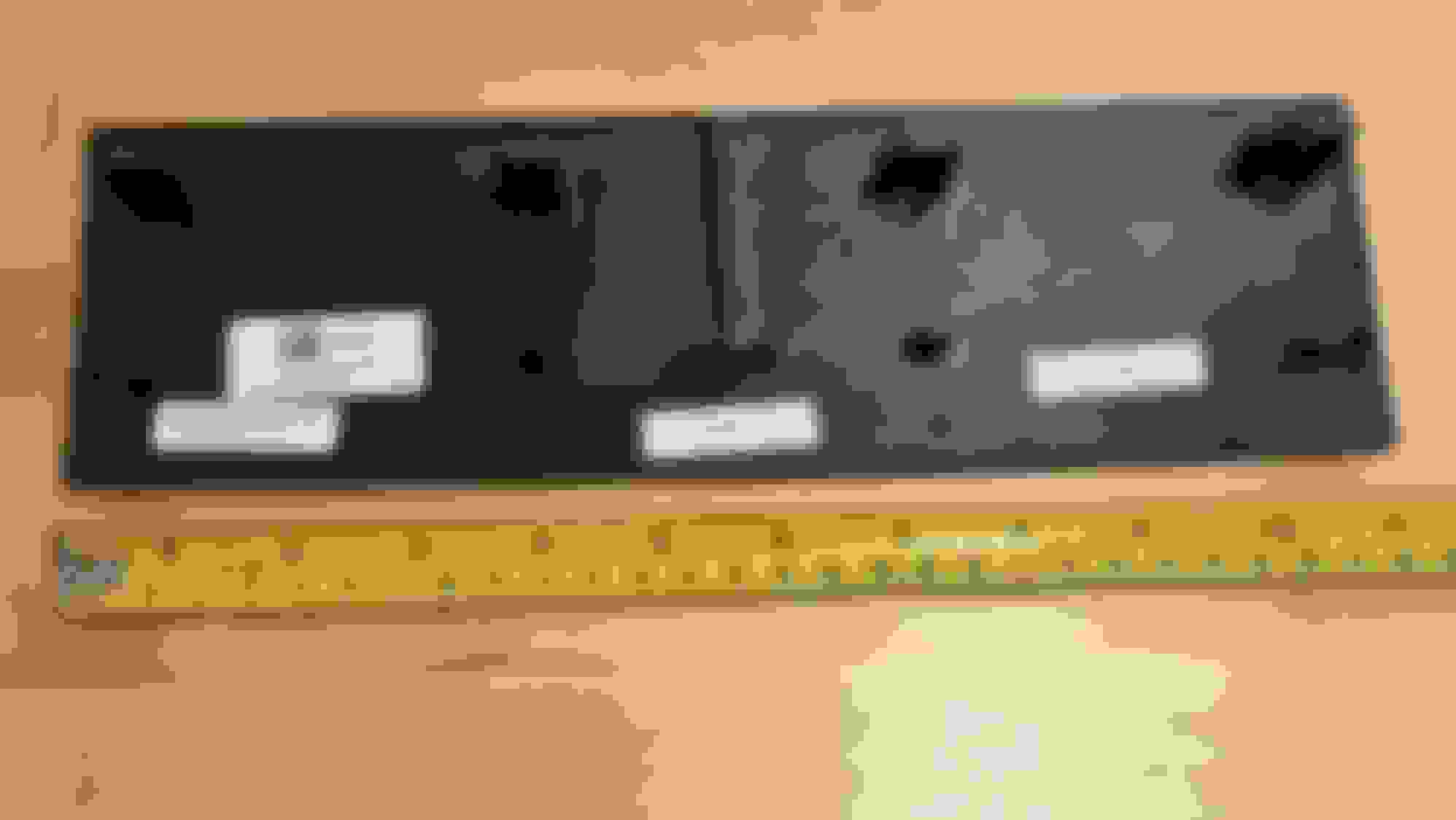
It is the following component: T2R11503 (see picture in the appendix).
Now I have two options: mill out the new bezel so that the old cover fits or simply buy a new cover. Unfortunately, this plastic part costs 280 euros :-0 and if I do this, I want to make sure that the new cover will fit ;-)
So: can someone please take a photo of the back of their lid like I did and send it to me so I can compare the two (old and new)?
I had the reverse problem when trying to fit the carbon fibre centre console trim to my MY18 with 10" screen. The carbon trim front mounting clips didn't align with the holes, as it was originally designed to fit the 8" screen frame. I simply cut off the front clips with a dremmel and just used the rear clips on the centre vent to hold it in place, possibly another solution to consider if new trim piece doesn't align. The four rear clips are more than enough to hold the trim in place with no rattles. Anyway, as requested here's a picture of the clips on the rear of my original 10" screen trim panel for you to compare with your 10" screen frame. PS: the centre 'groove', which flows into the centre air vent is slightly narrower on the MY18 10" screen cars, but not enough to stand out when you're sat in the car.
snip...
Contrary to what has already been described here in the forum, this is not plug & play at all!
In all the threads I've read about changing from the 8' to the bigger display, none of them suggested it was simple plug and play. Adding UAD? Sure. switching to the 10"? They all describe numbers of issues, regardless of which brand (OEM or Android).
Negative. Start reading over again ;-)
I am talking about OEM.
It's not just exchanging three parts (display bezel, holder) and modifying the ccf, you also have to modify little/other things f.e. the plastic holder behind the display and also the cover. There's no walk through here describing these things. You only hear: I have already done it, no problem, p&p, bla bla :-)
So I am very thankful for other people here helping with exact answers for guys like me, who are trying to close the information gaps. Thank you all!
I'll confirm Vik's statement. It has been made very clear on this site that upgrading from the OEM 8" to 10" is NOT plug and play; otherwise many others would have done it. I looked into it when I had my MY18 with the 8" screen and discovered it was going to be too much work. Many have done the Apple Car Play/Android Auto upgrade with aftermarket kits and that is much more plug and play.
Negative. Start reading over again ;-)
I am talking about OEM.
It's not just exchanging three parts (display bezel, holder) and modifying the ccf, you also have to modify little/other things f.e. the plastic holder behind the display and also the cover. There's no walk through here describing these things. You only hear: I have already done it, no problem, p&p, bla bla :-)
So I am very thankful for other people here helping with exact answers for guys like me, who are trying to close the information gaps. Thank you all!
A quick update...and looking to tap into the collective wisdom on the forums...
I've successfully had the 10" display installed and just as Dave posited it's a 1:1 fit!. ...
Thanks
I don't want to argue about the meaning of these words.
The main thing is that this hurdle of not matching the "right" cover can be overcome quite easily.
Apart from my installation experience, I can say so far that this seems even easier to me than what I have read about installing an UAD device ;-)
@dangoesfast: sure
Markus.
This picture shows the complete removement of the small screen - only a few screws
Here´s the new screen already in, but as you can sse, the CCF needs to be coded to switch everything over to the bigger size. The cover is missing, I need to "dremel" it :-)
Thanks for helping document the process, I've thought about going through this myself but am going to wait until my warranty is up first
So without the ccf changes, the 10" screen will still work, just displaying the old UI? That's nice to know that the screen can still function while ccf updates are worked out.
Agreed that if you could do a detailed writeup I'm sure many would appreciate it, I'd be happy to throw some beer money your way as well if that would help
It´s not yet all documented here, there are missing a few steps ("dremeling" some plastic parts and bending long metal clamps of the holder 90°) you need to know. I will write up, when everything is finished and working ;-)
Yeah, the screen works, but in my case - with a single-view-screen - there´s a small vertical black stripe through the left side and the right screen seems to be cut off and put at the extreme left side. Except that: Touch works, but you are pressing on other points on the screen as the icons tell you. Funny riddle :-)
The changes of the CCF will be done with the IIDTool from GAP. Problem - atm they are working on it - I can not read out the CCF. It´s too complicated to explain, need to be patient ...



 Help - Cover between multimedia display and ventilation