When you click on links to various merchants on this site and make a purchase, this can result in this site earning a commission. Affiliate programs and affiliations include, but are not limited to, the eBay Partner Network.
New Member Area - Intro a MUSTNew to Jaguar Forums? Drop in and tell us about you, your ride and location. This is your chance to introduce yourself to the forum.
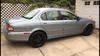
What’s up brothers. Just bought a Jaguar. Love it so far. Need a few little trim parts. But for now. Can someone please tell me how to get my avatar picture right side up ? Lol. Thx
Curse of the iPhone!, iPad etc. They store images in the orientation the device was held with an attribute which then makes the image appear correctly on the device. Unfortunately many websites can't interpret this attribute so the image appears like your Avatar. Flip the image vertically using Windows Paint or Photoshop........
I can see you've already found your way to the X-Type forum so there's no need for a link to it from me. The 'HOW TO' thread at the top is a good place to start for information on regular issues.
Please add vehicle details to your Signature to help others to give relevant advice. Go to the User CP button on the left of the top menu bar, then Settings & Options under Your Control Panel. Select Edit Signature and enter the details.
If you haven't done so already you should add your car details to your signature to help others to help you.
If you need help with getting around and using the forum follow this link for some help Forum Help




 New Jaguar Xtype VDP member














