When you click on links to various merchants on this site and make a purchase, this can result in this site earning a commission. Affiliate programs and affiliations include, but are not limited to, the eBay Partner Network.
I've been wanting to be able to play my music from my phone in my standard Jaguar radio/cassette/CD player for a long time. I, of course, tried the cassette unit that plugs into the phone headset jack of the phone, but the cord from the cassette to the phone was always a pain. The I bought a Bluetooth cassette, doing away with the wire, but got a lot of noise from static in the background. The I purchased a unit which plugs into the cigar lighter and the you tune to an FM frequency, it also worked but I, again got static in the background. I bought 2 of these, one being about $15 US dollars and the other $45. The more expensive one was no better that the cheap one. The I saw an advertisement from "Factory Radio Services & Repair in Ranch Cucamonga in Southern California who did a Bluetooth conversion and/or an Auxiliary outlet. So I contacted John through the website https://factoryradioservices.com/?page_id=152 I decided to have both Bluetooth and an auxiliary outlet at a cost of $225. I removed the radio ( there are a couple of how-to videos on YouTube) and sent it of to him. After a couple of weeks I got a PayPal invoice which I paid and in a couple of days I got my unit back. I re-installed it today and it works perfectly with no static. The Bluetooth on-off button is very inobtrusive. I did have to mount the auxiliary socket my self, as he just leaves a long "pig-tail" of wire from the back of the unit, but it wasn't hard to figure out.
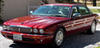
Here are some photos below Before After Bluetooth button Auxiliary Input
Neat. So how's the BT work? Does it stream the audio info to the LCD display? Does it allow for controlling your music thru the steering wheel controls? The latter is something I've had at the back of my mind for a while now, but haven't bothered to figure out exactly how to make it work yet.
Doesn't stream the track info on the LCD, the steering wheel control still works
BT works great, no interference or background noise, and of course the auxiliary input works just as good, if you don't have BT.
So I think I have all the bases covered.
Last edited by cliveb; May 1, 2021 at 11:31 PM.
Reason: More information
Danny, I can hear the phone thru the stereo, but the Jag built in microphone doesn't work and the phone controls on the steering wheel don't work. I guess i can always put my phone on "speaker" for the caller to hear me. I didn't do the conversion especially for the phone, I just wanted to play the music that is on my phone.
Most interesting, and thanks for posting. I don’t play music through my phone or via BT and would be more interested in having BT for phone calls and using the Aux input for my satellite radio. This looks like a good way to avoid the static that comes with FM transmitters to the car radio. It’s either that or break down and get the antenna plug device and have someone install it for me as electric things baffle me.
I tried a cassette for the XM radio as the internal FM transmitter died, but the cassette keeps flipping from side 1 to side 2 and then ejecting, which doesn’t help much if you want to listen to the Dead channel or whatever.
I've been wanting to be able to play my music from my phone in my standard Jaguar radio/cassette/CD player for a long time. I, of course, tried the cassette unit that plugs into the phone headset jack of the phone, but the cord from the cassette to the phone was always a pain. The I bought a Bluetooth cassette, doing away with the wire, but got a lot of noise from static in the background. The I purchased a unit which plugs into the cigar lighter and the you tune to an FM frequency, it also worked but I, again got static in the background. I bought 2 of these, one being about $15 US dollars and the other $45. The more expensive one was no better that the cheap one. The I saw an advertisement from "Factory Radio Services & Repair in Ranch Cucamonga in Southern California who did a Bluetooth conversion and/or an Auxiliary outlet. So I contacted John through the website https://factoryradioservices.com/?page_id=152 I decided to have both Bluetooth and an auxiliary outlet at a cost of $225. I removed the radio ( there are a couple of how-to videos on YouTube) and sent it of to him. After a couple of weeks I got a PayPal invoice which I paid and in a couple of days I got my unit back. I re-installed it today and it works perfectly with no static. The Bluetooth on-off button is very inobtrusive. I did have to mount the auxiliary socket my self, as he just leaves a long "pig-tail" of wire from the back of the unit, but it wasn't hard to figure out.
Here are some photos below Before After Bluetooth button Auxiliary Input
I sent the unit for my 1999 XJ8 to them several years ago before they had a bluetooth option. They put in a simple discreet AUX jack in the front of the unit. I was so happy to get rid of my cassette adapter.
The Blue tooth works well, the button turns it on and off, and if you plug into the aux jack while the BT is on, it automatically switches to the aux. I would be perfect if the original phone controls worked too, but that wasn't an option and I didn't request it.
This is a very useful thread as I have a 2000 XJR that came with an OEM phone handset tucked in the console. Since the phone was obsolete when I bought the car, I removed the phone, leaving the wiring intact and using the console void left by the phone for storage, etc.
Since then, I've installed an Sirius XM head unit and antenna in the car and used the same wired cassette adapter to input the XM signal into the car's stereo system.
It works fine, but it seems the cassette adapter wants to kick out of the cassette player randomly and sometimes won't load into the player at all.
Your solution seem like the way to go, and I'd like to hard wire the XM head unit into the stereo system, as you've done.
Was removing the radio/center stack a difficult process and reinstalling it, the same?
Jagskyguy,, no it wasn't difficult, there are several videos on Youtube showing how to remove the trim and get the radio out. Be careful tho' the plastic becomes very brittle over time and I had to "JB Weld" a couple of tabs back on.
I found this video the most helpful, albeit hampered somewhat by the Jag owner's very young son, but it had the best detail. The walnut trim piece has a tab at the very top of it, so make sure you lift the trim upwards to about 90 degrees from the radio before you try to pull it out, once removed it will reveal the 3 screws holding the radio and climate control panel in place.
This is ever so slightly galling to me, as I recently contacted this same business about adding Bluetooth to the factory radio in my '03 XJ8 and was told he can't do it for that model. Oh well, back to the drawing board.
I sent my unit to them several years ago before Bluetooth and use an AUX cord to connect my phone. I had even considered changing the unit to an aftermarket unit but did not want to ruin the look of the dash and this solved the problem. It sounds so much better than any cassette adapter. I can highly recommend them.



 Radio/cassette BT conversion